OpenXR Hand Pose Recorder
An asset by Pelax
Install Asset
Install via Godot
To maintain one source of truth, Godot Asset Library is just a mirror of the old asset library so you can download directly on Godot via the integrated asset library browser
Quick Information

OpenXR Hand Pose Recorder
Utility for capturing, saving, and loading XR hand tracking data.
Supported Engine Version
4.6
Version String
0.1
License Version
MIT
Support Level
community
Modified Date
4 months ago
Git URL
Issue URL
OpenXR Hand Pose Recorder
A 4.6.1+ utility for capturing, saving, and loading XR hand tracking data.
Functional Overview
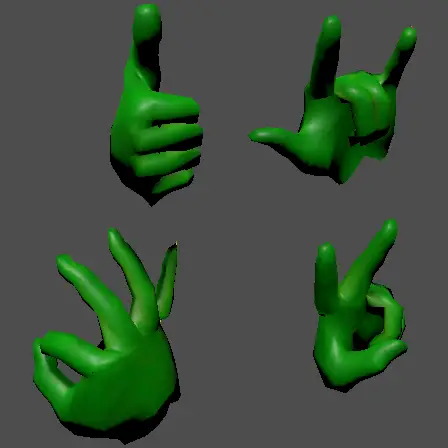
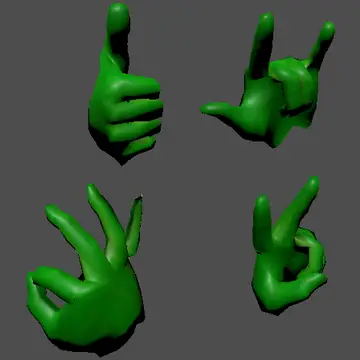
This plugin helps to create static gesture files for XR applications, using live tracking data.
Usage
Setup: Enable the following settings in your project (check image):
- XR/OpenXR/Enabled -> On
- XR/OpenXR/Reference Space -> Local Floor
- XR/OpenXR/Foveation Level -> Medium
- XR/OpenXR/Foveation Dynamic -> On
- XR/OpenXR/Hand Tracking -> On

Add the capture_pose to your input map (with SPACEBAR or something like that). Make sure to restart the project.
Your headset should be on hand-tracking mode. This won't work with controllers. Quest Link complains that it can't find your controllers, but pressing F6 in the scene will still work.
Pose Capture: Launch the record.tscn scene. Trigger the capture function (press your keyboard input) to generate a .tres file containing the current hand transform data. They go under
res://poses/

- Preview: Open preview.tscn and assign the resource to any of the HandPosePreview nodes (match left/right).

- Usage: Add a HandPoseRuntime node as a child of your hand's Skeleton3D. Assign a captured .tres file to the pose_resource property of the HandPoseRuntime node to override the skeleton's pose.
Attributions and Licensing
This project is licensed under the MIT License. It incorporates assets and logic from the official Godot Engine XR demo projects.
The corresponding license can be found in the subfolder third-party/openxr_hand_tracking_demo.
Utility for capturing, saving, and loading XR hand tracking data.
Reviews
Quick Information
OpenXR Hand Pose Recorder
Utility for capturing, saving, and loading XR hand tracking data.
Supported Engine Version
4.6
Version String
0.1
License Version
MIT
Support Level
community
Modified Date
4 months ago
Git URL
Issue URL