Install Asset
Install via Godot
To maintain one source of truth, Godot Asset Library is just a mirror of the old asset library so you can download directly on Godot via the integrated asset library browser
Quick Information
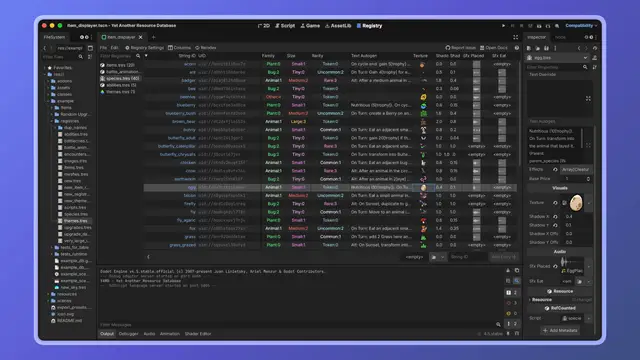
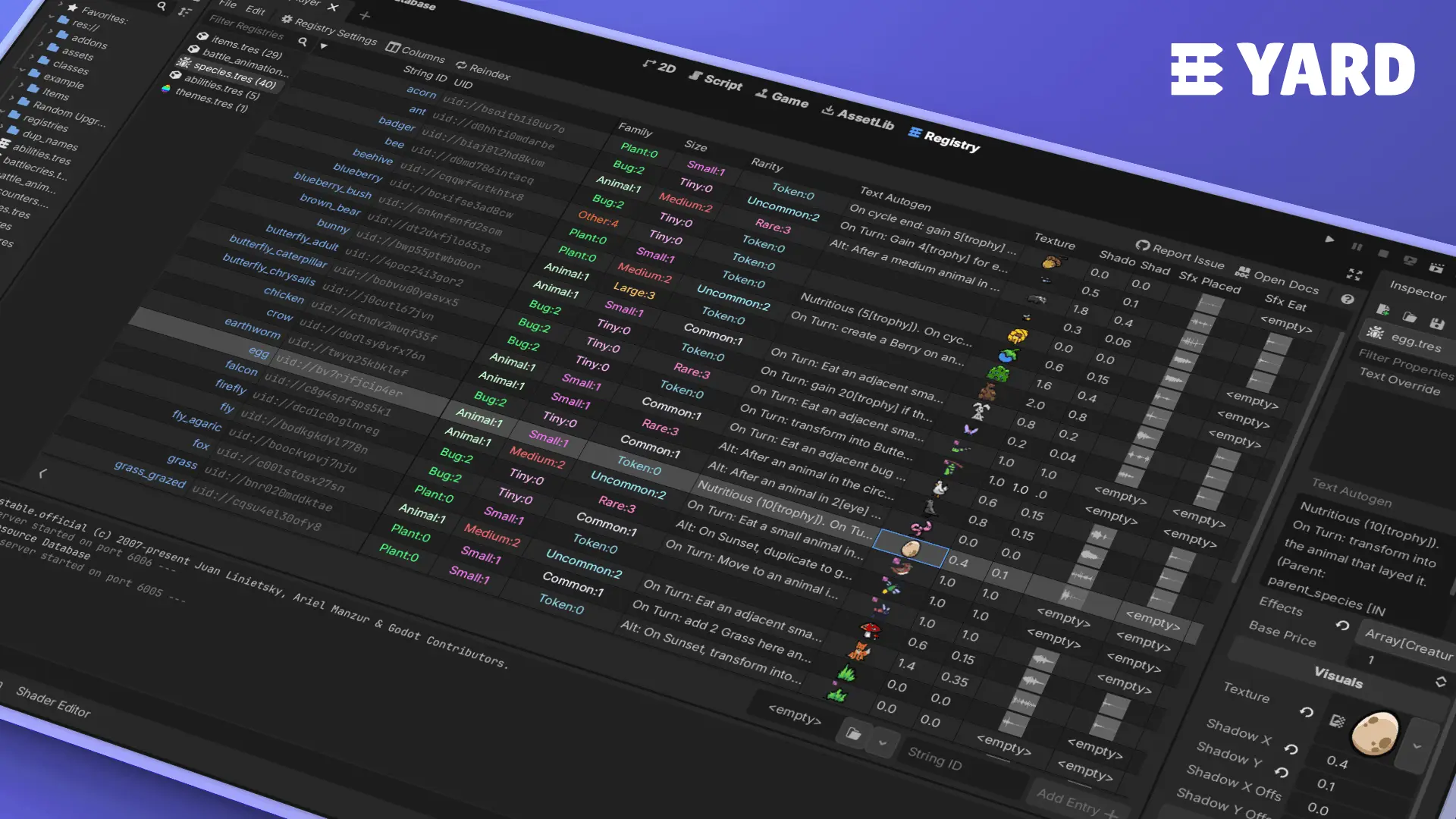
YARD is an editor plugin for Godot to manage resources and query them at runtime, with a table view in the editor as the cherry on top.OVERVIEW--------YARD has two complementary aspects: A table-based resource editor. The YARD editor tab lets you create and manage registries: catalogues of resources grouped by class. Each registry provides a spreadsheet-like view of your resources and their properties. A lightweight runtime API. At runtime, a Registry is just a small .tres file holding UIDs and string IDs. It does not load the resources it references. You control when loading happens, and how.FEATURES-------- - Reference resources by stable, human-readable string IDs instead of file paths or UIDs lying around in some autoload - Restrict a registry to a specific class — only matching resources can be added - Sync a registry from a directory — entries are added and removed automatically as resource files appear or disappear - Bake a property index in the editor for zero-cost runtime queries by resource property values - Load entries individually, all at once (blocking), or asynchronously via threaded loading - No runtime overhead beyond what you explicitly requestINSTALLATION------------ 1. Copy the addons/yard folder into your project's addons/ directory 2. Enable the plugin in Project > Project Settings > PluginsUSAGE-----Creating a registry: Open the Registry tab in the editor, click File > New Registry, and configure: - Class restriction: only resources of this class will be accepted - Scan directory: the registry stays in sync with files in this folder - Indexed properties: property names to bake for runtime filteringLoading an entry: var skeleton: Enemy = ENEMIES.load_entry(&"skeleton")Loading all entries (blocking): var all_enemies := ENEMIES.load_all_blocking()Loading all entries (threaded): var tracker := ENEMIES.load_all_threaded_request()Querying the index: var legendaries := WEAPONS.filter_by_value(&"rarity", Rarity.LEGENDARY) var high_level := WEAPONS.filter_by(&"level", func(v): return v >= 10) var results := WEAPONS.filter_by_values({ &"rarity": Rarity.LEGENDARY, &"type": &"sword", })LICENSE-------MIT
@tool extends AcceptDialog
const Namespace := preload("res://addons/yard/editor_only/namespace.gd") const MarkdownLabel := Namespace.MarkdownLabel
@onready var markdown_label: MarkdownLabel = %MarkdownLabel
func _ready() -> void: if Engine.is_editor_hint(): var mono: Font = get_theme_font(&"font", &"CodeEdit") markdown_label.add_theme_font_override(&"mono_font", mono) markdown_label.add_theme_color_override(&"table_even_row_bg", get_theme_color(&"prop_section", &"Editor")) markdown_label.add_theme_color_override(&"table_odd_row_bg", get_theme_color(&"separator_color", &"Editor")) markdown_label.h2.font_color = get_theme_color(&"accent_color", &"Editor") markdown_label.h3.font_color = get_theme_color(&"font_focus_color", &"Editor")
#markdown_label.display_file()
YARD is an editor plugin for Godot to manage resources and query them at runtime, with a table view in the editor as the cherry on top.
OVERVIEW
--------
YARD has two complementary aspects:
A table-based resource editor. The YARD editor tab lets you create and
manage registries: catalogues of resources grouped by class. Each registry
provides a spreadsheet-like view of your resources and their properties.
A lightweight runtime API. At runtime, a Registry is just a small .tres
file holding UIDs and string IDs. It does not load the resources it
references. You control when loading happens, and how.
FEATURES
--------
- Reference resources by stable, human-readable string IDs instead of
file paths or UIDs lying around in some autoload
- Restrict a registry to a specific class — only matching resources
can be added
- Sync a registry from a directory — entries are added and removed
automatically as resource files appear or disappear
- Bake a property index in the editor for zero-cost runtime queries
by resource property values
- Load entries individually, all at once (blocking), or asynchronously
via threaded loading
- No runtime overhead beyond what you explicitly request
INSTALLATION
------------
1. Copy the addons/yard folder into your project's addons/ directory
2. Enable the plugin in Project > Project Settings > Plugins
USAGE
-----
Creating a registry:
Open the Registry tab in the editor, click File > New Registry, and
configure:
- Class restriction: only resources of this class will be accepted
- Scan directory: the registry stays in sync with files in this folder
- Indexed properties: property names to bake for runtime filtering
Loading an entry:
var skeleton: Enemy = ENEMIES.load_entry(&"skeleton")
Loading all entries (blocking):
var all_enemies := ENEMIES.load_all_blocking()
Loading all entries (threaded):
var tracker := ENEMIES.load_all_threaded_request()
Querying the index:
var legendaries := WEAPONS.filter_by_value(&"rarity", Rarity.LEGENDARY)
var high_level := WEAPONS.filter_by(&"level", func(v): return v >= 10)
var results := WEAPONS.filter_by_values({
&"rarity": Rarity.LEGENDARY,
&"type": &"sword",
})
LICENSE
-------
MIT
Reviews
Quick Information
YARD is an editor plugin for Godot to manage resources and query them at runtime, with a table view in the editor as the cherry on top.OVERVIEW--------YARD has two complementary aspects: A table-based resource editor. The YARD editor tab lets you create and manage registries: catalogues of resources grouped by class. Each registry provides a spreadsheet-like view of your resources and their properties. A lightweight runtime API. At runtime, a Registry is just a small .tres file holding UIDs and string IDs. It does not load the resources it references. You control when loading happens, and how.FEATURES-------- - Reference resources by stable, human-readable string IDs instead of file paths or UIDs lying around in some autoload - Restrict a registry to a specific class — only matching resources can be added - Sync a registry from a directory — entries are added and removed automatically as resource files appear or disappear - Bake a property index in the editor for zero-cost runtime queries by resource property values - Load entries individually, all at once (blocking), or asynchronously via threaded loading - No runtime overhead beyond what you explicitly requestINSTALLATION------------ 1. Copy the addons/yard folder into your project's addons/ directory 2. Enable the plugin in Project > Project Settings > PluginsUSAGE-----Creating a registry: Open the Registry tab in the editor, click File > New Registry, and configure: - Class restriction: only resources of this class will be accepted - Scan directory: the registry stays in sync with files in this folder - Indexed properties: property names to bake for runtime filteringLoading an entry: var skeleton: Enemy = ENEMIES.load_entry(&"skeleton")Loading all entries (blocking): var all_enemies := ENEMIES.load_all_blocking()Loading all entries (threaded): var tracker := ENEMIES.load_all_threaded_request()Querying the index: var legendaries := WEAPONS.filter_by_value(&"rarity", Rarity.LEGENDARY) var high_level := WEAPONS.filter_by(&"level", func(v): return v >= 10) var results := WEAPONS.filter_by_values({ &"rarity": Rarity.LEGENDARY, &"type": &"sword", })LICENSE-------MIT