Stereo Wall Display
An asset by uhlavalab
Install Asset
Install via Godot
To maintain one source of truth, Godot Asset Library is just a mirror of the old asset library so you can download directly on Godot via the integrated asset library browser
Quick Information

Stereo Wall Display
A Godot 4.x addon for stereoscopic 3D rendering on large display walls with off-axis projection.Currently only supports one display and side-by-side stereoscopic.
Supported Engine Version
4.0
Version String
v1.0.1
License Version
MIT
Support Level
community
Modified Date
6 months ago
Git URL
Issue URL
Stereo Wall Display
A Godot 4.x addon for stereoscopic 3D rendering on large display walls with off-axis projection.


Features
- Off-axis (asymmetric) frustum projection for accurate perspective
- Side-by-side stereoscopic output for passive 3D displays
- Built-in FPS/fly camera controls with keyboard, mouse, and gamepad support
- Edit mode for development with standard resolution
- Production mode with automatic borderless fullscreen
- Configurable wall dimensions, eye separation, and resolution
Installation
From GitHub
- Download or clone this repository
- Copy
addons/stereo_wall_display/into your project'saddons/folder - Enable the plugin: Project > Project Settings > Plugins > Stereo Wall Display
From Godot Asset Library
- Open AssetLib in Godot
- Search for "Stereo Wall Display"
- Download and install
- Enable the plugin in Project Settings
Quick Start
- Add a
StereoWallDisplaynode to your scene - Add your 3D content as children or siblings
- Configure wall dimensions to match your physical display
- Set
edit_mode = trueduring development - Set
edit_mode = falsefor deployment
Controls
| Input | Action |
|---|---|
| WASD / Left Stick | Move |
| Mouse / Right Stick | Look |
| R | Reset position |
| ESC | Quit application |
Configuration
General Settings
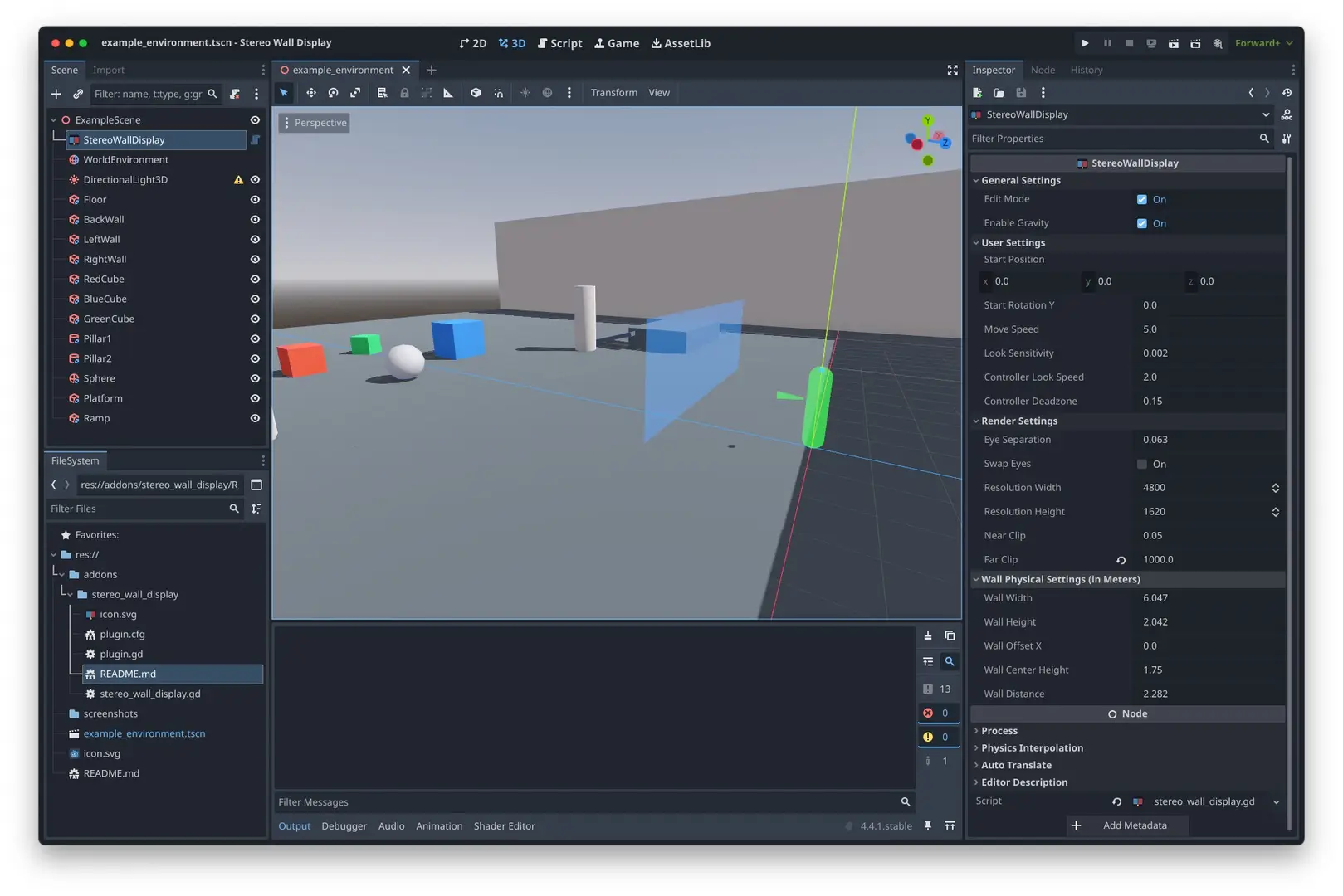
edit_mode- Toggle between development and stereo outputenable_gravity- Enable for walking, disable for flying
User Settings
start_position- Initial spawn locationmove_speed- Movement speed in meters per secondlook_sensitivity- Mouse look sensitivitycontroller_look_speed- Gamepad right stick sensitivity
Render Settings
resolution_width/resolution_height- Resolution per eye (default: 4800x1620)eye_separation- Inter-ocular distance in meters (default: 0.063)swap_eyes- Swap left and right eye output
Wall Physical Settings
Configure these to match your physical display wall:
wall_width/wall_height- Physical dimensions in meterswall_distance- Distance from viewer to wallwall_center_height- Height of wall center from ground
Production Deployment
When edit_mode is disabled:
- Window automatically sets to borderless mode
- Window positions at (0, 0)
- Resolution sets to full stereo output (resolution_width * 2 x resolution_height)
Example
See example_environment.tscn for a demo scene.
License
MIT License - see LICENSE file
A Godot 4.x addon for stereoscopic 3D rendering on large display walls with off-axis projection.
Currently only supports one display and side-by-side stereoscopic.
Reviews
Quick Information
Stereo Wall Display
A Godot 4.x addon for stereoscopic 3D rendering on large display walls with off-axis projection.Currently only supports one display and side-by-side stereoscopic.
Supported Engine Version
4.0
Version String
v1.0.1
License Version
MIT
Support Level
community
Modified Date
6 months ago
Git URL
Issue URL