Inventory Forge
An asset by menkos
Install Asset
Install via Godot
To maintain one source of truth, Godot Asset Library is just a mirror of the old asset library so you can download directly on Godot via the integrated asset library browser
Quick Information

Inventory Forge
Visual item database editor with multilingual support for RPG and adventure games
Supported Engine Version
4.0
Version String
1.2.0
License Version
MIT
Support Level
community
Modified Date
6 months ago
Git URL
Issue URL
Inventory Forge - Demo Assets
This folder contains demo/example files to help you get started with Inventory Forge.
Files
demo_database.tres
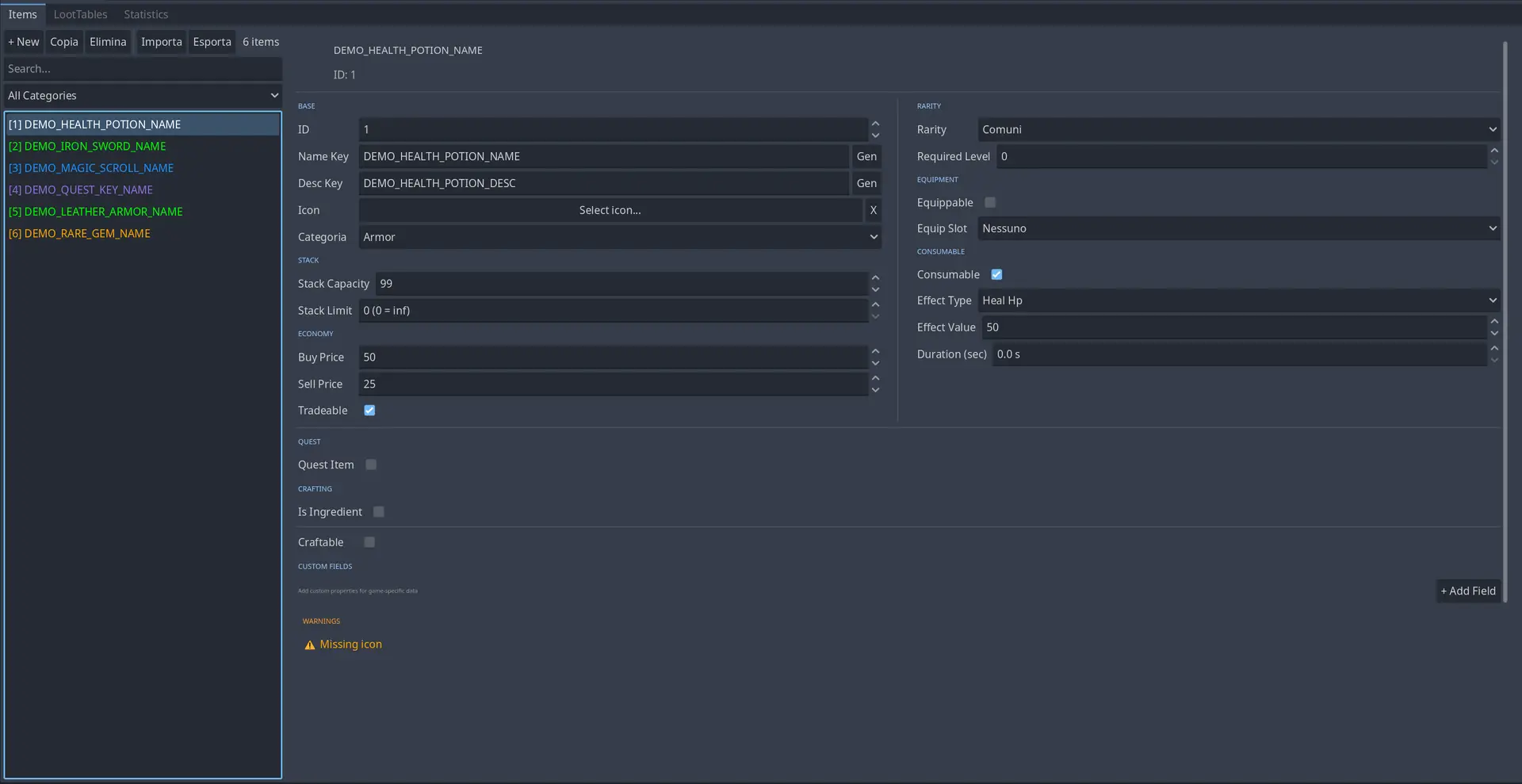
A sample item database with 6 placeholder items showcasing different features:
Health Potion (ID: 1)
- Category: Consumable
- Stackable (99)
- Heals 50 HP
- Common rarity
Iron Sword (ID: 2)
- Category: Equipment
- Equippable (Weapon slot)
- +10 ATK bonus
- Uncommon rarity
Magic Scroll (ID: 3)
- Category: Scroll/Magic
- Stackable (20)
- Temporary ATK buff (+20 for 30s)
- Rare rarity
Ancient Key (ID: 4)
- Category: Key Item
- Quest item (quest_id: "main_quest_001")
- Not tradeable
- Epic rarity
Leather Armor (ID: 5)
- Category: Equipment
- Equippable (Armor slot)
- +15 DEF bonus
- Requires Level 5
- Uncommon rarity
Rare Gem (ID: 6)
- Category: Material
- Craftable item
- Stackable (50)
- Legendary rarity
demo_translations.csv
Translation keys for all demo items in English and Italian.
Note: To use these translations in your project:
- Import this CSV file in Godot (it will generate
.translationfiles automatically) - Add the translation files to Project Settings → Localization → Translations
demo_items.gd
Example script showing how to:
- Load the item database at runtime
- Get items by ID
- Access translated names/descriptions
- Filter items by category
- Use consumables with effect handling
Usage
Quick Start
- Open the Inventory Forge tab in Godot
- The demo database is loaded by default
- Explore the items to see different configurations
Using in Your Project
You can use this demo database as a starting point:
- In Project Settings → Inventory Forge → Database → Path, keep the default:
res://addons/inventory_forge/demo/demo_database.tres - Modify the items to match your game's needs
- OR create a new database and point to it instead
Creating Your Own Database
- In Godot, create a new folder (e.g.,
res://data/items/) - Right-click → Create New → Resource →
ItemDatabase - Save as
my_items.tres - Update the path in Project Settings → Inventory Forge → Database → Path
- Start adding your items!
Translation Setup
To use the demo translations:
# The translations are automatically used when you access items:
var item = database.get_item_by_id(1)
print(item.get_translated_name())  # "Health Potion" (en) or "Pozione Vita" (it)
Change language at runtime:
TranslationServer.set_locale("it")  # Switch to Italian
TranslationServer.set_locale("en")  # Switch to English
License
These demo files are part of the Inventory Forge plugin and are released under the MIT License. Feel free to modify, delete, or replace them with your own content.
Visual item database editor with multilingual support for RPG and adventure games
Reviews
Quick Information
Inventory Forge
Visual item database editor with multilingual support for RPG and adventure games
Supported Engine Version
4.0
Version String
1.2.0
License Version
MIT
Support Level
community
Modified Date
6 months ago
Git URL
Issue URL