AnimSheet – Sprite Sheets to AnimatedSprite2D & AnimationPlayer
An asset by Lighar
Install Asset
Install via Godot
To maintain one source of truth, Godot Asset Library is just a mirror of the old asset library so you can download directly on Godot via the integrated asset library browser
Quick Information

AnimSheet – Sprite Sheets to AnimatedSprite2D & AnimationPlayer
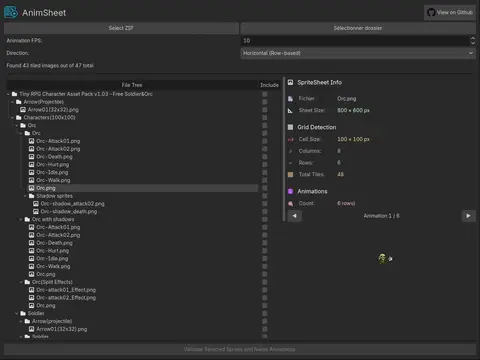
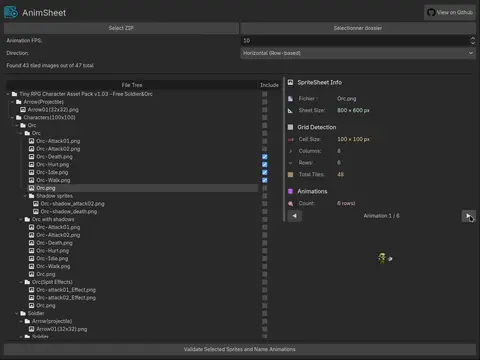
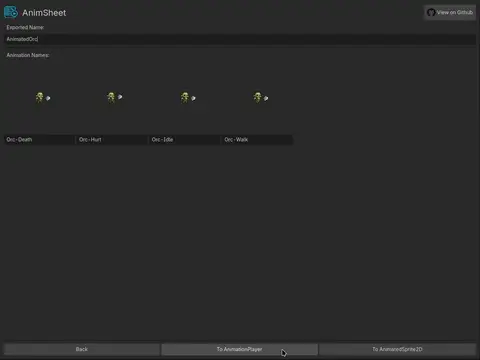
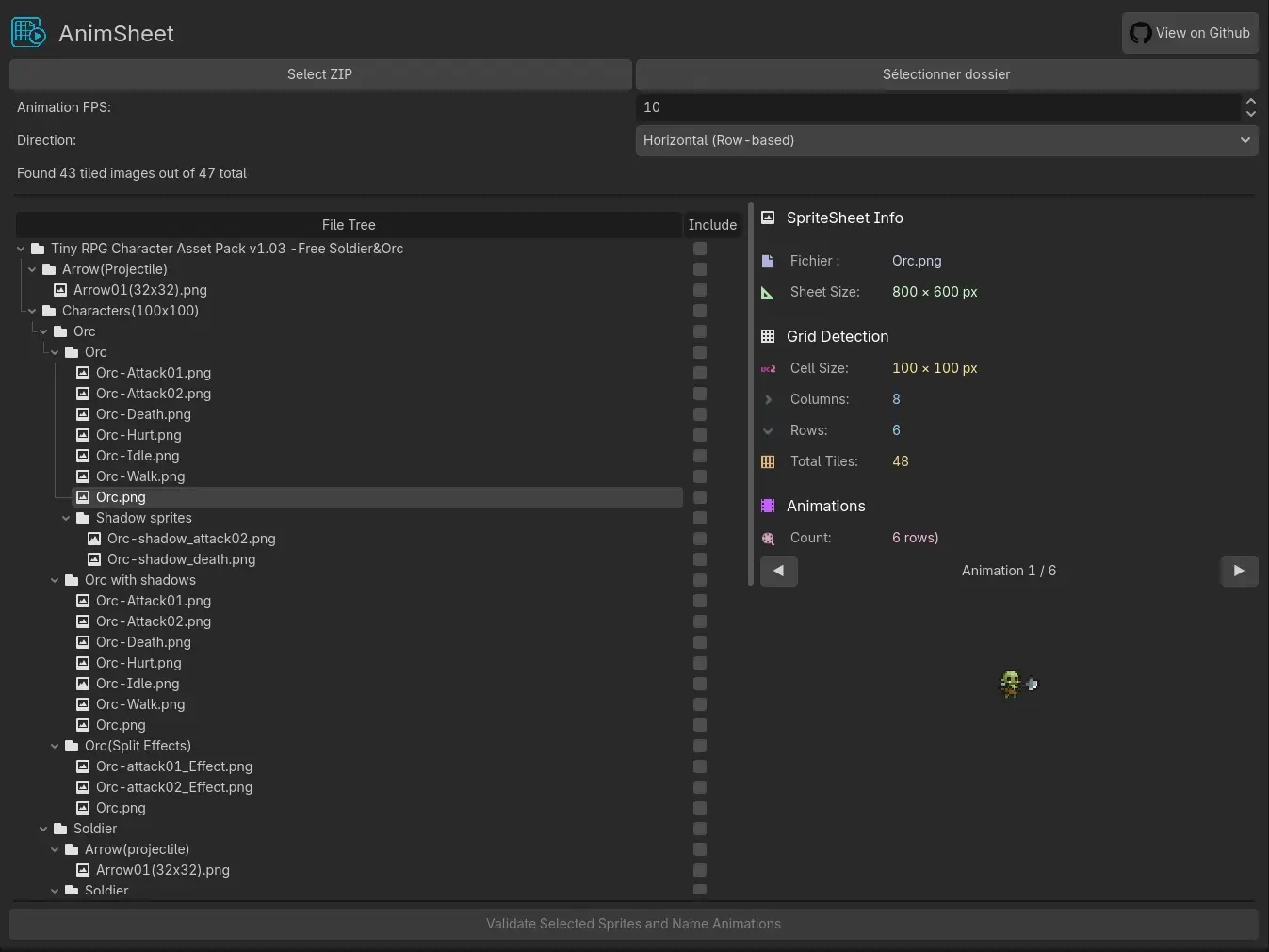
Quickly turn entire folders or ZIP archives of sprite sheets into ready-to-use animated nodes inside the Godot editor !Load hundreds of sprite sheets at once, let it automatically detect grids and animations, name them as you like, and export everything with one clickFeatures:- Scan entire folders or ZIP archives full of sprite sheets- Smart automatic grid detection that finds tile sizes and animation layouts- Give names to each animation on exportTwo export modes: - AnimatedSprite2D for simple use - Sprite2D + AnimationPlayer for full scripting controlInstantly creates the nodes directly in your currently open scene !Get your animations ready faster than ever.More info and source code: https://github.com/Lighar/AnimSheet
Supported Engine Version
4.2
Version String
2.0
License Version
MIT
Support Level
community
Modified Date
3 months ago
Git URL
Issue URL
🎬 AnimSheet - Bring Your Spritesheets to Life!
✨ Turn your static sprite sheets into fully-animated characters with just a few clicks! ✨


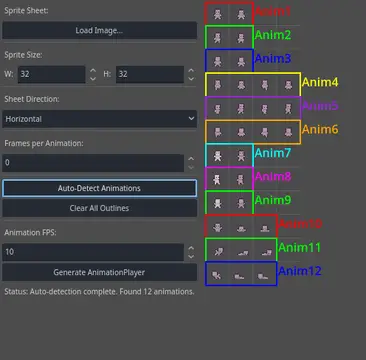
SpriteSheet Source: Snoblin's Pixel RPG Free NPC
Say goodbye to the hassle of manually setting up animations in Godot! AnimSheet lets you effortlessly create Sprite2D and AnimationPlayer nodes directly from your sprite sheets. Just load, define, and animate – it's that easy! 🚀
🎯 Features
Supports Common Formats – Load PNG, JPG, WEBP, and more!
Visual Feedback – See a grid overlay on your sprite sheet for easy alignment.
Fast Animation Setup:
- 🔍 Auto-Detect – Let AnimSheet find animations automatically! Works with transparent backgrounds and strips.
- 🖱️ Manual Drag & Drop – Draw animation frames directly on the sprite sheet preview!
Custom FPS Settings – Control playback speed per animation.
One-Click Node Generation – Instantly createSprite2DandAnimationPlayernodes with correctly set animation tracks.
🚀 Installation
📦 From Asset Library (Recommended)
- Open Godot Editor and go to the
AssetLibtab. - Search for AnimSheet.
- Download & install the plugin.
- Enable it in Project -> Project Settings -> Plugins.
🔧 Manual Installation
- Download the
addons/anim_sheetfolder from this repository. - Place the
addonsfolder in your Godot project directory. - Enable the plugin in Project -> Project Settings -> Plugins.
🛠️ How to Use
1. Open the Plugin:
Go to Project -> Tools -> Sprite Sheet Animator in the Godot Editor.
2. Load Your Sprite Sheet:
Click the Load Texture button and select your sprite sheet image.
3. Set Frame Size:
Adjust Sprite Width and Sprite Height to match the size of a single frame.
4. Define Animations:
- Auto-Detect Mode
- Choose the animation layout (Horizontal or Vertical).
- (Optional) Set "Frames Per Anim" to split longer strips into multiple animations.
- Click Auto Detect Animations – magic happens! ✨
- Manual Mode
- Click & drag to draw rectangles around animation frames.
5. Fine-Tune Your Animations (Optional):
- Rename: Click an animation’s name label (e.g., "Anim1") to rename it.
- Delete: Right-click an animation's outline to remove it.
6. Generate Nodes:
- Open a scene in Godot.
- Click Generate Nodes and watch your sprite come to life! 🎉
📜 License
This project is licensed under MIT – use it freely in your games! 🚀
Quickly turn entire folders or ZIP archives of sprite sheets into ready-to-use animated nodes inside the Godot editor !
Load hundreds of sprite sheets at once, let it automatically detect grids and animations, name them as you like, and export everything with one click
Features:
- Scan entire folders or ZIP archives full of sprite sheets
- Smart automatic grid detection that finds tile sizes and animation layouts
- Give names to each animation on export
Two export modes:
- AnimatedSprite2D for simple use
- Sprite2D + AnimationPlayer for full scripting control
Instantly creates the nodes directly in your currently open scene !
Get your animations ready faster than ever.
More info and source code: https://github.com/Lighar/AnimSheet
Reviews
Quick Information
AnimSheet – Sprite Sheets to AnimatedSprite2D & AnimationPlayer
Quickly turn entire folders or ZIP archives of sprite sheets into ready-to-use animated nodes inside the Godot editor !Load hundreds of sprite sheets at once, let it automatically detect grids and animations, name them as you like, and export everything with one clickFeatures:- Scan entire folders or ZIP archives full of sprite sheets- Smart automatic grid detection that finds tile sizes and animation layouts- Give names to each animation on exportTwo export modes: - AnimatedSprite2D for simple use - Sprite2D + AnimationPlayer for full scripting controlInstantly creates the nodes directly in your currently open scene !Get your animations ready faster than ever.More info and source code: https://github.com/Lighar/AnimSheet
Supported Engine Version
4.2
Version String
2.0
License Version
MIT
Support Level
community
Modified Date
3 months ago
Git URL
Issue URL