Interactive 3D
An asset by 1503Dev
Install Asset
Install via Godot
To maintain one source of truth, Godot Asset Library is just a mirror of the old asset library so you can download directly on Godot via the integrated asset library browser
Quick Information
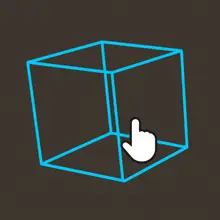

Interactive 3D
Simple 3D Mouse Interaction PluginUsage:1. Replace your StaticBody3D with InteractiveStaticBody3D or replace your CollisionShape(Polygon)3D with InteractiveCollisionShape(Polygon)3D. You can also attach an Interactor3D to a CollisionObject3D parent node, child node, or sibling node (priority: child node > parent node > sibling node).2. Connect signals.简单的3D鼠标交互插件使用:1. 替换你的StaticBody3D为InteractiveStaticBody3D或替换你的CollisionShape(Polygon)3D为InteractiveCollisionShape(Polygon)3D也可以附加Interactor3D到CollisionObject3D父节点、子节点或者是兄弟节点(优先级: 子节点>父节点>兄弟节点)2. 连接信号
Supported Engine Version
4.1
Version String
1.0.0
License Version
Apache-2.0
Support Level
community
Modified Date
3 months ago
Git URL
Issue URL
Simple 3D Mouse Interaction Plugin
Usage:
1. Replace your StaticBody3D with InteractiveStaticBody3D or replace your CollisionShape(Polygon)3D with InteractiveCollisionShape(Polygon)3D. You can also attach an Interactor3D to a CollisionObject3D parent node, child node, or sibling node (priority: child node > parent node > sibling node).
2. Connect signals.
简单的3D鼠标交互插件
使用:
1. 替换你的StaticBody3D为InteractiveStaticBody3D或替换你的CollisionShape(Polygon)3D为InteractiveCollisionShape(Polygon)3D
也可以附加Interactor3D到CollisionObject3D父节点、子节点或者是兄弟节点(优先级: 子节点>父节点>兄弟节点)
2. 连接信号
Reviews
Quick Information
Interactive 3D
Simple 3D Mouse Interaction PluginUsage:1. Replace your StaticBody3D with InteractiveStaticBody3D or replace your CollisionShape(Polygon)3D with InteractiveCollisionShape(Polygon)3D. You can also attach an Interactor3D to a CollisionObject3D parent node, child node, or sibling node (priority: child node > parent node > sibling node).2. Connect signals.简单的3D鼠标交互插件使用:1. 替换你的StaticBody3D为InteractiveStaticBody3D或替换你的CollisionShape(Polygon)3D为InteractiveCollisionShape(Polygon)3D也可以附加Interactor3D到CollisionObject3D父节点、子节点或者是兄弟节点(优先级: 子节点>父节点>兄弟节点)2. 连接信号
Supported Engine Version
4.1
Version String
1.0.0
License Version
Apache-2.0
Support Level
community
Modified Date
3 months ago
Git URL
Issue URL