Move here
An asset by Stand43
Install Asset
Install via Godot
To maintain one source of truth, Godot Asset Library is just a mirror of the old asset library so you can download directly on Godot via the integrated asset library browser
Quick Information

Move here
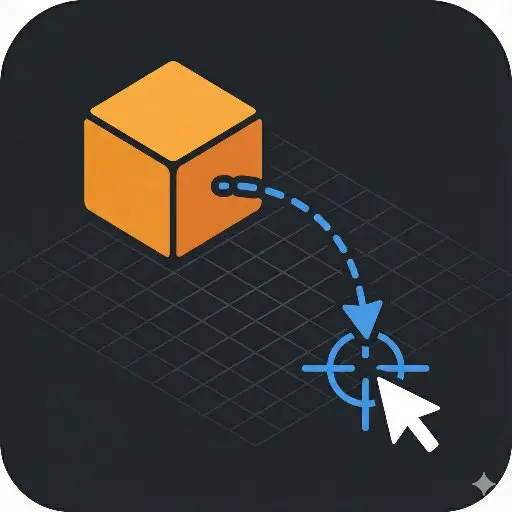
A simple tool for the Godot Editor. "Move Here" allows you to instantly snap selected 3D node to the mouse cursor position with a single click, respecting collision geometry and the scene grid.## Features* **Smart Raycasting:** Snaps objects to the surface of other colliders (walls, floors, terrain).* **Grid Fallback:** If you click into empty space, objects snap to the ground plane (Y=0).* **Undo/Redo Support:** Fully integrated with Godot's history system. Mistake? Just press `Ctrl+Z`.* **Configurable Shortcut:** Choose between `Ctrl`, `Alt`, `Shift` or `Space` to prevent conflicts with your existing workflow.* **Zero Runtime Cost:** Runs only in the editor; no code is executed in your actual game.## Usage1. Select a Node3D (or any node inheriting from it) in the Scene tree.2. Move your mouse to the desired location in the 3D Viewport.3. Hold **Ctrl** and **Left Click**.4. The object will snap to the cursor location.## ConfigurationIf `Ctrl + Click` conflicts with another plugin or your preferences:1. Go to **Editor > Editor Settings**.2. Scroll down to the **Addons** section.3. Click on **Move Here**.4. Change the `Modifier Key` to **Alt** or **Shift**.Made with AI and tested.
Supported Engine Version
4.0
Version String
1.1
License Version
MIT
Support Level
community
Modified Date
6 months ago
Git URL
Issue URL
A simple tool for the Godot Editor. "Move Here" allows you to instantly snap selected 3D node to the mouse cursor position with a single click, respecting collision geometry and the scene grid.
Made with AI.
Features
- Smart Raycasting: Snaps objects to the surface of other colliders (walls, floors, terrain).
- Grid Fallback: If you click into empty space, objects snap to the ground plane (Y=0).
- Undo/Redo Support: Fully integrated with Godot's history system. Mistake? Just press
Ctrl+Z. - Configurable Shortcut: Choose between
Ctrl,Alt,ShiftorSpaceto prevent conflicts with your existing workflow. - Zero Runtime Cost: Runs only in the editor; no code is executed in your actual game.
Installation
- Download the repository.
- Copy the
addons/move_herefolder into your project'saddons/directory. - Open Godot and go to Project > Project Settings > Plugins.
- Find "Move here" and check the Enable box.
Usage
- Select a Node3D (or any node inheriting from it) in the Scene tree.
- Move your mouse to the desired location in the 3D Viewport.
- Hold Ctrl and Left Click.
- The object will snap to the cursor location.
Configuration
If Ctrl + Click conflicts with another plugin or your preferences:
- Go to Editor > Editor Settings.
- Scroll down to the Addons section.
- Click on Move Here.
- Change the
Modifier Keyto Alt or Shift.
License
MIT License. Copyright (c) 2025 Stand43.
A simple tool for the Godot Editor. "Move Here" allows you to instantly snap selected 3D node to the mouse cursor position with a single click, respecting collision geometry and the scene grid.
## Features
* **Smart Raycasting:** Snaps objects to the surface of other colliders (walls, floors, terrain).
* **Grid Fallback:** If you click into empty space, objects snap to the ground plane (Y=0).
* **Undo/Redo Support:** Fully integrated with Godot's history system. Mistake? Just press `Ctrl+Z`.
* **Configurable Shortcut:** Choose between `Ctrl`, `Alt`, `Shift` or `Space` to prevent conflicts with your existing workflow.
* **Zero Runtime Cost:** Runs only in the editor; no code is executed in your actual game.
## Usage
1. Select a Node3D (or any node inheriting from it) in the Scene tree.
2. Move your mouse to the desired location in the 3D Viewport.
3. Hold **Ctrl** and **Left Click**.
4. The object will snap to the cursor location.
## Configuration
If `Ctrl + Click` conflicts with another plugin or your preferences:
1. Go to **Editor > Editor Settings**.
2. Scroll down to the **Addons** section.
3. Click on **Move Here**.
4. Change the `Modifier Key` to **Alt** or **Shift**.
Made with AI and tested.
Reviews
Quick Information
Move here
A simple tool for the Godot Editor. "Move Here" allows you to instantly snap selected 3D node to the mouse cursor position with a single click, respecting collision geometry and the scene grid.## Features* **Smart Raycasting:** Snaps objects to the surface of other colliders (walls, floors, terrain).* **Grid Fallback:** If you click into empty space, objects snap to the ground plane (Y=0).* **Undo/Redo Support:** Fully integrated with Godot's history system. Mistake? Just press `Ctrl+Z`.* **Configurable Shortcut:** Choose between `Ctrl`, `Alt`, `Shift` or `Space` to prevent conflicts with your existing workflow.* **Zero Runtime Cost:** Runs only in the editor; no code is executed in your actual game.## Usage1. Select a Node3D (or any node inheriting from it) in the Scene tree.2. Move your mouse to the desired location in the 3D Viewport.3. Hold **Ctrl** and **Left Click**.4. The object will snap to the cursor location.## ConfigurationIf `Ctrl + Click` conflicts with another plugin or your preferences:1. Go to **Editor > Editor Settings**.2. Scroll down to the **Addons** section.3. Click on **Move Here**.4. Change the `Modifier Key` to **Alt** or **Shift**.Made with AI and tested.
Supported Engine Version
4.0
Version String
1.1
License Version
MIT
Support Level
community
Modified Date
6 months ago
Git URL
Issue URL