Tween Composer
An asset by gurbsgurbs
Install Asset
Install via Godot
To maintain one source of truth, Godot Asset Library is just a mirror of the old asset library so you can download directly on Godot via the integrated asset library browser
Quick Information

Tween Composer
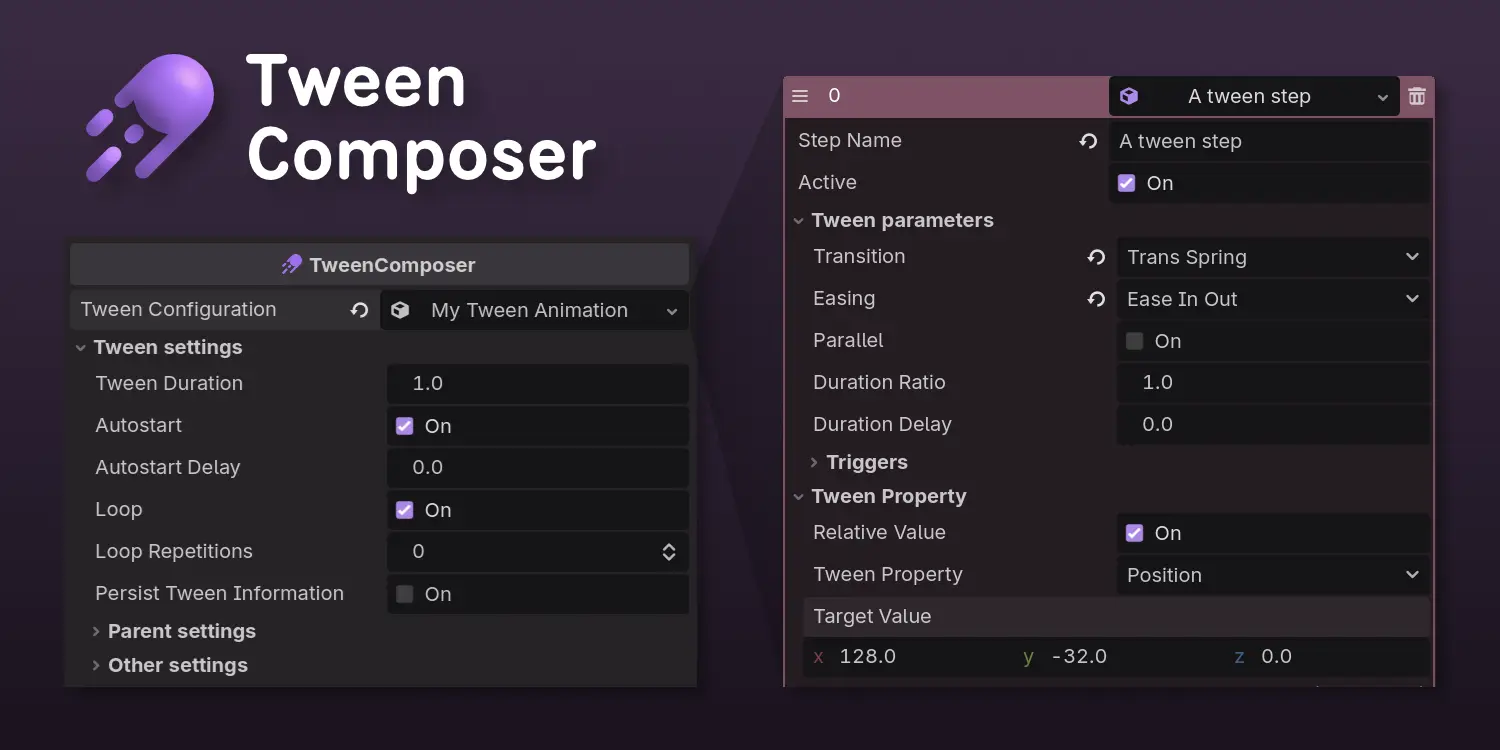
A tool for creating reusable tween animations using the inspector tab in Godot.It works on 2D, 3D and UI objects!Features:- Tweens can be saved as resources and reused in different entities.- Dropdown for basic properties (position, rotation, scale, color/opacity), plus an "Other" field for changing ANY property using property paths, e.g. position:x.- Sending triggers as a signal so other nodes can be connected and interact with the tween. Fire that particle mid-tween!- Playback options to pause/play, reset or restart.- "Hide before" and "Delete after" tween, to simplify the parent's spawning/destroying animations.- Load your tween resources to play different animations.- Use expressions for random values, or to get values from variables.- Preview the tween directly in the editor!
Supported Engine Version
4.4
Version String
0.5.1
License Version
MIT
Support Level
community
Modified Date
14 days ago
Git URL
Issue URL
Tween Composer for Godot
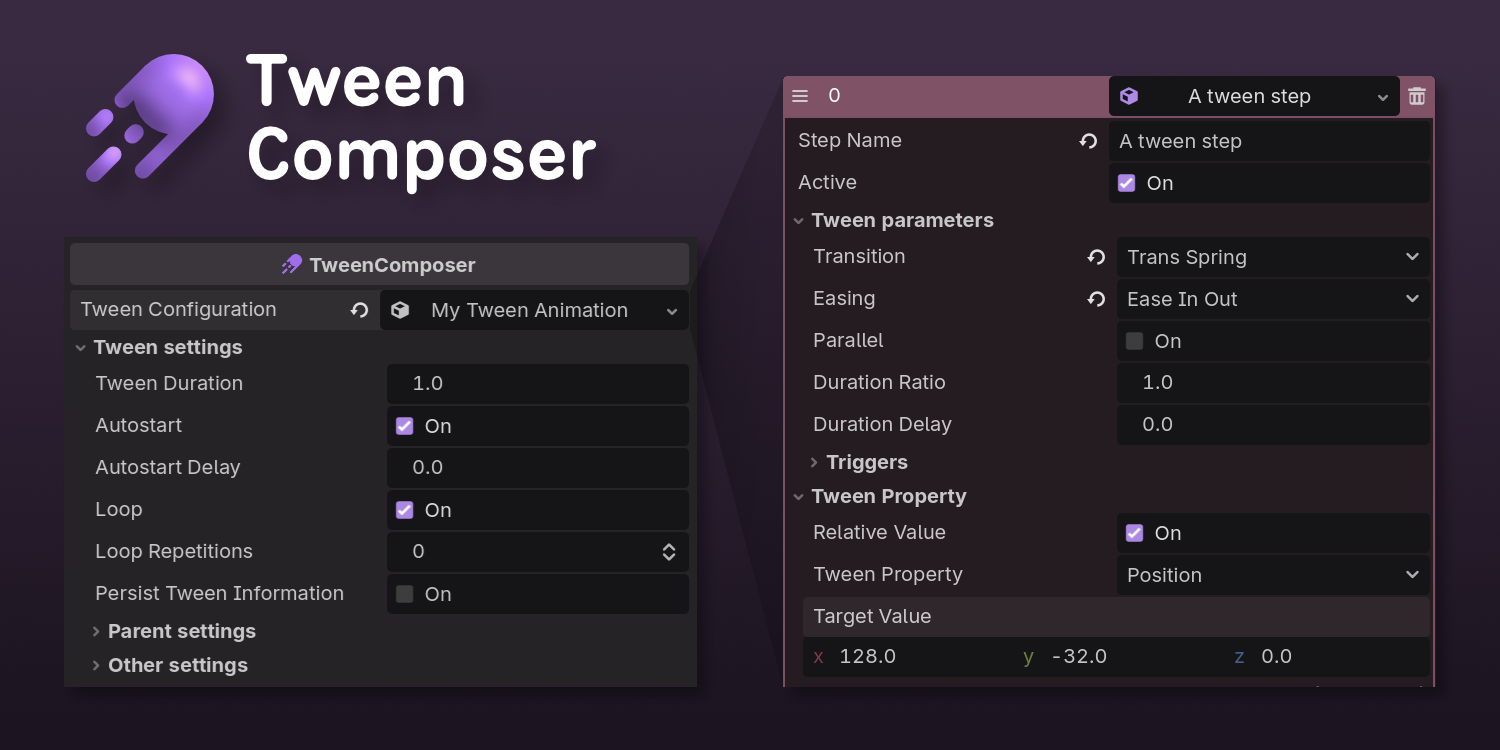

A tool for creating tween animations using the inspector tab in Godot. It works on 2D, 3D and UI objects!
Features
- Tween configurations can be saved as resources and reused in different entities.
- Dropdown for basic properties (position, rotation, scale, color/opacity), plus an "Other" field for changing a custom property (using property paths, e.g.
position:x). - Sending triggers as a signal so other nodes can be connected and interact with the tween.
- Playback options to pause/play, reset, restart...
- "Hide before" and "Delete after" tween, to simplify the parent's spawning/destroying animations.
How to Use
Tween Composer works with Node2D, Node3D and Control nodes, but it can be used in virtually any node that needs tweens.
To animate an object:
- Attach TweenComposer as its child.
- Use the inspector to create a new set of tween steps, and set the tween properties for duration, loops, etc.
Tween Composer uses two resources to work:
- TweenConfigStep: A set of instructions for a tween step (what property, transition type, easing, etc)
- TweenConfigCollection: An array of tween steps that will be used to compose your animation. This can be saved and reused.
Installation
You can find Tween Composer in the Asset Library inside Godot.
You can also:
- Create a addons folder on your Godot project
- Add the tween_composer folder inside it.
- Enable the plugin in
Project Settings...andPluginstab
Improvements / Future features
A couple of ideas to expand TweenComposer:
- Preview on editor (great for working on the animation without having to run it every time!)
- Implement tween_callback() and tween_method(), somehow.
A tool for creating reusable tween animations using the inspector tab in Godot.
It works on 2D, 3D and UI objects!
Features:
- Tweens can be saved as resources and reused in different entities.
- Dropdown for basic properties (position, rotation, scale, color/opacity), plus an "Other" field for changing ANY property using property paths, e.g. position:x.
- Sending triggers as a signal so other nodes can be connected and interact with the tween. Fire that particle mid-tween!
- Playback options to pause/play, reset or restart.
- "Hide before" and "Delete after" tween, to simplify the parent's spawning/destroying animations.
- Load your tween resources to play different animations.
- Use expressions for random values, or to get values from variables.
- Preview the tween directly in the editor!
Reviews
Quick Information
Tween Composer
A tool for creating reusable tween animations using the inspector tab in Godot.It works on 2D, 3D and UI objects!Features:- Tweens can be saved as resources and reused in different entities.- Dropdown for basic properties (position, rotation, scale, color/opacity), plus an "Other" field for changing ANY property using property paths, e.g. position:x.- Sending triggers as a signal so other nodes can be connected and interact with the tween. Fire that particle mid-tween!- Playback options to pause/play, reset or restart.- "Hide before" and "Delete after" tween, to simplify the parent's spawning/destroying animations.- Load your tween resources to play different animations.- Use expressions for random values, or to get values from variables.- Preview the tween directly in the editor!
Supported Engine Version
4.4
Version String
0.5.1
License Version
MIT
Support Level
community
Modified Date
14 days ago
Git URL
Issue URL