Custom Gravity
An asset by RobertSandfield
Install Asset
Install via Godot
To maintain one source of truth, Godot Asset Library is just a mirror of the old asset library so you can download directly on Godot via the integrated asset library browser
Quick Information


Custom Gravity
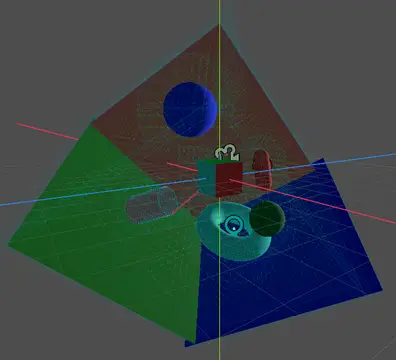
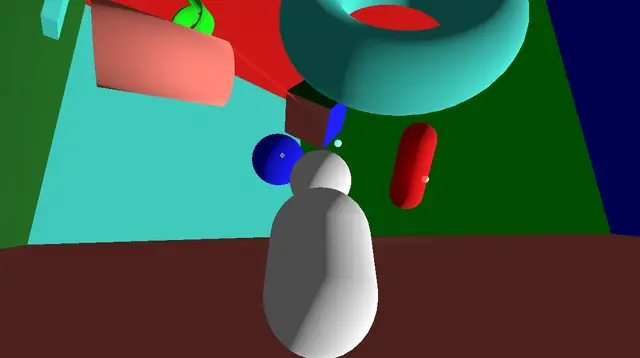
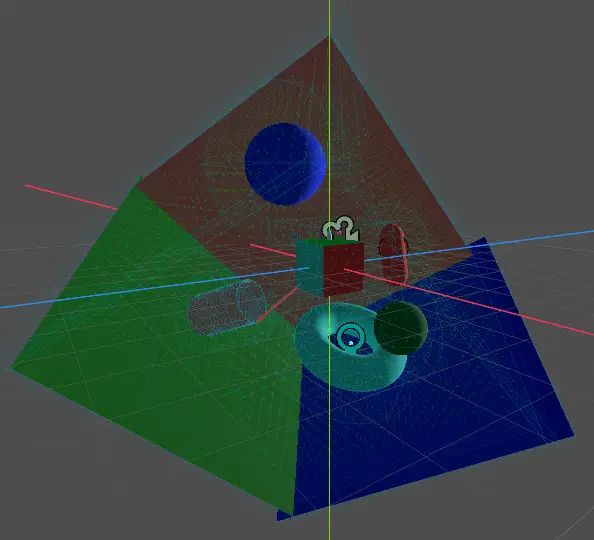
Override and extend the standard physics gravity. Includes several new gravity shapes, and exposes the Gravity resource type so users can add new ones as needed.
Supported Engine Version
4.0
Version String
0.5
License Version
MIT
Support Level
community
Modified Date
5 months ago
Git URL
Issue URL
Custom Gravity
Override and extend the standard physics gravity
Introduction
Custom gravity should be used in place of the standard Area3D gravity. It reimplements the gravity system such that new types and interactions can be easily added.
Getting Started
Custom gravity can be used in tandem with the native Godot gravity system. However, any interactions between custom and native gravity will always be addative. To override native gravity, you have two options:
- Remove standard gravity from your project:
Project > Physics > 3D > Default Gravity Vector = Vector3.ZERO - On any
GravyArea3Dwith which you wish to override native gravity, turn on theArea3Dgravity with space modeReplaceall values set to 0.
Add a GravityArea3D node to your scene, give it a CollisionShape3D and set its Gravity Resource values however you wish. RigidBodies will now interact with the gravity area just as they would with standard Area3D gravity. For CharacterBody scripts you will need to query the GravityManager.get_gravity(body) method instead of calling the CharacterBody native get_gravity() method.
Licenses
- Source code: MIT License.
- Godot logo: CC BY 3.0.
Override and extend the standard physics gravity. Includes several new gravity shapes, and exposes the Gravity resource type so users can add new ones as needed.
Reviews
Quick Information
Custom Gravity
Override and extend the standard physics gravity. Includes several new gravity shapes, and exposes the Gravity resource type so users can add new ones as needed.
Supported Engine Version
4.0
Version String
0.5
License Version
MIT
Support Level
community
Modified Date
5 months ago
Git URL
Issue URL