ShipItch
An asset by Lighar
Install Asset
Install via Godot
To maintain one source of truth, Godot Asset Library is just a mirror of the old asset library so you can download directly on Godot via the integrated asset library browser
Quick Information

ShipItch
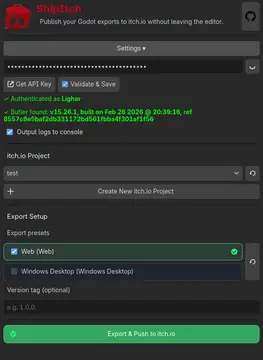
Export your games to itch in one click without any hard setup !Features :- Build your Godot project and push it straight to itch.io in a single automated step.- Automatically detects, downloads, and configures Butler (itch.io's official CLI tool)- Shortcut to get api, verification of api key, ...- Reads export presets and maps your exports to the correct itch.io channels.
Supported Engine Version
4.0
Version String
1.0.0
License Version
MIT
Support Level
community
Modified Date
8 hours ago
Git URL
Issue URL

ShipItch
One-Click Godot 4 to Itch.io Deployment Addon

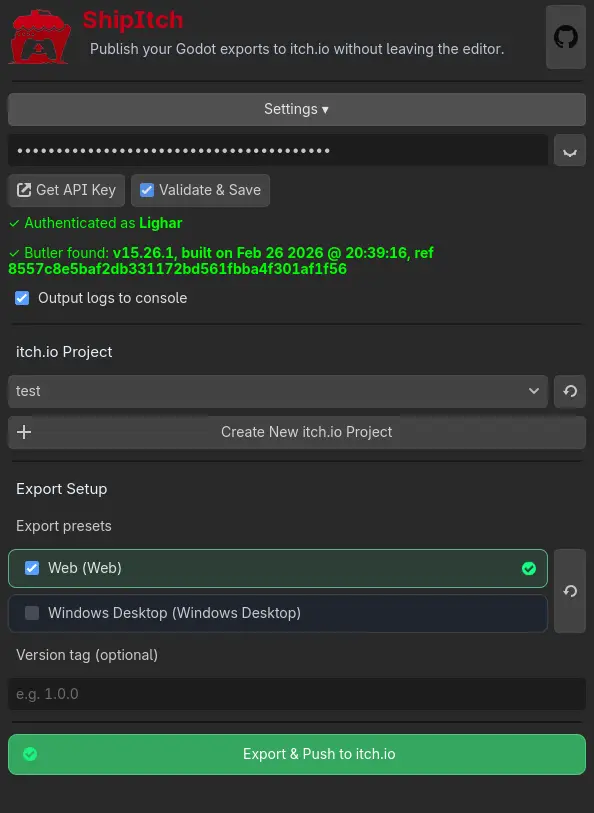
ShipItch is a Godot 4 plugin that streamlines your game deployment process to itch. It enables completely automated, one-click exporting and uploading directly to your itch.io projects without ever having to leave the Godot Editor.
Features
🚀 One-Click Export & Push: Build your Godot project and push it straight to itch.io in a single automated step.

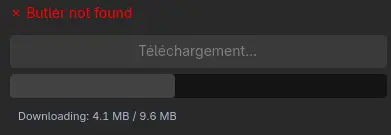
🤖 Automated Butler Setup: Automatically detects, downloads, and configures Butler (itch.io's official CLI tool). No manual setup required!

🔑 Integrated API Management: Shortcut to get api, verification of api key, ...
🎯 Export Preset Detection: Reads export presets and maps your exports to the correct itch.io channels.
📥 Installation
From Asset Library (Recommended)
- Open Godot and head to the AssetLib tab.
- Search for ShipItch.
- Download and install.
- Enable it in Project -> Project Settings -> Plugins.
Manual Installation
- Grab the
addons/shipitchfolder from this repo. - Drop it into your project's
addons/directory. - Enable it in Project -> Project Settings -> Plugins.
🛠️ Usage
- API Key Setup: Obtain an API Key from your itch.io account settings (use addon shortcut) and enter it into the ShipItch dock.
- Select Target Project: Once authenticated, choose your target itch.io game.
- Configure Presets: Ensure you have Godot export presets configured via Project -> Export.
- Ship It!: Select your desired preset and click the push button.
Contributing
Contributions, issues, and feature requests are always welcome! Feel free to check the issues page if you want to contribute.
📄 License
This project is open-source and available under the terms of the MIT License.
Export your games to itch in one click without any hard setup !
Features :
- Build your Godot project and push it straight to itch.io in a single automated step.
- Automatically detects, downloads, and configures Butler (itch.io's official CLI tool)
- Shortcut to get api, verification of api key, ...
- Reads export presets and maps your exports to the correct itch.io channels.
Reviews
Quick Information
ShipItch
Export your games to itch in one click without any hard setup !Features :- Build your Godot project and push it straight to itch.io in a single automated step.- Automatically detects, downloads, and configures Butler (itch.io's official CLI tool)- Shortcut to get api, verification of api key, ...- Reads export presets and maps your exports to the correct itch.io channels.
Supported Engine Version
4.0
Version String
1.0.0
License Version
MIT
Support Level
community
Modified Date
8 hours ago
Git URL
Issue URL