Multi-Mouse
An asset by ReluctantGod
Install Asset
Install via Godot
To maintain one source of truth, Godot Asset Library is just a mirror of the old asset library so you can download directly on Godot via the integrated asset library browser


Quick Information

Multi-Mouse
Multi-Mouse is a Godot 4 add-on that delivers raw per-device mouse input. Plug in multiple USB mice and each one gets its own motion stream, button events, and metadata so your game can treat every physical mouse as a unique player or tool.✅ Windows Raw Input backend with hotplug + per-device events✅ Linux backend (ManyMouse) with prebuilt .so binaries✅ Drop-in MultiMouse node + Simple/Slime/Pong demos⚠️ Earlier 4.x versions might work but haven’t been validated yet
Supported Engine Version
4.6
Version String
0.3
License Version
MIT
Support Level
community
Modified Date
4 months ago
Git URL
Issue URL
Multi-Mouse
Multi-Mouse is a Godot 4 add-on that delivers raw per-device mouse input. Plug in multiple USB mice and each one gets its own motion stream, button events, and metadata so your game can treat every physical mouse as a unique player or tool.
Project home: https://github.com/duan-c/Multi-Mouse
Windows (Raw Input) and Linux (ManyMouse) backends are working end-to-end (see the demos below). macOS support is still on the roadmap.
Highlights
- Node-based workflow – the
MultiMousenode can be dropped into any scene. Callattach_to_window()+enable()and you immediately start receivingmotion,button,device_connected, anddevice_disconnectedsignals. - Godot-friendly events – the native extension emits standard
InputEventMouseMotion/InputEventMouseButtonobjects that already containdevice,device_guid, and raw deltas. - Reference demos – the Simple motion logger, the two-mouse Pong scene, and the fully interactive Slime toy showcase how to use the node in real projects.
Repository layout
Multi-Mouse/
├─ addons/multi_mouse/    # Godot plugin + MultiMouse node
├─ demo/                  # Simple + Slime demo projects
├─ scripts/               # Build helpers (Windows + Linux)
├─ src/                   # GDExtension/native backend
└─ extern/godot-cpp/      # Submodule required for builds
Quick start (Windows)
- Clone the repo and fetch submodules:
git clone https://github.com/duan-c/Multi-Mouse.git cd Multi-Mouse git submodule update --init --recursive - Build the extension DLL via PowerShell:
This compilespwsh ./scripts/build_windows.ps1 -Target template_debuggodot-cpp, builds the native extension, and drops the DLL intoaddons/multi_mouse/bin/win64/. - Open
demo/project.godot(or your own project), enable the plugin under Project → Project Settings → Plugins, and add aMultiMousenode to the scene where you want raw input. - In that scene’s script, wire it up:
@onready var multi_mouse: MultiMouse = $MultiMouse

func _ready():
    multi_mouse.attach_to_window(0) # bind to the main window
    multi_mouse.enable()
    multi_mouse.motion.connect(_on_motion)

func _on_motion(event: InputEventMouseMotion) -> void:
    print("Mouse", event.device, "moved", event.relative)
Quick start (Linux)
Dependencies: cmake, ninja or GNU Make, scons, a C/C++ toolchain, and the X11 + Xi development headers. On Ubuntu/Debian:
sudo apt install build-essential python3-pip scons cmake libx11-dev libxi-dev
- Clone the repo and submodules (same as Windows).
- Build the debug
godot-cppand native library:./scripts/build_linux.sh - Build the release variant:
Each run dropsTARGET=template_release ./scripts/build_linux.shlibmulti_mouse.linux.<target>.x86_64.sointoaddons/multi_mouse/bin/linux/so the add-on can consume it immediately. - Open
demo/project.godot, enable the plugin, and run any of the scenes.
Runtime notes (Linux)
- The backend uses ManyMouse (zlib license). By default it tries the XInput2 driver so normal users don’t need
/dev/inputaccess. - To force the evdev backend (one device per
/dev/input/event*node), exportMANYMOUSE_NO_XINPUT2=1before launching Godot. You’ll need read access to/dev/input/event*(run Godot as root, add yourself to theinputgroup, or drop in a udev rule). - Some VMs expose a single virtual pointer that XInput2 splits into “motion” and “button” slaves. If you see clicks coming from a different device ID, switch to the evdev backend as described above. On real hardware with two USB mice you’ll get one device ID per physical mouse.
Demos
Both demos live inside demo/project.godot and have their own README files.
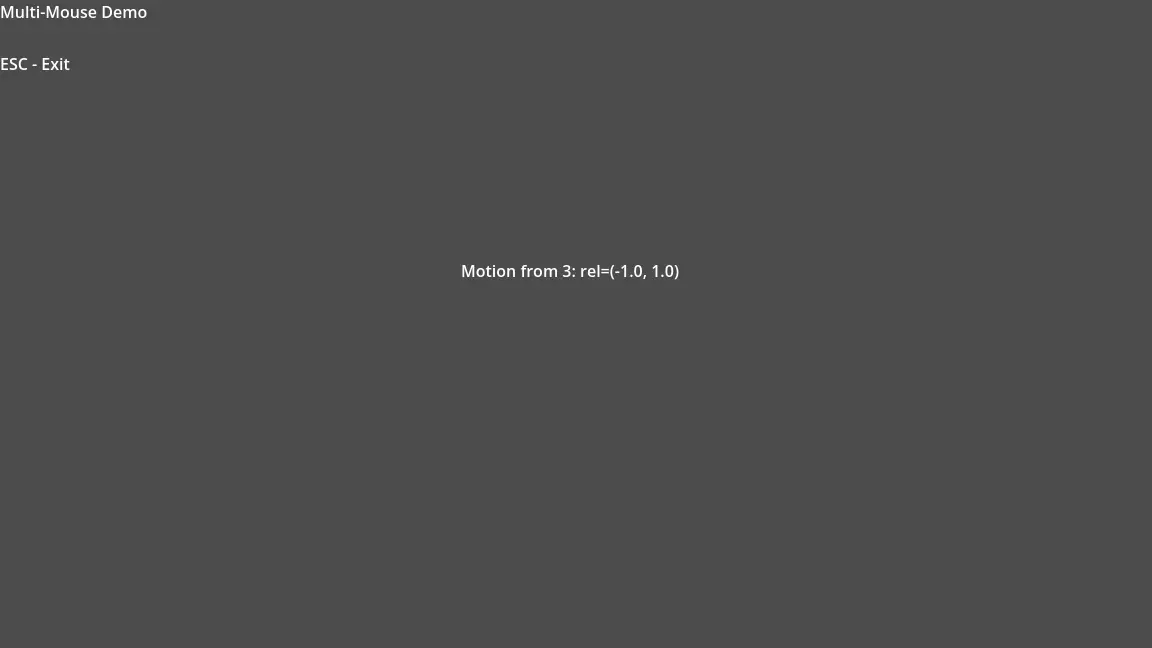
- Simple demo (
demo/simple)- Shows the bare-minimum integration: attach the node, print motion/button
events, quit with
Esc.
- Shows the bare-minimum integration: attach the node, print motion/button
events, quit with
- Pong demo (
demo/pong)- Local multiplayer built entirely with Multi-Mouse input. The first mouse to
left-click claims the left paddle, the first right-click claims the right
paddle, and both players can rally immediately.
Escexits.
- Local multiplayer built entirely with Multi-Mouse input. The first mouse to
left-click claims the left paddle, the first right-click claims the right
paddle, and both players can rally immediately.
- Slime demo (
demo/slime)- A physics net you can poke with one or many mice. Press
1for a radial mesh,2for a grid,Cto toggle springs/connections, andNto toggle the node overlay. Holding multiple buttons lets you “push harder”, and themesh_textureexport makes it easy to drop in any tileable membrane art.
- A physics net you can poke with one or many mice. Press
Default slime membrane texture: “Handpainted tileable textures 512×512 – ooz_slime.png” by DeadKir (CC0) via OpenGameArt.
Building
- Windows – use
scripts/build_windows.ps1. It runs SCons forgodot-cpp, configures CMake, and copies the resultingmulti_mouse.dllinto the plugin. - Linux –
scripts/build_linux.shmirrors the same steps (godot-cpp + CMake) and dropslibmulti_mouse.linux.<target>.x86_64.sointo the add-on.
Roadmap
- ✅ Windows Raw Input backend with hotplug + per-device events
- ✅ Linux backend (ManyMouse) with prebuilt
.sobinaries - ✅ Drop-in
MultiMousenode + Simple/Slime/Pong demos - 🔄 Better diagnostics UI, logging, and asset-library packaging
- 🔜 macOS backend (hidmanager/hidutilities) and broader driver coverage
License
MIT
Multi-Mouse is a Godot 4 add-on that delivers raw per-device mouse input. Plug in multiple USB mice and each one gets its own motion stream, button events, and metadata so your game can treat every physical mouse as a unique player or tool.
✅ Windows Raw Input backend with hotplug + per-device events
✅ Linux backend (ManyMouse) with prebuilt .so binaries
✅ Drop-in MultiMouse node + Simple/Slime/Pong demos
⚠️ Earlier 4.x versions might work but haven’t been validated yet
Reviews
Quick Information
Multi-Mouse
Multi-Mouse is a Godot 4 add-on that delivers raw per-device mouse input. Plug in multiple USB mice and each one gets its own motion stream, button events, and metadata so your game can treat every physical mouse as a unique player or tool.✅ Windows Raw Input backend with hotplug + per-device events✅ Linux backend (ManyMouse) with prebuilt .so binaries✅ Drop-in MultiMouse node + Simple/Slime/Pong demos⚠️ Earlier 4.x versions might work but haven’t been validated yet
Supported Engine Version
4.6
Version String
0.3
License Version
MIT
Support Level
community
Modified Date
4 months ago
Git URL
Issue URL