Godot 4 2D Starter Bundle: 10 Mini-Game Templates & Beginner-Friendly
An asset by Godot Example Hub
Install Asset
Install via Godot
To maintain one source of truth, Godot Asset Library is just a mirror of the old asset library so you can download directly on Godot via the integrated asset library browser


Quick Information

Godot 4 2D Starter Bundle: 10 Mini-Game Templates & Beginner-Friendly
A collection of fun, bite-sized 2D games built for beginners to learn Godot 4.x by deconstructing real project logic. Includes clean GDScript code and full assets for immediate experimentation.Milestone: 10 Games Completed! All available on https://godotexamplehub.itch.io/godot4-lesson1
Supported Engine Version
4.0
Version String
1.0.0
License Version
MIT
Support Level
community
Modified Date
2 months ago
Git URL
Issue URL
Godot 4 2D Example Templates (The Starter Collection)
Author: Godot Example Hub Website: godotexamplehub.itch.io Version: 1.1 (Includes 5 Project Templates) Compatibility: Godot 4.x Scripting Language: GDScript ===========================================================
🚀 Godot 4 Mini-Game Hub A collection of fun, bite-sized 2D games built for beginners to learn Godot 4.x by deconstructing real project logic.
📈 Milestone: 10 Games Completed! All available on itch.io https://godotexamplehub.itch.io/godot4-lesson1
⭐ Why Support Now?
If these templates saved your learning or development time, please consider giving us a ⭐ Rate & Follow!
Permanent Access: Following/Supporting this project now ensures you keep all 10 current templates for FREE even if the project model changes later.
- TEMPLATE OVERVIEW & HIGHLIGHTS
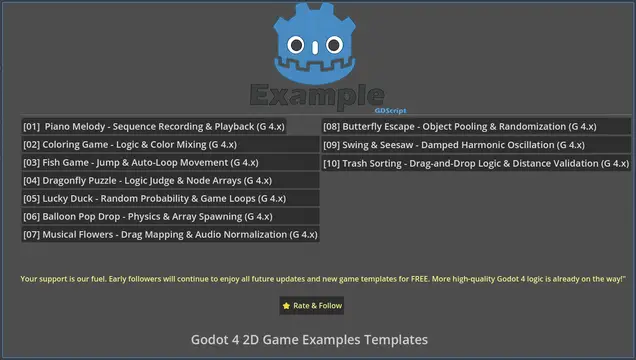
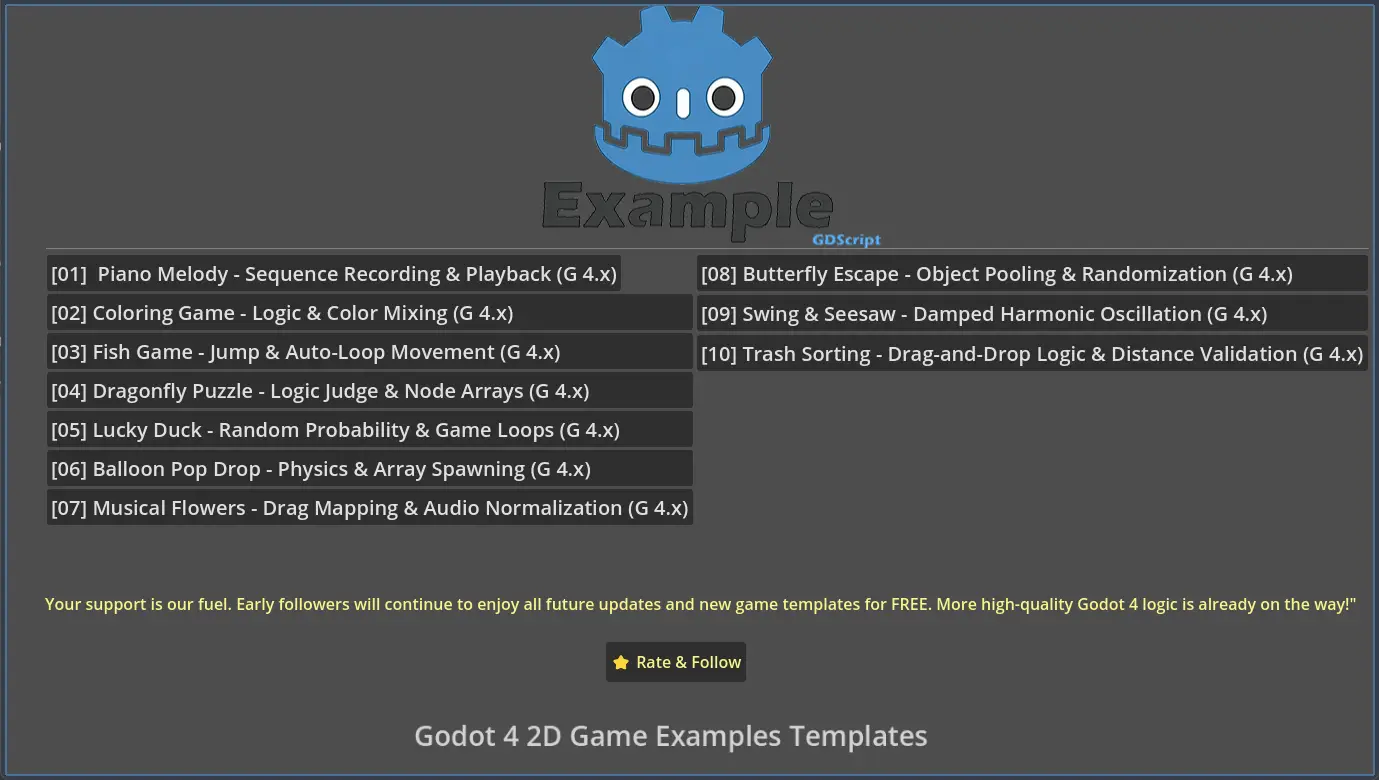
#[01] Piano Melody - Sequence Recording & Playback (G 4.x)
- Highlights: Learn how to use Arrays to record player inputs and Dictionaries for easy data mapping, complete with an automated playback system.
- Gameplay Instructions: Move your mouse over the piano keys to highlight them white. Click the keys to play sounds, and the notes will appear in the note display area at the top of the screen. After composing your music, click the Play button on the right to play it back, or click the Erase button to clear the music.
- File: 01_piano.zip
#[02] Coloring Game - Logic & Color Mixing (G 4.x)
- Highlights: PhysicsPointQuery for click detection, Tween-based focus effects, and additive color mixing logic.
- Gameplay Instructions: Click the butterfly or bee to zoom in. Select a color to paint. Click an empty area to return the coloring module to its original position. Different colors can be mixed to create new colors.
- File: 02_coloring.zip
#[03] Fish Game - Jump & Auto-Loop Movement (G 4.x)
- Highlights: Parabolic jumps (TRANS_QUAD), input state locking, and random object respawning (Endless Runner style).
- Gameplay Instructions: Click the screen to make the fish jump out of the water. A sound plays when the fish’s mouth hits a fly. The fish then rotates and falls back into the water. Each successful hit increases the fly’s speed for the next round.
- File: 03_fish.zip
#[04] Dragonfly Puzzle - Logic Judge & Node Arrays (G 4.x)
- Highlights: Global logic judgment via Array[Node2D], signals, and normalized angle handling (0°-270° logic).
- Gameplay Instructions: At the start, four dragonflies face different directions. Click a dragonfly to rotate it 90 degrees clockwise. When all dragonflies face the same direction, they play an animation and a sound, then fly out of the scene.
- File: 04_dragonfly.zip
#[05] Lucky Duck - Random Probability & Game Loops (G 4.x)
- Highlights: Random probability (randi() % 2), asynchronous delays (await), and automatic game reset architecture.
- Gameplay Instructions:Four ducks appear at the start. Click a duck to rotate it 90 degrees counterclockwise and return. Each duck randomly catches a leaf from the water. When all ducks have a leaf in their mouths, a sound plays and the ducks swim out of the scene.
- File: 05_duck.zip
- GETTING STARTED
- Download the specific .zip file for the project you want.
- EXTRACT the zip into a folder on your computer.
- Open Godot Engine 4.x.
- Click 'Import', then navigate to the extracted folder and select 'project.godot'.
- LICENSE (Simple Terms)
- You MAY use this code in your personal or commercial games.
- You MAY NOT resell or redistribute the source code files themselves.
- Attribution is not mandatory but helps support the creator!
- FEEDBACK & SUPPORT
Found a bug or have a suggestion? Leave a comment on the page! If these templates helped you, consider dropping a small tip to keep the updates coming.
KEEP BUILDING, KEEP LEARNING! 🚀
A collection of fun, bite-sized 2D games built for beginners to learn Godot 4.x by deconstructing real project logic. Includes clean GDScript code and full assets for immediate experimentation.
Milestone: 10 Games Completed! All available on https://godotexamplehub.itch.io/godot4-lesson1
Reviews
Quick Information
Godot 4 2D Starter Bundle: 10 Mini-Game Templates & Beginner-Friendly
A collection of fun, bite-sized 2D games built for beginners to learn Godot 4.x by deconstructing real project logic. Includes clean GDScript code and full assets for immediate experimentation.Milestone: 10 Games Completed! All available on https://godotexamplehub.itch.io/godot4-lesson1
Supported Engine Version
4.0
Version String
1.0.0
License Version
MIT
Support Level
community
Modified Date
2 months ago
Git URL
Issue URL