SpriteSheet to SpriteFrames
An asset by WilllRU
Install Asset
Install via Godot
To maintain one source of truth, Godot Asset Library is just a mirror of the old asset library so you can download directly on Godot via the integrated asset library browser
Quick Information

SpriteSheet to SpriteFrames
A Godot plugin to streamline the conversion of a sprite sheet with tagged animations from Aseprite to Godot's SpriteFrames resource
Supported Engine Version
4.5
Version String
0.9
License Version
MIT
Support Level
community
Modified Date
6 months ago
Git URL
Issue URL
SpriteSheetToSpriteFrames
A Godot plugin to streamline the conversion of a sprite sheet with animations from Aseprite to Godot's SpriteFrames resource
Step by step
- First you must export the necessary sprite sheet of the .aseprite file you want that has the animations.

- In the output options, "JSON Data" must be enabled and "Tags" must be enabled (The "Tags" option and everything else should be set by default, without having to change any options when enabling "JSON Data").

- Set the JSON and sprite sheet into your project.
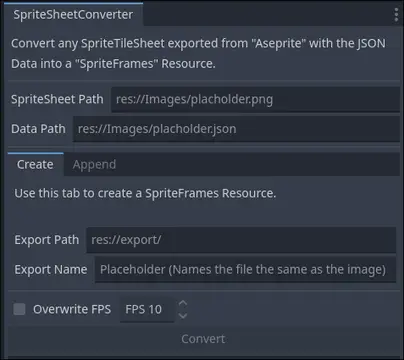
- After enabling the plugin, copy the path of your sprite sheet and JSON and place them into their appropriate text fields.

Creating a SpriteFrames Resource
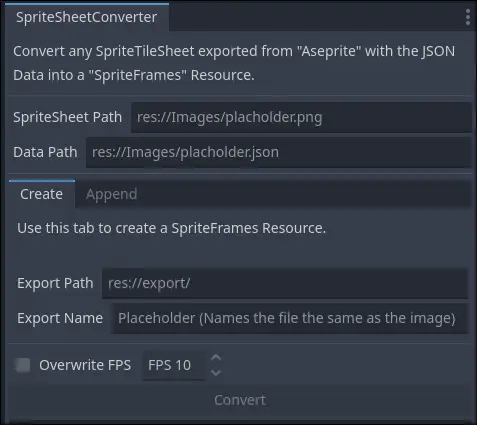
- Simply fill out the export folder path within the project for where you want the resource to be created in.
- (Optional) You can also name your resource but DON'T add the resource extension.
- Click convert after entering all fields, and your SpriteFrames resource should now be created!
Appending to an existing SpriteFrames resource
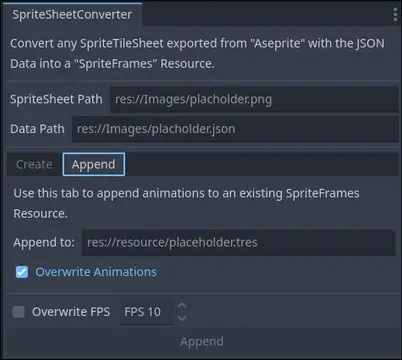
- This is for instances where you have a SpriteFrames resource and wish to append more from a sprite sheet.
- Simply fill out the SpriteFrames resource path you want to append more animations to.
- The append button will enable itself after filling the fields, and now you can append to your existing resource!

Notes
"Overwrite FPS" sets FPS of every animation to that exact frame rate, regardless of what you had set in the in your original .aseprite file.
"Overwrite Animations" Updates any existing animation within the SpriteFrames resource you are appending to
A Godot plugin to streamline the conversion of a sprite sheet with tagged animations from Aseprite to Godot's SpriteFrames resource
Reviews
Quick Information
SpriteSheet to SpriteFrames
A Godot plugin to streamline the conversion of a sprite sheet with tagged animations from Aseprite to Godot's SpriteFrames resource
Supported Engine Version
4.5
Version String
0.9
License Version
MIT
Support Level
community
Modified Date
6 months ago
Git URL
Issue URL