Rich text editor / viewer
An asset by cyril
Install Asset
Install via Godot
To maintain one source of truth, Godot Asset Library is just a mirror of the old asset library so you can download directly on Godot via the integrated asset library browser
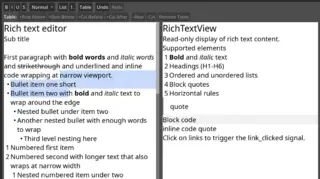
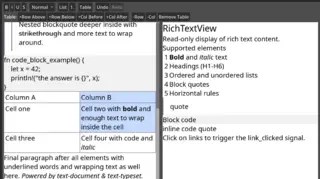
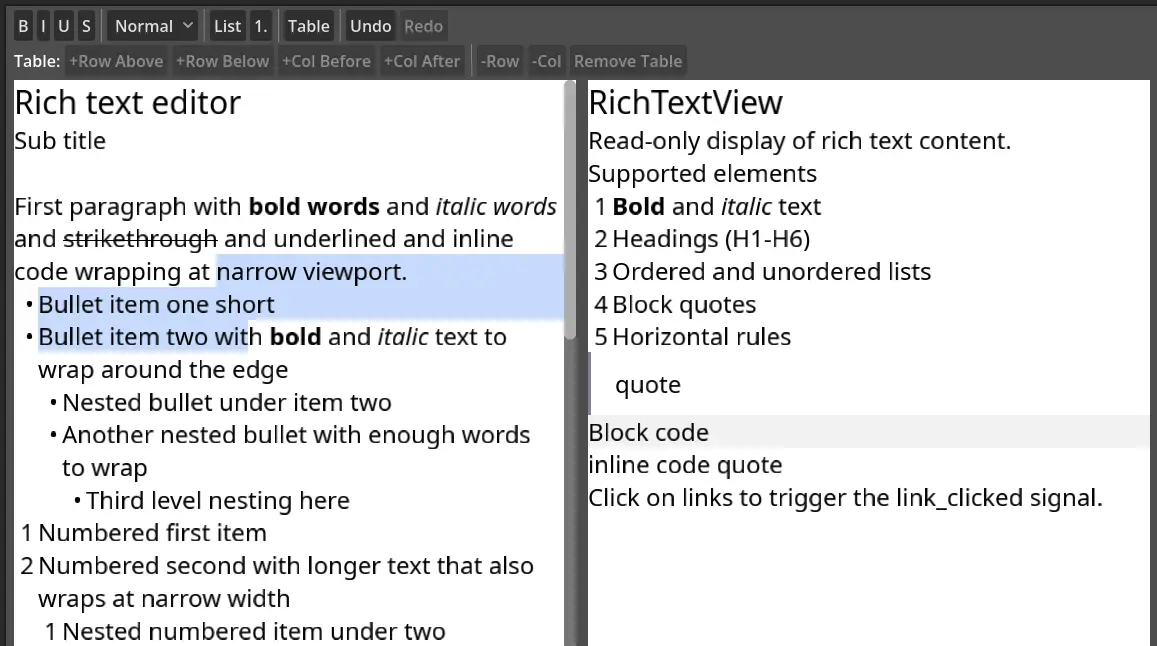
Quick Information

Rich text editor / viewer
RichTextEdit: A fully editable rich text control with:- Inline formatting toggles: bold, italic, underline, strikethrough- Headings, bullet lists, numbered lists (via API)- Table support: insert, add/remove rows and columns- Keyboard shortcuts (Ctrl+B/I/U, Ctrl+Z/Y, etc.)- Mouse selection, double-click word select, triple-click line select, drag select- Rich clipboard (copy/paste preserves formatting)- Undo/redo- Caret blinking, zoom, word wrap, horizontal and vertical scrollingRichTextView: A read-only rich text display control with:- Optional text selection and copy- Clickable links and images (via signals)- Zoom, word wrap, vertical scrollingBoth controls accept content as **plain text**, **HTML**, or **Markdown**, and render block-level elements including headings, lists, blockquotes, code blocks, tables, inline code, and horizontal rules.
Supported Engine Version
4.4
Version String
0.4.1
License Version
MPL-2.0
Support Level
community
Modified Date
1 month ago
Git URL
Issue URL
godot-rich-text
A GDExtension plugin that provides rich text editing and display controls for Godot 4.3+, written in Rust using gdext.
Built on top of text-document (a QTextDocument-like rich document model) and text-typeset for document modeling and text layout. The Godot-facing API is a simplified, GDScript-friendly adaptation of what text-document offers internally. Not all of its features are exposed.
This extension has two goals:
- Offer Godot a nice rich text editor/viewer.
- Serve as a visual test frontend for the development of
text-documentandtext-typeset. Most bugs and edge cases will have their origins in these Rust crates. There are still rough edges. Bug reports are very welcome!
Features
RichTextEdit: A fully editable rich text control with:
- Inline formatting toggles: bold, italic, underline, strikethrough
- Headings, bullet lists, numbered lists (via API)
- Table support: insert, add/remove rows and columns
- Keyboard shortcuts (Ctrl+B/I/U, Ctrl+Z/Y, etc.)
- Mouse selection, double-click word select, triple-click line select, drag select
- Rich clipboard (copy/paste preserves formatting)
- Undo/redo
- Caret blinking, zoom, word wrap, horizontal and vertical scrolling
RichTextView: A read-only rich text display control with:
- Optional text selection and copy
- Clickable links and images (via signals)
- Zoom, word wrap, vertical scrolling
Both controls accept content as plain text, HTML, or Markdown, and render block-level elements including headings, lists, blockquotes, code blocks, tables, inline code, and horizontal rules.
Installation
From source
Requirements:
- Rust (2024 edition)
- Godot 4.3+
cargo build
The compiled library will be placed in target/debug/ (or target/release/ with --release). Copy it to your Godot project's addon directory as referenced by the .gdextension file.
Addon setup
Copy the godot/addons/godot_rich_text/ directory into your project's addons/ folder. The .gdextension file declares library paths for Linux, Windows, and macOS.
Usage
GDScript
# Editable rich text
var editor = $RichTextEdit
editor.set_markdown("# Hello\n\nThis is **bold** and *italic*.")
editor.set_bold(true)
editor.insert_text("formatted text")

# Read-only display
var viewer = $RichTextView
viewer.set_html("<h1>Title</h1><p>Paragraph with <strong>bold</strong>.</p>")
Exported properties
Both controls expose the following in the inspector:
| Property | Description |
|---|---|
text / html_text / markdown_text |
Initial content (set one) |
wrap_mode |
None (no wrap) or Word |
default_font / bold_font / italic_font / bold_italic_font / monospace_font |
Custom fonts (falls back to embedded Noto Sans) |
default_font_size |
Base font size in pixels |
zoom |
Zoom level (0.1–10.0) |
text_color |
Default text color |
selection_color |
Selection highlight color |
scroll_active |
Enable/disable scrollbar |
RichTextEdit additionally exposes:
| Property | Description |
|---|---|
editable |
Enable/disable editing |
caret_color |
Caret color |
caret_blink / caret_blink_interval |
Caret blink settings |
Signals
RichTextEdit:
text_changed(): Content was modifiedformat_changed(): Formatting at caret position changedcaret_changed(): Caret movedselection_changed(): Selection changedlink_clicked(url): A link was clickedimage_clicked(name): An inline image was clickedundo_redo_changed(can_undo, can_redo): Undo/redo state changeddocument_loaded(): Async document load (e.g. markdown/HTML parse) finished
RichTextView:
link_clicked(url): A link was clickedimage_clicked(name): An inline image was clickeddocument_loaded(): Async document load finishedselection_changed(): Selection changed (whenselectableis enabled)
License
MPL-2.0 - Copyright (c) 2024-2025 FernTech
RichTextEdit: A fully editable rich text control with:
- Inline formatting toggles: bold, italic, underline, strikethrough
- Headings, bullet lists, numbered lists (via API)
- Table support: insert, add/remove rows and columns
- Keyboard shortcuts (Ctrl+B/I/U, Ctrl+Z/Y, etc.)
- Mouse selection, double-click word select, triple-click line select, drag select
- Rich clipboard (copy/paste preserves formatting)
- Undo/redo
- Caret blinking, zoom, word wrap, horizontal and vertical scrolling
RichTextView: A read-only rich text display control with:
- Optional text selection and copy
- Clickable links and images (via signals)
- Zoom, word wrap, vertical scrolling
Both controls accept content as **plain text**, **HTML**, or **Markdown**, and render block-level elements including headings, lists, blockquotes, code blocks, tables, inline code, and horizontal rules.
Reviews
Quick Information
Rich text editor / viewer
RichTextEdit: A fully editable rich text control with:- Inline formatting toggles: bold, italic, underline, strikethrough- Headings, bullet lists, numbered lists (via API)- Table support: insert, add/remove rows and columns- Keyboard shortcuts (Ctrl+B/I/U, Ctrl+Z/Y, etc.)- Mouse selection, double-click word select, triple-click line select, drag select- Rich clipboard (copy/paste preserves formatting)- Undo/redo- Caret blinking, zoom, word wrap, horizontal and vertical scrollingRichTextView: A read-only rich text display control with:- Optional text selection and copy- Clickable links and images (via signals)- Zoom, word wrap, vertical scrollingBoth controls accept content as **plain text**, **HTML**, or **Markdown**, and render block-level elements including headings, lists, blockquotes, code blocks, tables, inline code, and horizontal rules.
Supported Engine Version
4.4
Version String
0.4.1
License Version
MPL-2.0
Support Level
community
Modified Date
1 month ago
Git URL
Issue URL