Godot .NET MCP
An asset by LuoxuanLove
Install Asset
Install via Godot
To maintain one source of truth, Godot Asset Library is just a mirror of the old asset library so you can download directly on Godot via the integrated asset library browser
Quick Information
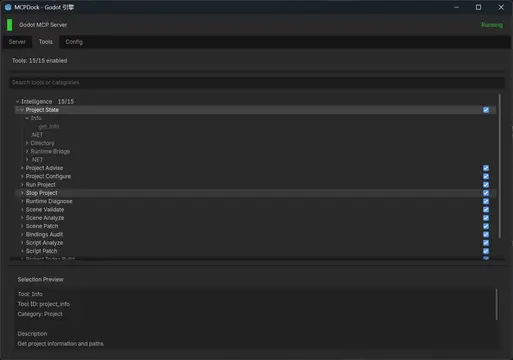

Godot .NET MCP
A Godot 4.6+ editor plugin that gives AI agents a real MCP interface to the live Godot editor: project state, scene editing, script analysis, runtime control, screenshots, logs, and client setup from inside the editor itself.
Supported Engine Version
4.6
Version String
1.3.0
License Version
MIT
Support Level
community
Modified Date
8 days ago
Git URL
Issue URL
Godot .NET MCP


An MCP server plugin running inside the Godot editor — agents read live project state, manipulate scenes and scripts directly, and diagnose C# bindings without any external process.

What It Is
An MCP endpoint embedded in the Godot editor process. Call intelligence_project_state to get a real snapshot of the open project — scene count, script count, errors, run state — then intelligence_project_advise for specific, actionable recommendations. From there, use scene, script, node, or resource tools to make targeted changes.
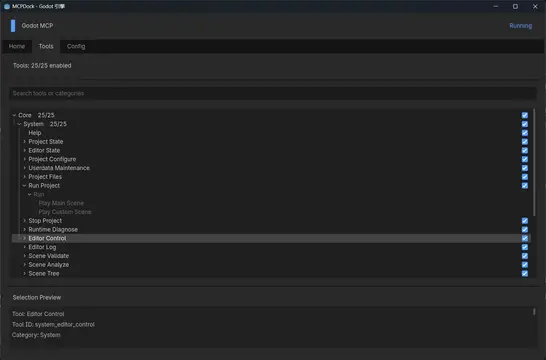
The Intelligence layer (15 built-in tools) is the intended starting point for agents. It provides project-level snapshots, scene analysis, script structure inspection, C# binding auditing, and symbol search — all reading from the live editor, not disk snapshots.
To extend the tool set: place a .gd file in custom_tools/ implementing handles / get_tools / execute, with all tool names prefixed user_. The plugin picks it up automatically. plugin_evolution tools handle scaffolding, auditing, and removal from the Dock or via MCP.
Why This Plugin
- Editor-native: Runs inside the Godot process. Scene queries, script reads, and property changes reflect the actual live editor state.
- Godot.NET first: C# binding inspection (
intelligence_bindings_audit), exported member analysis, and.csscript patching are built in. - Intelligence-first:
intelligence_project_state→intelligence_project_advise→ targeted action is the intended workflow. No need to guess which atomic tool to start with. - User-extensible:
custom_tools/scripts are loaded as first-class tools with no plugin rebuild.plugin_evolutionmanages the lifecycle.
Requirements
- Godot
4.6+ - Godot Mono / .NET build recommended
- An MCP client such as:
- Claude Code
- Codex CLI
- Gemini CLI
- Claude Desktop
- Cursor
Installation
Option 1: Copy the plugin directory
Place the plugin in your Godot project:
addons/godot_dotnet_mcp
Then:
- Open the project in Godot.
- Go to
Project Settings > Plugins. - Enable
Godot .NET MCP. - Open
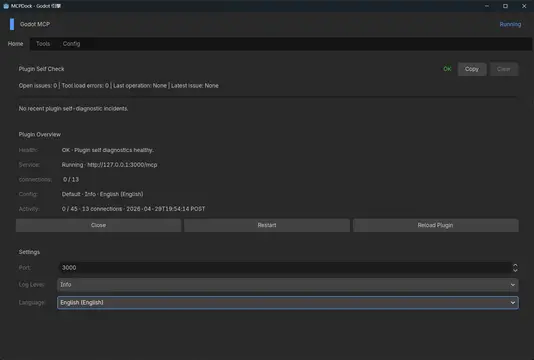
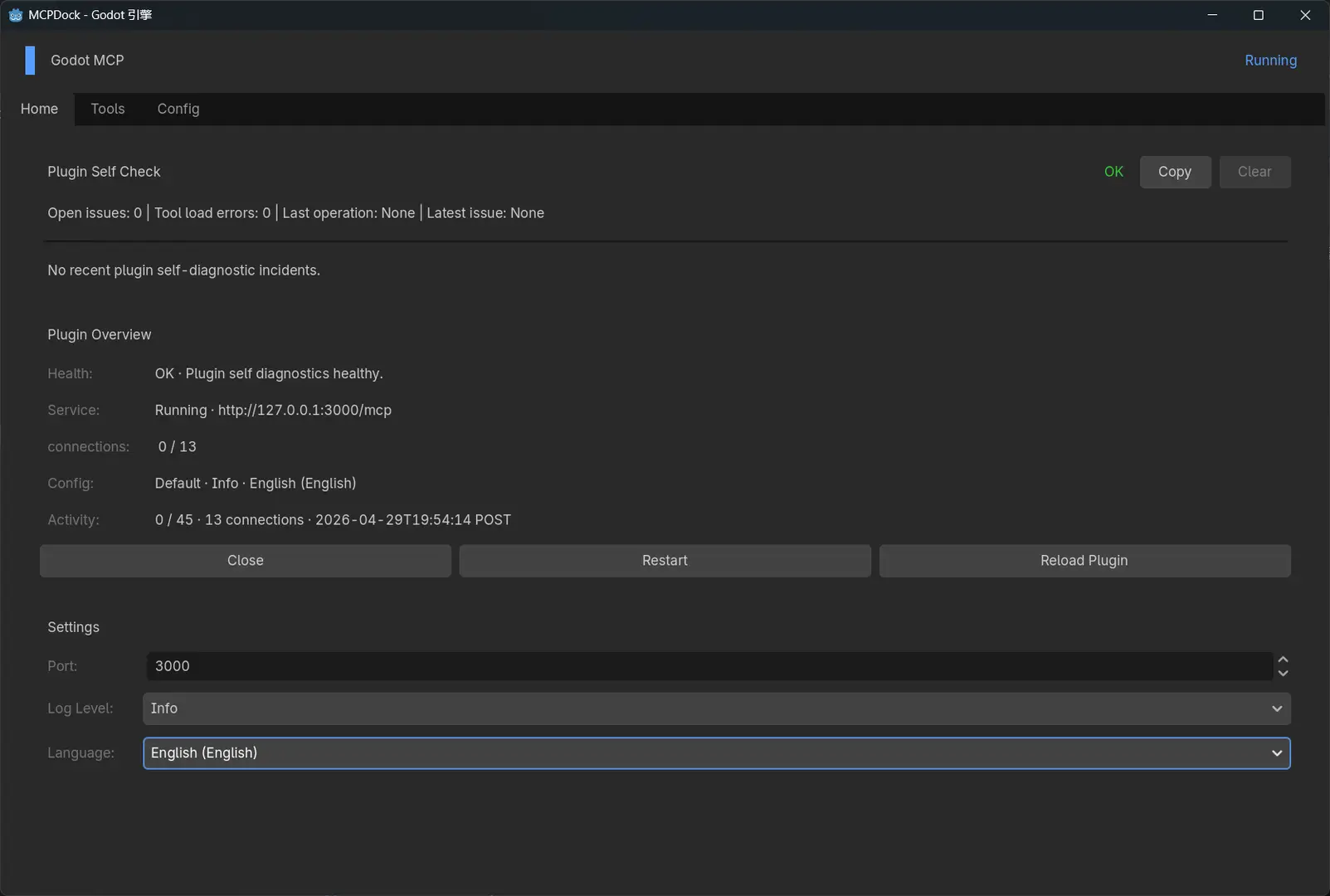
MCPDockfrom the right-side dock. - Confirm the port and start the service.
Option 2: Use Git submodule
The repository root contains addons/godot_dotnet_mcp/ inside it (not at root level). When adding as a submodule, clone to a parent folder:
git submodule add https://github.com/LuoxuanLove/godot-dotnet-mcp.git _godot-dotnet-mcp
The plugin is located at _godot-dotnet-mcp/addons/godot_dotnet_mcp/. Copy or symlink that directory into your project's addons/. For a simpler setup, use Option 3.
Option 3: Use the release package
Download the latest package from:
https://github.com/LuoxuanLove/godot-dotnet-mcp/releases
Extract it so the final structure is:
addons/godot_dotnet_mcp
Then enable it as described in Option 1.
Quick Start
1. Start the local service
After enabling the plugin, the service can start automatically from saved settings, or start manually from MCPDock > Server.
Health check:
GET http://127.0.0.1:3000/health
Tool list:
GET http://127.0.0.1:3000/api/tools
MCP endpoint:
POST http://127.0.0.1:3000/mcp
2. Connect a client
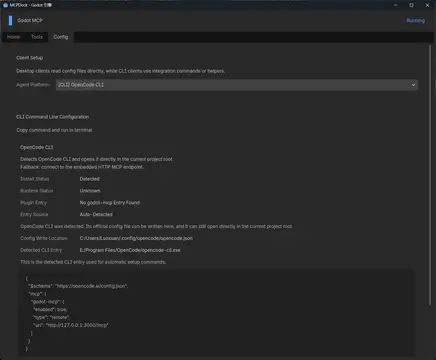
Open MCPDock > Config, choose a target platform, then inspect or copy the generated output.
- Desktop clients show JSON config, target path, and write actions
- CLI clients show the generated command text
Claude Codeadditionally supportsuser / projectscope switching
Recommended order:
- Select the target client.
- Confirm the generated endpoint and config content.
- Use
Write Configif you want the plugin to update the target file. - Use
Copyif you want to apply the config manually.
3. Verify the connection
Confirm that:
/healthreturns normally/api/toolsreturns the tool list- your MCP client can connect to
http://127.0.0.1:3000/mcp
4. Read the latest project runtime state
Use intelligence_runtime_diagnose to read structured runtime information — errors, compile issues, and performance data — from the most recent editor-run session. Works after the project stops.
Path Conventions
- Resource paths use
res:// - Node paths should normally be relative to the current scene root, for example
Player/Camera2D /root/...style paths are also supported- Write operations are expected to be readable back after execution
Docs
- README.zh-CN.md
- CHANGELOG.md
- docs/模块/Intelligence工具层.md
- docs/模块/工具系统.md
- docs/模块/用户扩展.md
- docs/架构/服务与路由.md
- docs/架构/配置与界面.md
- docs/架构/安装与发布.md
Current Boundaries
- Runtime debug readback supports structured project-side bridge events and editor debugger session state; it does not mirror the native Godot Output / Debugger panels 1:1
intelligence_runtime_diagnoseis the recommended tool for reading runtime state- The latest captured session state and basic lifecycle events remain readable after the project stops; real-time observation still requires the project to be running
- Capabilities that depend on live editor state should be validated in a real project workflow
A Godot 4.6+ editor plugin that gives AI agents a real MCP interface to the live Godot editor: project state, scene editing, script analysis, runtime control, screenshots, logs, and client setup from inside the editor itself.
Reviews
Quick Information
Godot .NET MCP
A Godot 4.6+ editor plugin that gives AI agents a real MCP interface to the live Godot editor: project state, scene editing, script analysis, runtime control, screenshots, logs, and client setup from inside the editor itself.
Supported Engine Version
4.6
Version String
1.3.0
License Version
MIT
Support Level
community
Modified Date
8 days ago
Git URL
Issue URL