Intelli-verse-X-Unity-SDK
An asset by Support_IVX
Install Asset
Install via Godot
To maintain one source of truth, Godot Asset Library is just a mirror of the old asset library so you can download directly on Godot via the integrated asset library browser



Quick Information

Intelli-verse-X-Unity-SDK
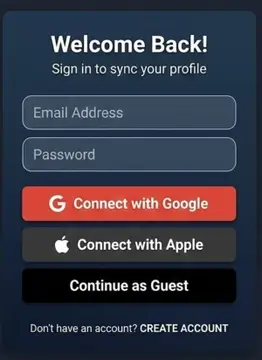
IntelliVerseX SDK provides a complete game backend for Godot 4.2 and newer. It adds authentication (device, email, Google, Apple, custom), session restore, profile management, wallet and economy, leaderboards, cloud storage, RPC calls, and real-time socket support using the Nakama server.Requirements: Godot 4.2 or newer (tested up to 4.6). You must install the official Nakama Godot addon for backend features. Get it from https://github.com/heroiclabs/nakama-godot and copy the addons/com.heroiclabs.nakama folder into your project addons folder.The download is a Godot project ZIP. It contains addons/intelliversex (this SDK) and an example scene. To use in your own project: copy the addons/intelliversex folder from the downloaded project into your project addons folder. To run the example: open the downloaded project in Godot and press F5.Enable the IntelliVerseX plugin in Project, Project Settings, Plugins. Then create an IVXConfig with your Nakama host, port, and server key and call IntelliVerseX.initialize(config). See the included example script for the full flow.
Supported Engine Version
4.2
Version String
5.1.0
License Version
MIT
Support Level
community
Modified Date
4 months ago
Git URL
Issue URL
IntelliVerseX Godot Engine SDK
Complete modular game development SDK for Godot — Auth, Backend (Nakama), Analytics, Social, Monetization, and more.
Requirements
- Godot 4.2+ (tested with 4.6.x)
Dependencies
You should add the official Nakama Godot addon (Heroic Labs) for real backend (auth, profile, wallet, leaderboards, storage, RPC). Without it the project still opens using a built-in stub, but backend calls will fail until Nakama is installed.
Use only the official Heroic Labs client. Do not use “Nakama Client in GDScript” (Asset Library #433) — that is a different, older addon with a different API and is not compatible with IntelliVerseX.
Get the official Nakama addon from:
| Source | Link / How to install |
|---|---|
| GitHub (recommended) | github.com/heroiclabs/nakama-godot — clone or download, then copy the addons/com.heroiclabs.nakama folder into your project’s addons/ folder. Use the default branch for Godot 4. |
| Godot Asset Library | In Godot: Project → AssetLib → search “Nakama” and pick the official one (by Heroic Labs / novabyte, not “Nakama Client in GDScript”). Or use GitHub if the Asset Library only shows Godot 3 or community clients. |
| Docs | heroiclabs.com/docs/nakama/client-libraries/godot |
Installation
- Copy
addons/intelliversex/into your project'saddons/folder. - (Recommended) Install the Nakama addon (see Dependencies above): copy the
addons/com.heroiclabs.nakamafolder from the nakama-godot repo into your project’saddons/folder. - In Project → Project Settings → Plugins, enable IntelliVerseX and Nakama (both should appear if the addon includes
plugin.cfg).
Running the example (this repo)
- Open
SDKs/godotas a project in Godot 4.2+. - Start a Nakama server (required for auth/profile/wallet). For example with Docker:
Or use your existing Nakama host and set Server Host / Port on the example node.docker run -d -p 7350:7350 heroiclabs/nakama - Local Nakama is usually HTTP — in the Inspector on IntelliVerseXExample leave Use Ssl off unless your server uses HTTPS.
- Press F5 to run the main scene. If you see a connection error, ensure Nakama is running and host/port match.
Quick Start
extends Node

var config: IVXConfig

func _ready() -> void:
    config = IVXConfig.new()
    config.nakama_host = "127.0.0.1"
    config.nakama_port = 7350
    config.nakama_server_key = "defaultkey"
    config.enable_debug_logs = true

    IntelliVerseX.initialized.connect(_on_initialized)
    IntelliVerseX.auth_success.connect(_on_auth_success)
    IntelliVerseX.error.connect(_on_error)

    IntelliVerseX.initialize(config)

    if not IntelliVerseX.restore_session():
        IntelliVerseX.authenticate_device()


func _on_initialized() -> void:
    print("IntelliVerseX SDK ready!")


func _on_auth_success(session) -> void:
    print("Logged in as: ", IntelliVerseX.username)

    var profile = await IntelliVerseX.fetch_profile()
    print("Profile: ", profile)

    var wallet = await IntelliVerseX.fetch_wallet()
    print("Wallet: ", wallet)


func _on_error(message: String) -> void:
    push_error("IntelliVerseX error: " + message)
Features
| Feature | Status |
|---|---|
| Device Auth | Supported |
| Email Auth | Supported |
| Google Auth | Supported |
| Apple Auth | Supported |
| Custom Auth | Supported |
| Profile Management | Supported |
| Wallet / Economy | Supported |
| Leaderboards | Supported |
| Cloud Storage | Supported |
| RPC Calls | Supported |
| Real-time Socket | Supported |
| Hiro Systems | Via RPC |
| Analytics | Planned |
| Monetization | Planned |
Troubleshooting
Only IntelliVerseX appears in Project Settings → Plugins; I don’t see Nakama.
This project adds a minimal plugin.cfg and plugin.gd inside addons/com.heroiclabs.nakama so Nakama appears in the list. If you still don’t see it, ensure the folder addons/com.heroiclabs.nakama is present and contains plugin.cfg and plugin.gd; then restart Godot or re-scan the project.
I installed “Nakama Client in GDScript” (Asset Library #433) and get errors.
That addon (by Snopek) is not compatible with IntelliVerseX. It uses a different API and folder name (addons/nakama-client). Remove it and install the official Heroic Labs client from GitHub: copy the folder addons/com.heroiclabs.nakama into your project’s addons/ folder. Your addons/ folder should contain com.heroiclabs.nakama (with files like client/nakama.gd, client/nakama_client.gd), not nakama-client or “Nakama Client”.
Where exactly do I copy the official addon?
From the nakama-godot repo you get a ZIP or clone. Inside it there is a folder addons/com.heroiclabs.nakama. Copy that whole folder into your Godot project’s addons/ directory, so you have your_project/addons/com.heroiclabs.nakama/. Do not copy only a subfolder like “client” or “nakama client”.
I re-added Nakama from GitHub and Nakama no longer appears in Plugins.
The upstream nakama-godot repo does not include a plugin.cfg or plugin.gd. This SDK adds them so "Nakama" shows in Project Settings → Plugins. After replacing or re-adding addons/com.heroiclabs.nakama from upstream, copy the plugin.cfg and plugin.gd files from this repo's addons/com.heroiclabs.nakama/ folder into your addon folder so the plugin appears again.
Auth failed: Could not connect to the server at http(s)://…
The game could not reach the Nakama server. Start Nakama (e.g. docker run -d -p 7350:7350 heroiclabs/nakama) or set Server Host / Port in the Inspector to where Nakama runs. For local Nakama, use Use Ssl = false (HTTP); use true only if your server has HTTPS.
Godot MCP (optional — let AI access the project)
You can connect Godot to Cursor via MCP so an AI assistant can open your project, run it, and read debug output instead of guessing.
Requirements: Node.js, npm, Godot installed, and an AI that supports MCP (e.g. Cursor with MCP enabled).
Setup:
- Install a Godot MCP server (e.g. Coding-Solo/godot-mcp):
git clone https://github.com/Coding-Solo/godot-mcp.git cd godot-mcp npm install npm run build - Add it in Cursor: Settings → Features → MCP → Add new MCP server
- Command:
node - Args:
C:\path\to\godot-mcp\build\index.js(Windows) or/absolute/path/to/godot-mcp/build/index.js(Mac/Linux) - Name: e.g.
godot
- Command:
- Optional: Set
GODOT_PATHto your Godot executable if it isn't found automatically.
Then you can ask the AI to "run the Godot project at SDKs/godot and show errors" or "launch the Godot editor for this project"; the MCP server will run Godot and return debug output so the AI can check for errors without assumptions.
API Reference
See the full documentation.
Nakama Client Library
This SDK wraps the official Nakama Godot Client (737 stars, 88 forks).
License
MIT License — see LICENSE
IntelliVerseX SDK provides a complete game backend for Godot 4.2 and newer. It adds authentication (device, email, Google, Apple, custom), session restore, profile management, wallet and economy, leaderboards, cloud storage, RPC calls, and real-time socket support using the Nakama server.
Requirements: Godot 4.2 or newer (tested up to 4.6). You must install the official Nakama Godot addon for backend features. Get it from https://github.com/heroiclabs/nakama-godot and copy the addons/com.heroiclabs.nakama folder into your project addons folder.
The download is a Godot project ZIP. It contains addons/intelliversex (this SDK) and an example scene. To use in your own project: copy the addons/intelliversex folder from the downloaded project into your project addons folder. To run the example: open the downloaded project in Godot and press F5.
Enable the IntelliVerseX plugin in Project, Project Settings, Plugins. Then create an IVXConfig with your Nakama host, port, and server key and call IntelliVerseX.initialize(config). See the included example script for the full flow.
Reviews
Quick Information
Intelli-verse-X-Unity-SDK
IntelliVerseX SDK provides a complete game backend for Godot 4.2 and newer. It adds authentication (device, email, Google, Apple, custom), session restore, profile management, wallet and economy, leaderboards, cloud storage, RPC calls, and real-time socket support using the Nakama server.Requirements: Godot 4.2 or newer (tested up to 4.6). You must install the official Nakama Godot addon for backend features. Get it from https://github.com/heroiclabs/nakama-godot and copy the addons/com.heroiclabs.nakama folder into your project addons folder.The download is a Godot project ZIP. It contains addons/intelliversex (this SDK) and an example scene. To use in your own project: copy the addons/intelliversex folder from the downloaded project into your project addons folder. To run the example: open the downloaded project in Godot and press F5.Enable the IntelliVerseX plugin in Project, Project Settings, Plugins. Then create an IVXConfig with your Nakama host, port, and server key and call IntelliVerseX.initialize(config). See the included example script for the full flow.
Supported Engine Version
4.2
Version String
5.1.0
License Version
MIT
Support Level
community
Modified Date
4 months ago
Git URL
Issue URL