TileMapLayer Baker
An asset by HuLunTunTao
Install Asset
Install via Godot
To maintain one source of truth, Godot Asset Library is just a mirror of the old asset library so you can download directly on Godot via the integrated asset library browser
Quick Information

TileMapLayer Baker
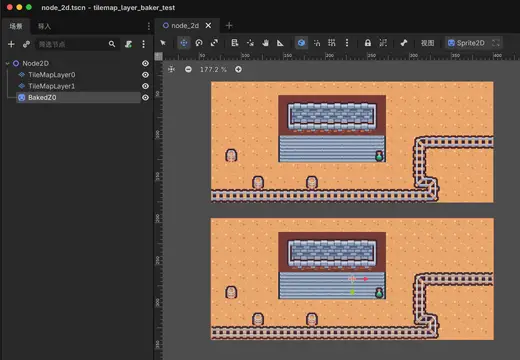
Bake selected static TileMapLayer nodes into PNG Sprite2D backgrounds and hide the source layers for runtime performance.
Supported Engine Version
4.4
Version String
0.1.1
License Version
MIT
Support Level
community
Modified Date
1 month ago
Git URL
Issue URL
TileMapLayer Baker
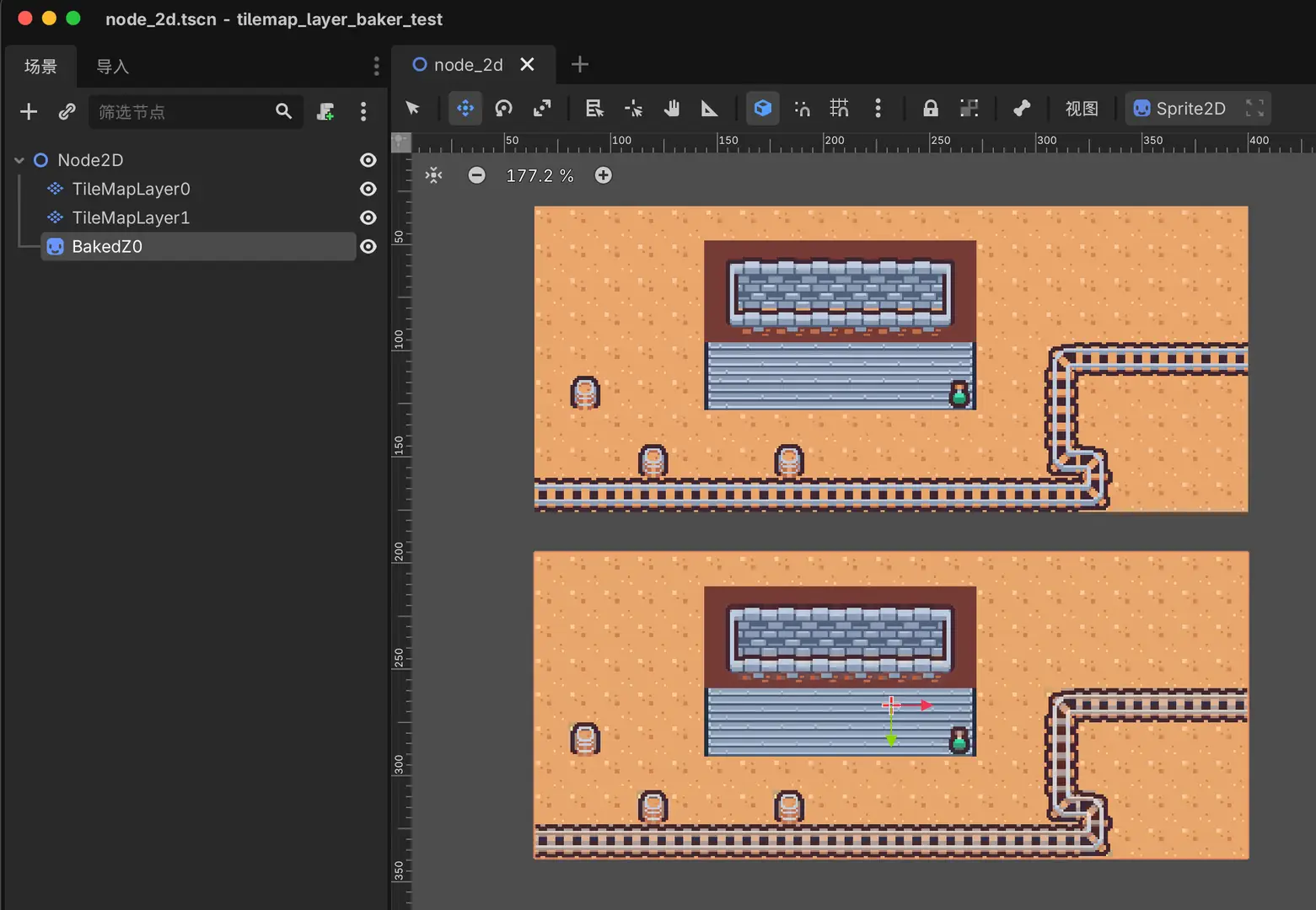
TileMapLayer Baker is a Godot 4 editor plugin that bakes selected static visual TileMapLayer nodes into PNG-backed Sprite2D backgrounds.
It is designed for decorative or background tile layers that do not need runtime TileMap behavior. Baking large static visual layers can reduce runtime TileMap processing and draw/setup overhead by replacing many tile cells with one or more regular sprites. The original TileMapLayer nodes stay in the scene for editing, and can be hidden after baking.
The editor UI currently supports English and Simplified Chinese.
Features
- Bake one or more selected
TileMapLayernodes into PNG textures. - Create matching
Sprite2Dnodes in the edited scene. - Combine layers by
z_indexwhen they can share one baked image. - Re-bake hidden source layers.
- Overwrite matching baked sprites and PNG files.
- Editor UI in English and Simplified Chinese.
Supported Languages
- English (
en) - 简体中文 (
zh_Hans)
Why Bake
Use this when a TileMapLayer is useful while editing but unnecessary at runtime. Background decoration, dense floor details, and other visual-only static layers can often be shipped more cheaply as PNG-backed Sprite2D nodes.
Installation
- Copy
addons/tilemap_layer_bakerinto your Godot project. - Open Project > Project Settings > Plugins.
- Enable TileMapLayer Baker.
- Open a 2D scene that contains static visual
TileMapLayernodes.
Usage
- Select one or more static visual
TileMapLayernodes in the scene tree. - Open the TileMap Baker dock.
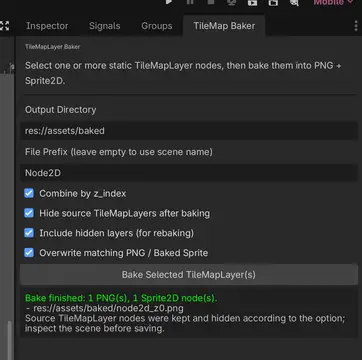
- Choose an output directory, or keep the default
res://assets/baked. - Keep Combine by z_index enabled if layers with the same
z_indexcan be merged. - Click Bake Selected TileMapLayer(s).
- Inspect the generated
Sprite2Dnodes and PNG files, then save the scene.
Limitations
- Use this only for static visual layers.
- Do not bake layers that provide collision, navigation, triggers, gameplay logic, or dynamic content.
- TileSet scene collection sources are not supported. Only atlas tiles that can be read as image regions are baked.
- Baked sprites are not live-linked to the source
TileMapLayernodes. Re-bake manually after changing a source layer. - Axis-aligned tile flips are supported.
- Arbitrary rotated or scaled
TileMapLayernodes should be checked visually after baking. - Very large layers are guarded by an 8192 pixel texture size limit.
License
MIT. See LICENSE.
Bake selected static TileMapLayer nodes into PNG Sprite2D backgrounds and hide the source layers for runtime performance.
Reviews
Quick Information
TileMapLayer Baker
Bake selected static TileMapLayer nodes into PNG Sprite2D backgrounds and hide the source layers for runtime performance.
Supported Engine Version
4.4
Version String
0.1.1
License Version
MIT
Support Level
community
Modified Date
1 month ago
Git URL
Issue URL