PS1 Shader Mixer
An asset by iHyobi
Install Asset
Install via Godot
To maintain one source of truth, Godot Asset Library is just a mirror of the old asset library so you can download directly on Godot via the integrated asset library browser
Quick Information

PS1 Shader Mixer
Visual post-process shader mixer plugin for Godot 4. Mix and combine retro effects in real-time directly from the editor without touching any code
Supported Engine Version
4.0
Version String
1.0.0
License Version
MIT
Support Level
community
Modified Date
1 month ago
Git URL
Issue URL

Godot-PS1-Shader-Mixer
Visual post-process shader mixer plugin for Godot 4. Mix retro effects in real-time without touching code.
# PS1 Shader Mixer — Godot 4 Plugin
A visual post-process shader mixer for Godot 4 with real-time preview. Mix and combine retro effects directly from the editor without touching any code.
## Features
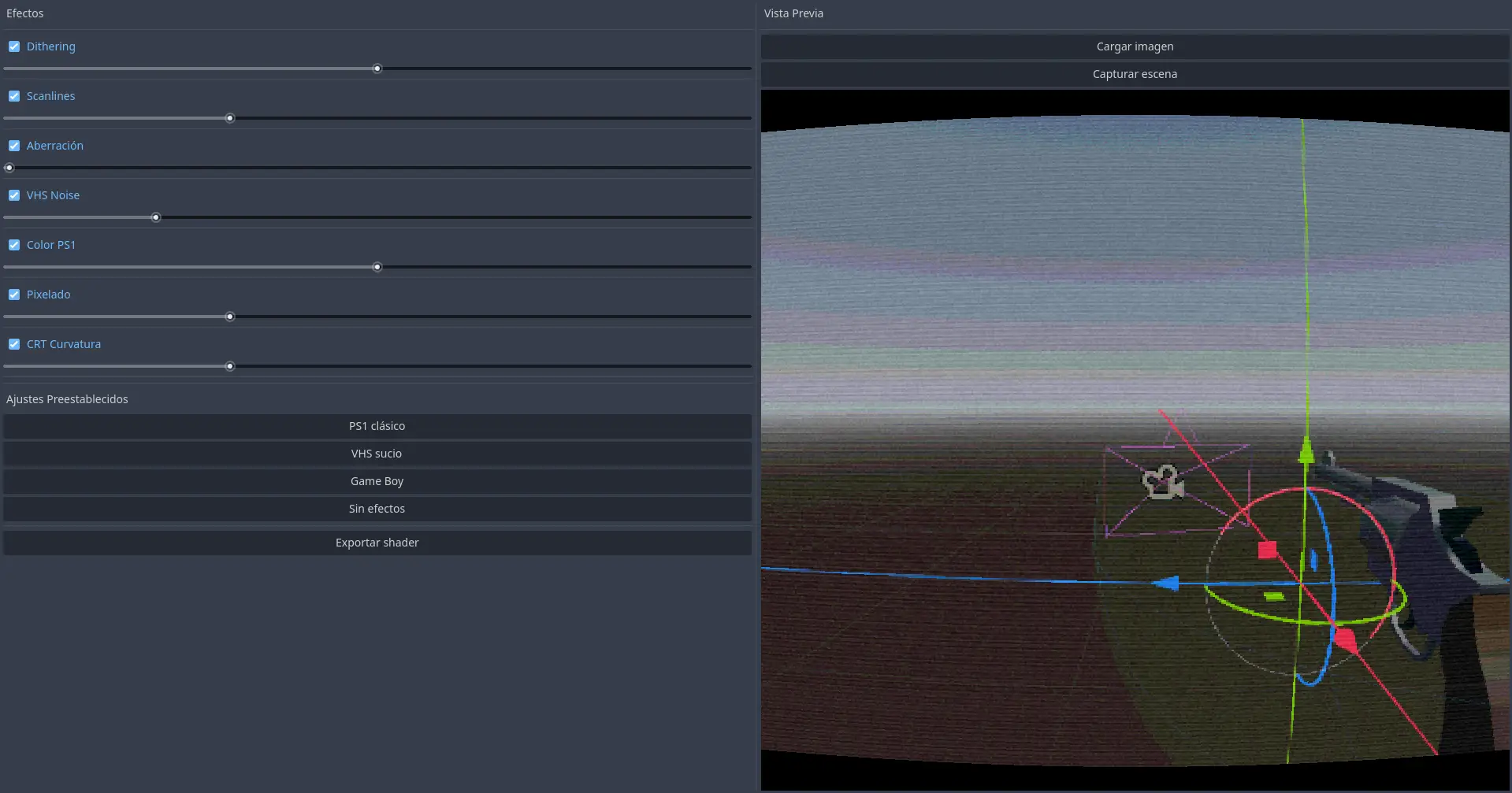
- 7 customizable effects with sliders
- Real-time preview with scene capture
- Load any image as preview reference
- Drag & drop image support
- Preset configurations (PS1, VHS, Game Boy)
- Export ready-to-use .gdshader files
- Adaptive resolution
## Effects
- **Dithering** — classic ordered dithering
- **Scanlines** — CRT horizontal lines
- **Chromatic Aberration** — RGB color fringing
- **VHS Noise** — analog video noise
- **Color Quantization** — PS1-style color reduction
- **Pixelate** — resolution downscaling
- **CRT Curvature** — screen warping effect
## Installation
1. Download or clone this repository
2. Copy the addons/ps1\_shader\_mixer folder into your Godot project
3. Go to **Project → Project Settings → Plugins**
4. Enable **PS1 Shader Mixer**
5. The panel will appear in the editor dock
## Usage
1. Open the **PS1 Shader** panel from the editor dock
2. Adjust effects and sliders to your liking
3. Use **Capture scene** to preview with your current scene
4. Or drag & drop any image onto the panel
5. Apply a preset or mix effects manually
6. Click **Export shader** to save your configuration
## Using the exported shader
1. Add a ColorRect node to your scene
2. Set its layout to **Full Rect**
3. Assign a new ShaderMaterial to it
4. Load your exported .gdshader file
5. Make sure the ColorRect is the **last child** in the scene tree so it renders on top of everything
## License
MIT License — free to use in personal and commercial projects.
Visual post-process shader mixer plugin for Godot 4. Mix and combine retro effects in real-time directly from the editor without touching any code
Reviews
Quick Information
PS1 Shader Mixer
Visual post-process shader mixer plugin for Godot 4. Mix and combine retro effects in real-time directly from the editor without touching any code
Supported Engine Version
4.0
Version String
1.0.0
License Version
MIT
Support Level
community
Modified Date
1 month ago
Git URL
Issue URL