Spatial Audio Extended
An asset by Dani_kakes
Install Asset
Install via Godot
To maintain one source of truth, Godot Asset Library is just a mirror of the old asset library so you can download directly on Godot via the integrated asset library browser
Quick Information

Spatial Audio Extended
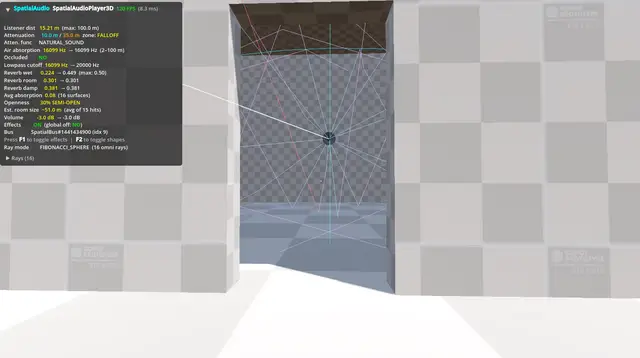
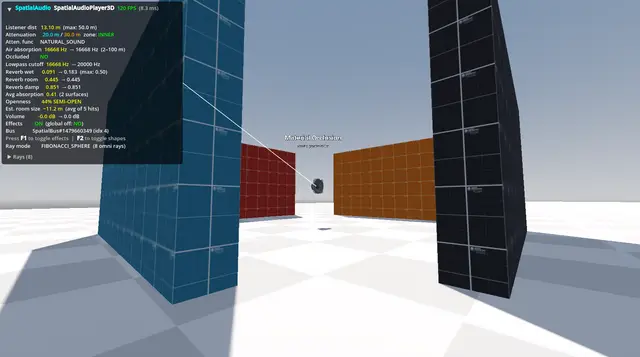
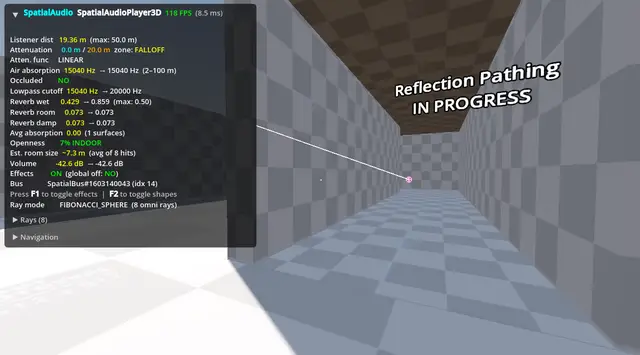
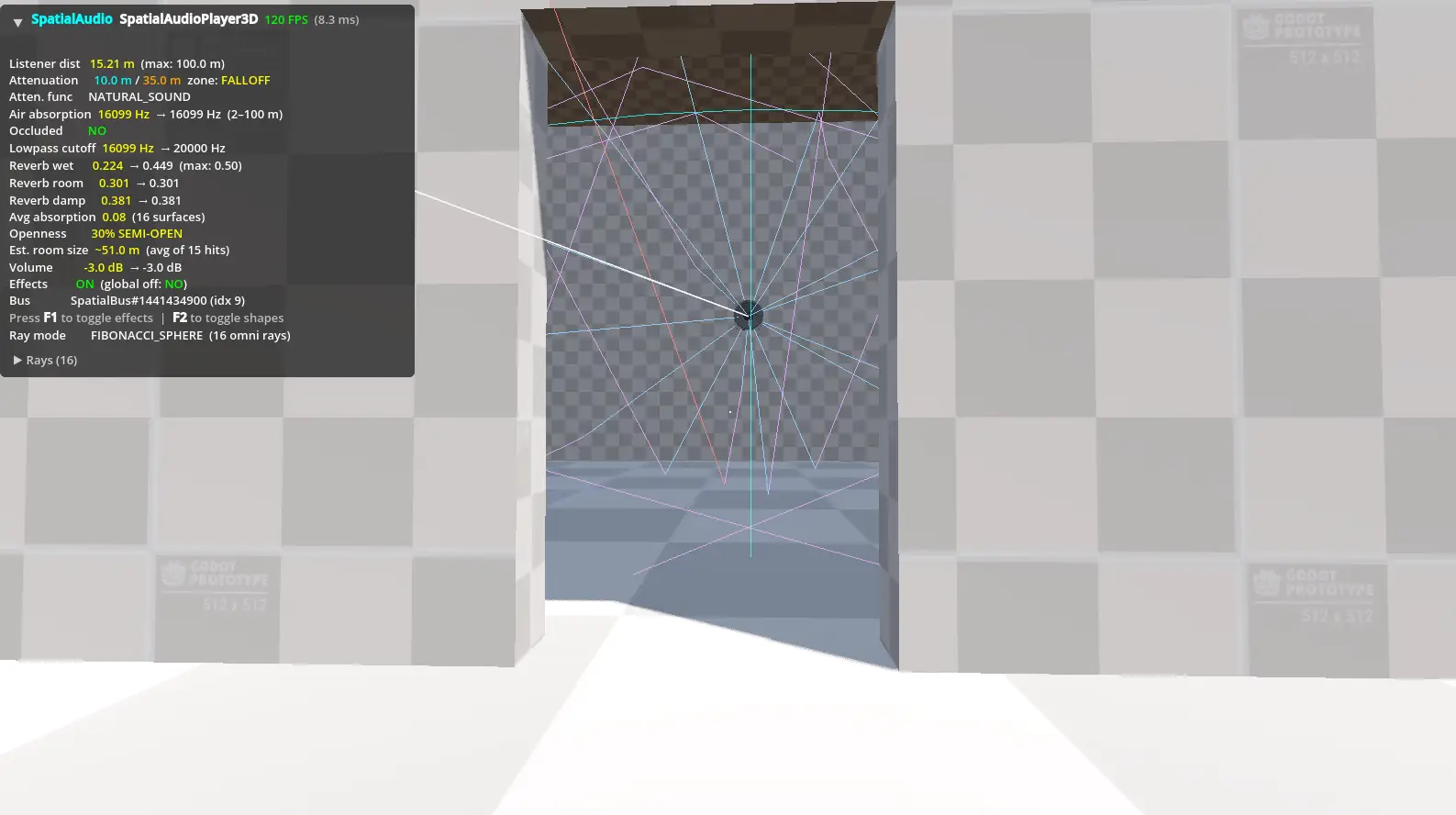
~Volume Attenuation - Multiple falloff curves (Linear, Logarithmic, Inverse, Natural Sound, and user-defined) with configurable inner/outer radii~ Room Size Reverb - Omni-directional raycasts estimate room size and apply reverb automatically~ Wall Occlusion - Multi-wall detection with material-based lowpass filtering and volume reduction~Air Absorption - Distance-based high-frequency rolloff for realism at range~ Sound Speed Delay - Realistic propagation delay for one-shot sounds (gunshots, explosions, etc.)~ Acoustic Materials - Physics-based surface properties (absorption, scattering, transmission) with 11 built-in presets~ Reflection Navigation Agent (Experimental) - SpatialReflectionNavigationAgent3D routes reflected proxy audio around corners in full 3D space~ Debug Overlay - Runtime HUD, in-editor ray visualisation, radius wireframes, and A/B effect toggle~ Rich Signals- Zone transitions, occlusion, reverb, air absorption, playback, and diagnostics
Supported Engine Version
4.6
Version String
3.0.1
License Version
MIT
Support Level
community
Modified Date
4 months ago
Git URL
Issue URL
Spatial Audio Extended
An advanced, drop-in replacement for Godot's AudioStreamPlayer3D that adds physically-inspired, real-time spatial audio to your 3D games.
Version 2.4.0 · Godot 4.x · by danikakes Feel free to donate to my Paypal if you like what I make :)
Features
- Volume Attenuation — Multiple falloff curves (Linear, Logarithmic, Inverse, Natural Sound, and user-defined) with configurable inner and outer radii.
- Room Size Reverb — Omni-directional raycasts estimate room geometry and apply reverb automatically. Works in real time as the player moves between spaces.
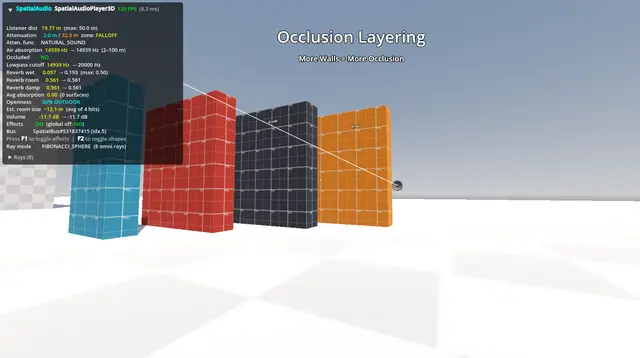
- Wall Occlusion — Multi-wall detection with material-based lowpass filtering and volume reduction. Sounds become progressively more muffled behind each wall.
- Air Absorption — Distance-based high-frequency rolloff simulating how air attenuates sound over long distances.
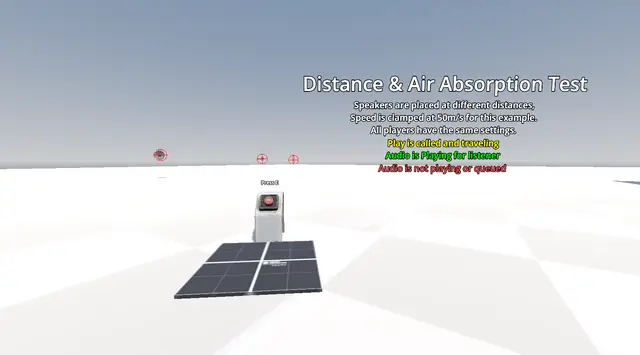
- Sound Speed Delay — Realistic propagation delay for one-shot sounds. Fire a gunshot across a valley and hear it arrive a moment later.
- Acoustic Materials — Physics-based surface properties (absorption, scattering, transmission) with 11 built-in presets covering brick, concrete, carpet, glass, wood, metal, and more.
- Debug Overlay — On-screen HUD, in-editor ray visualisation, radius wireframes, and a live A/B effect toggle.
- Rich Signals — Zone transitions, occlusion events, reverb updates, air absorption changes, playback state, and diagnostic data.
Installation
From the Godot Asset Library:
- Open your project and go to the AssetLib tab.
- Search for Spatial Audio Extended and install it.
- Go to Project → Project Settings → Plugins and enable Spatial Audio Extended.
Manual:
- Copy the
addons/danikakes.spatial_audio/folder into your project'saddons/directory. - Enable the plugin in Project → Project Settings → Plugins.
Quick Start
Replace any AudioStreamPlayer3D in your scene with a SpatialAudioPlayer3D. All existing properties and method calls work identically — no code changes needed.
# No changes required. play(), stop(), is_playing() all work as before.
$MySpatialAudio.play()
To give surfaces acoustic properties, add an AcousticBody node as a direct child of any StaticBody3D, RigidBody3D, Area3D, or CSGShape3D, then assign one of the built-in material presets:
StaticBody3D  (concrete wall)
├── CollisionShape3D
├── MeshInstance3D
└── AcousticBody        <-- assign concrete.tres here
The plugin adds an "Add AcousticBody" button to the Inspector when a CollisionShape3D or CSGShape3D is selected, so you can skip the Add Node dialog.
Node Overview
| Node | Description |
|---|---|
SpatialAudioPlayer3D |
The main audio player. Drop-in for AudioStreamPlayer3D. |
AcousticBody |
Attach to collision geometry to define its acoustic surface properties. |
AcousticMaterial |
Resource defining absorption, scattering, and transmission per frequency band. |
Acoustic Material Presets
11 presets are included, based on real-world acoustic data:
brick · concrete · ceramic · carpet · glass · gravel · metal · plaster · rock · wood · generic
# Load from disk
var mat = load("res://addons/danikakes.spatial_audio/presets/concrete.tres")

# Or use a static constructor
var mat = AcousticMaterial.preset_concrete()
Signals
# Zone transitions
signal inner_radius_entered(listener)
signal inner_radius_exited(listener)
signal falloff_zone_entered(listener)
signal falloff_zone_exited(listener)
signal attenuation_zone_entered(listener)
signal attenuation_zone_exited(listener)

# Occlusion
signal audio_occluded(listener, wall_count)
signal audio_unoccluded(listener)
signal occlusion_changed(wall_count, cutoff_hz)

# Reverb / air absorption
signal reverb_updated(room_size, wetness, damping)
signal reverb_zone_changed(room_size, wetness)
signal air_absorption_updated(cutoff_hz)

# Playback
signal spatial_audio_playback_started()
signal spatial_audio_playback_stopped()
signal listener_distance_changed(distance)
Global Effect Toggle
Disable all spatial effects across every instance at once — useful for accessibility or performance modes:
SpatialAudioPlayer3D.set_global_effects_disabled(true)
Documentation
Full documentation is available in the Wiki:
- Installation
- Getting Started
- SpatialAudioPlayer3D Reference
- AcousticBody Reference
- AcousticMaterial Reference
- Material Presets
- Signals Reference
- Debug Tools
- Tips & Recipes
License
See LICENSE.
~Volume Attenuation - Multiple falloff curves (Linear, Logarithmic, Inverse, Natural Sound, and user-defined) with configurable inner/outer radii
~ Room Size Reverb - Omni-directional raycasts estimate room size and apply reverb automatically
~ Wall Occlusion - Multi-wall detection with material-based lowpass filtering and volume reduction
~Air Absorption - Distance-based high-frequency rolloff for realism at range
~ Sound Speed Delay - Realistic propagation delay for one-shot sounds (gunshots, explosions, etc.)
~ Acoustic Materials - Physics-based surface properties (absorption, scattering, transmission) with 11 built-in presets
~ Reflection Navigation Agent (Experimental) - SpatialReflectionNavigationAgent3D routes reflected proxy audio around corners in full 3D space
~ Debug Overlay - Runtime HUD, in-editor ray visualisation, radius wireframes, and A/B effect toggle
~ Rich Signals - Zone transitions, occlusion, reverb, air absorption, playback, and diagnostics
Reviews
wow
anvilskateboard_
Rated positive
awesome
Quick Information
Spatial Audio Extended
~Volume Attenuation - Multiple falloff curves (Linear, Logarithmic, Inverse, Natural Sound, and user-defined) with configurable inner/outer radii~ Room Size Reverb - Omni-directional raycasts estimate room size and apply reverb automatically~ Wall Occlusion - Multi-wall detection with material-based lowpass filtering and volume reduction~Air Absorption - Distance-based high-frequency rolloff for realism at range~ Sound Speed Delay - Realistic propagation delay for one-shot sounds (gunshots, explosions, etc.)~ Acoustic Materials - Physics-based surface properties (absorption, scattering, transmission) with 11 built-in presets~ Reflection Navigation Agent (Experimental) - SpatialReflectionNavigationAgent3D routes reflected proxy audio around corners in full 3D space~ Debug Overlay - Runtime HUD, in-editor ray visualisation, radius wireframes, and A/B effect toggle~ Rich Signals- Zone transitions, occlusion, reverb, air absorption, playback, and diagnostics
Supported Engine Version
4.6
Version String
3.0.1
License Version
MIT
Support Level
community
Modified Date
4 months ago
Git URL
Issue URL