Subtree Shader Applicator
An asset by Dani_kakes
Install Asset
Install via Godot
To maintain one source of truth, Godot Asset Library is just a mirror of the old asset library so you can download directly on Godot via the integrated asset library browser
Quick Information

Subtree Shader Applicator
SubtreeShaderApplicator is a helper node for pushing one material setup through an entire scene branch.What it does:- For 2D, it assigns the same Material resource to every CanvasItem in the target subtree.- For 3D, it can assign material_override, material_overlay, and/or a shared next_pass to every GeometryInstance3D in the target subtree.- If target_root_path is empty, it targets this helper node's children.What it does not do:- It does not combine a 2D subtree into one draw pass. If you need a single combined 2D shader pass, use Godot's CanvasGroup.- It does not automatically watch runtime-spawned children. Call refresh_subtree() after adding nodes dynamically.- A 3D next_pass is only preserved non-destructively for nodes that already have material_override or for MeshInstance3D surface materials. Other GeometryInstance3D types should prefer material_overlay.
Supported Engine Version
4.6
Version String
1.0.0
License Version
MIT
Support Level
community
Modified Date
4 months ago
Git URL
Issue URL
Subtree Shader Applicator
SubtreeShaderApplicator is a helper node for pushing one material setup through an entire scene branch.
What it does
- For 2D, it assigns the same
Materialresource to everyCanvasItemin the target subtree. - For 3D, it can assign
material_override,material_overlay, and/or a sharednext_passto everyGeometryInstance3Din the target subtree. - If
target_root_pathis empty, it targets this helper node's children.
What it does not do
- It does not combine a 2D subtree into one draw pass. If you need a single combined 2D shader pass, use Godot's
CanvasGroup. - It does not automatically watch runtime-spawned children. Call
refresh_subtree()after adding nodes dynamically. - A 3D
next_passis only preserved non-destructively for nodes that already havematerial_overrideor forMeshInstance3Dsurface materials. OtherGeometryInstance3Dtypes should prefermaterial_overlay.
Usage
- Enable the plugin in
Project > Project Settings > Plugins. - Add a
SubtreeShaderApplicatornode to your scene. - Leave
target_root_pathempty to target this node's children, or point it at any other subtree root. - Set
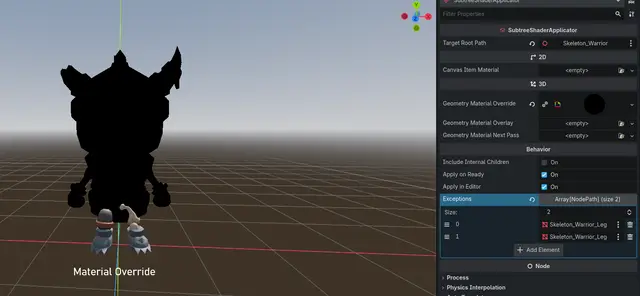
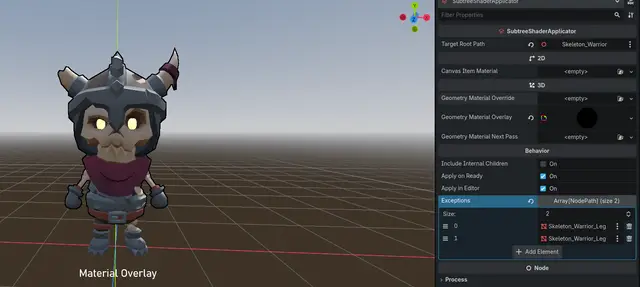
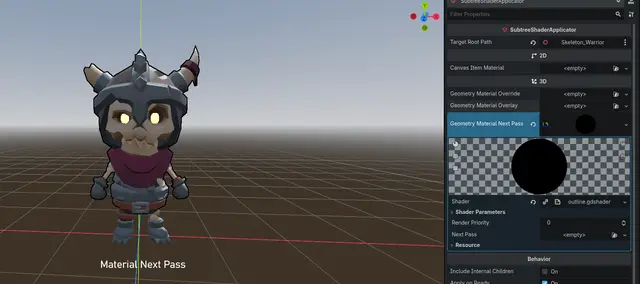
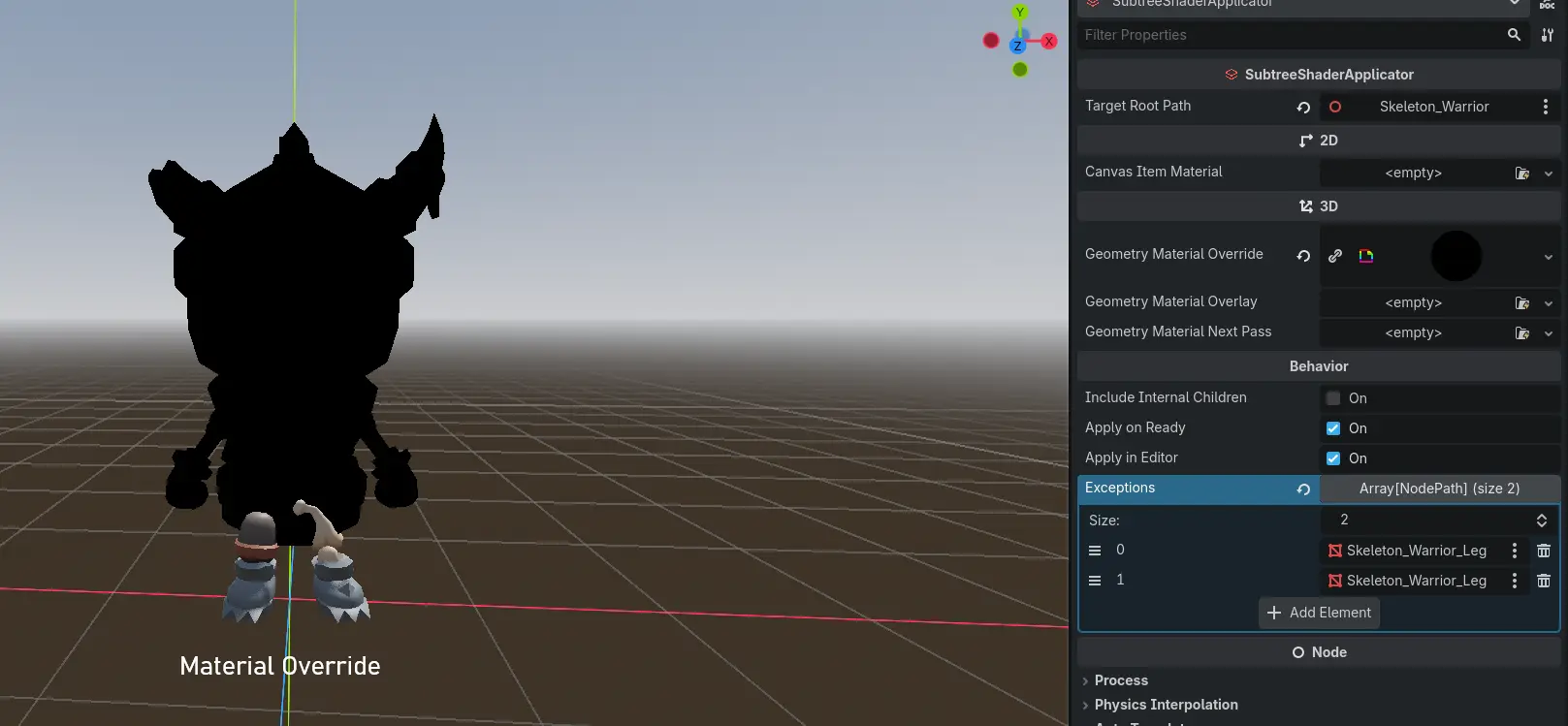
canvas_item_materialfor 2D,geometry_material_overridefor 3D replacement,geometry_material_overlayfor 3D layering on top of the original material, orgeometry_material_next_passto append a 3D next pass without editing the original mesh materials. - The helper reacts to those fields automatically. Assigning a material applies it to the subtree, and clearing the field restores the cached original state for that effect type.
- Leave
apply_on_readyenabled if you want the configured materials to be re-applied automatically when the scene enters the tree at runtime. - Add any nodes to
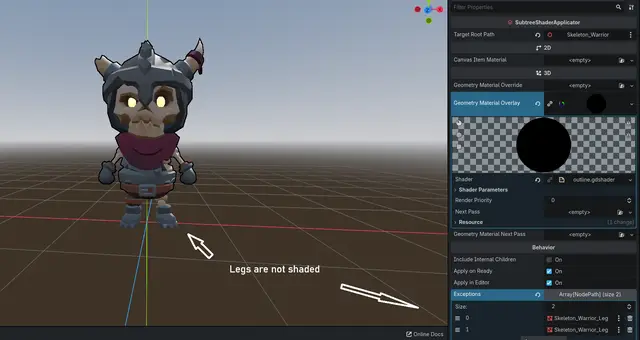
exceptionsthat should be excluded from material application. Excepted nodes and their entire subtrees are skipped, and their original materials are left untouched.
Outline workflow
- For a character made of many
MeshInstance3Dparts, prefergeometry_material_overlayfirst. Godot renders overlays on top of the current material for the whole geometry, which is usually the cleanest non-destructive path for shield, hit-flash, and outline-style effects. - Use
geometry_material_next_passwhen you specifically want a real extra material pass instead of an overlay. The addon duplicates the active material chain at the node level so the imported mesh materials are not modified.
Exceptions
The exceptions array lets you exclude specific nodes from material application without removing them from the subtree.
- Any node listed in
exceptions, along with its entire child hierarchy, is skipped when syncing materials. - Excepted nodes have their original materials preserved (or restored if the exception is added after materials were already applied).
- Changes to the
exceptionslist take effect immediately — adding a node to exceptions restores its original materials, and removing it causes the shader to be applied on the next sync. - Node paths in
exceptionsare resolved relative to theSubtreeShaderApplicatornode, the same astarget_root_path.
Global shader parameters
- If every affected node uses the same
ShaderMaterialresource through this addon, editing that shared resource changes every node at once. - From code, call
set_canvas_shader_parameter(),set_geometry_overlay_shader_parameter(),set_geometry_next_pass_shader_parameter(), orset_all_assigned_shader_parameters()on the helper node. - If you need scene-wide uniforms shared across multiple different materials, use
ShaderGlobalsOverrideor theRenderingServer.global_shader_parameter_*API withglobal uniformshader parameters.
SubtreeShaderApplicator is a helper node for pushing one material setup through an entire scene branch.
What it does:
- For 2D, it assigns the same Material resource to every CanvasItem in the target subtree.
- For 3D, it can assign material_override, material_overlay, and/or a shared next_pass to every GeometryInstance3D in the target subtree.
- If target_root_path is empty, it targets this helper node's children.
What it does not do:
- It does not combine a 2D subtree into one draw pass. If you need a single combined 2D shader pass, use Godot's CanvasGroup.
- It does not automatically watch runtime-spawned children. Call refresh_subtree() after adding nodes dynamically.
- A 3D next_pass is only preserved non-destructively for nodes that already have material_override or for MeshInstance3D surface materials. Other GeometryInstance3D types should prefer material_overlay.
Reviews
Quick Information
Subtree Shader Applicator
SubtreeShaderApplicator is a helper node for pushing one material setup through an entire scene branch.What it does:- For 2D, it assigns the same Material resource to every CanvasItem in the target subtree.- For 3D, it can assign material_override, material_overlay, and/or a shared next_pass to every GeometryInstance3D in the target subtree.- If target_root_path is empty, it targets this helper node's children.What it does not do:- It does not combine a 2D subtree into one draw pass. If you need a single combined 2D shader pass, use Godot's CanvasGroup.- It does not automatically watch runtime-spawned children. Call refresh_subtree() after adding nodes dynamically.- A 3D next_pass is only preserved non-destructively for nodes that already have material_override or for MeshInstance3D surface materials. Other GeometryInstance3D types should prefer material_overlay.
Supported Engine Version
4.6
Version String
1.0.0
License Version
MIT
Support Level
community
Modified Date
4 months ago
Git URL
Issue URL