Material Mapper
An asset by Cahydra
Install Asset
Install via Godot
To maintain one source of truth, Godot Asset Library is just a mirror of the old asset library so you can download directly on Godot via the integrated asset library browser
Quick Information

Material Mapper
Automatically create fully configured materials from your texture sets in literal seconds.Simply select multiple textures with matching names (Diffuse, Normal, Roughness, Metallic, and more), or import a ZIP containing your textures. The addon detects the map types, creates a new material and fills the correct texture slots for you automatically.Perfect for artists and developers working with large texture libraries, saving time and speeding up repetitive setup work.Feel free to donate if you find this useful!
Supported Engine Version
4.6
Version String
1.1.0
License Version
MIT
Support Level
community
Modified Date
5 days ago
Git URL
Issue URL
Automatically create fully configured materials from your texture sets in literal seconds.
Installation
- Download this repository and place
addons/material_mapperinto your project'sres://addons. - Enable Material Mapper inside
Project Settings > Plugins.
Usage
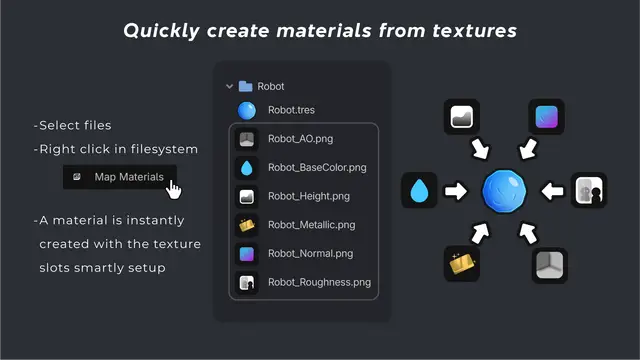
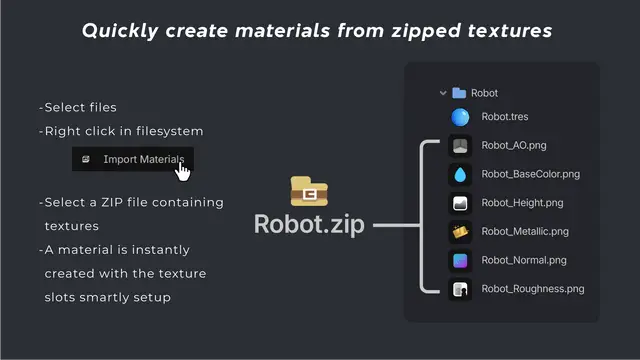
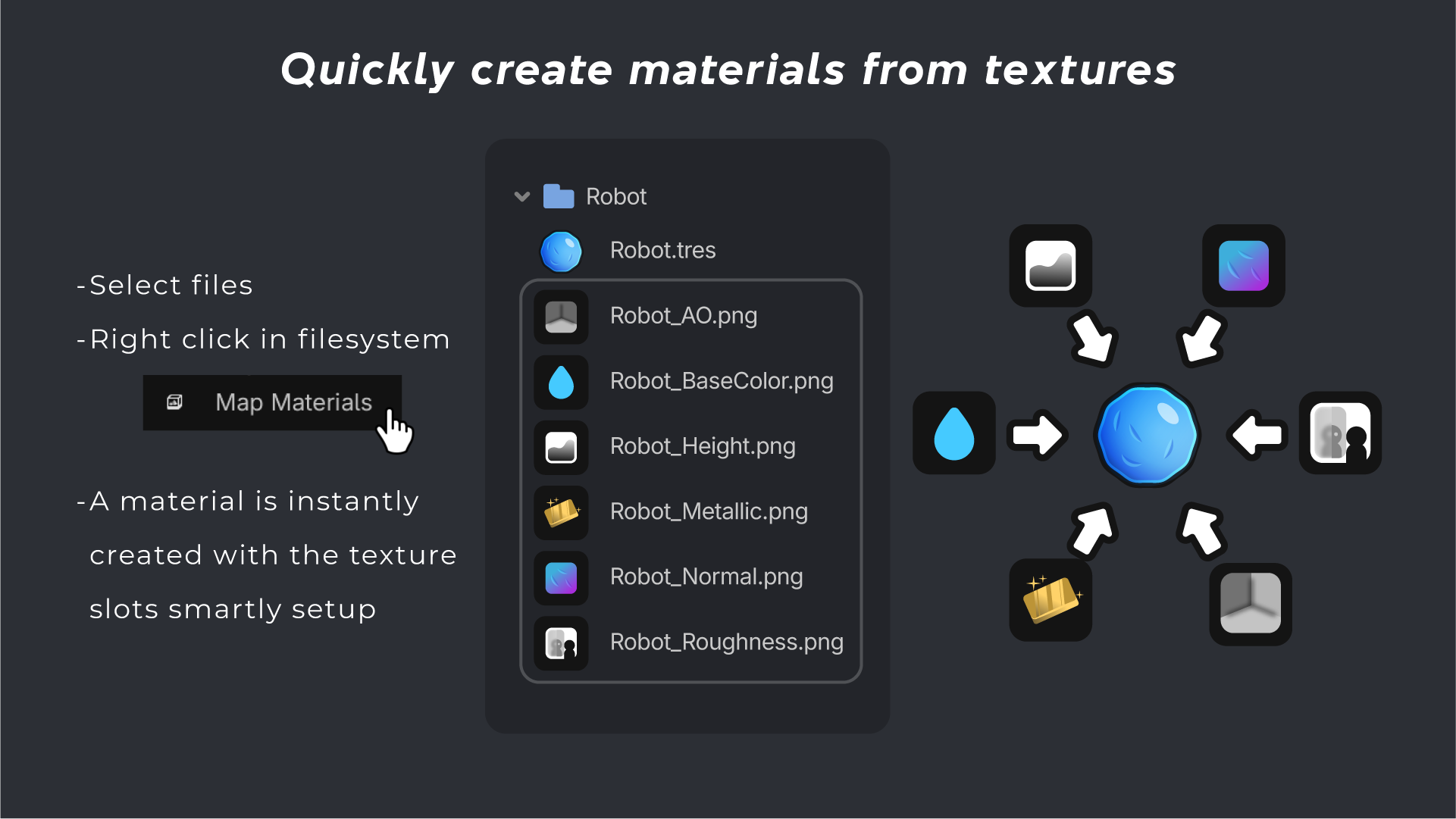
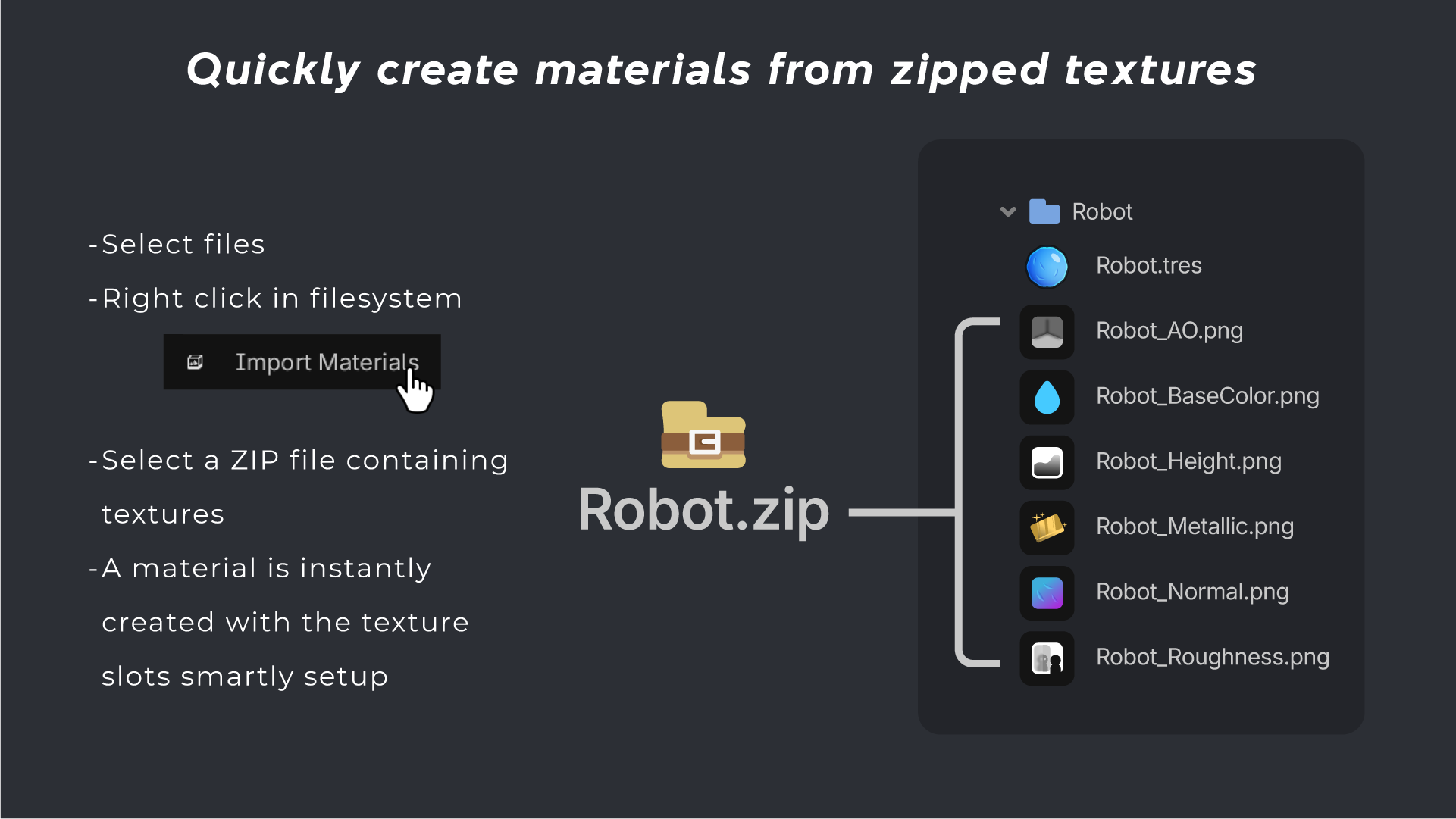
Simply select multiple textures with matching names (Diffuse, Normal, Roughness, Metallic, and more), or import one or multiple ZIP files containing your textures. The addon detects the map types, creates a new material and fills the correct texture slots for you automatically.
Perfect for artists and developers working with large texture libraries, saving time and speeding up repetitive setup work.
Customize
Does the textures you're trying to map not exist?
Simply change a few settings inside your Project Settings > General > Material Mapper
- Example:
You need to map
Robot_Emission.png - Do:
Find
Emission Textureinside yourProject Settings > General > Material Mapper > Texture Suffixes > Emission TextureThen simply seperate your texture suffix (_Emission) with a comma (,) - Result:
Emission Texture=_Emission,_emissive,_emit
Donate ♡
Feel free to donate if you find this useful!
Automatically create fully configured materials from your texture sets in literal seconds.
Simply select multiple textures with matching names (Diffuse, Normal, Roughness, Metallic, and more), or import a ZIP containing your textures. The addon detects the map types, creates a new material and fills the correct texture slots for you automatically.
Perfect for artists and developers working with large texture libraries, saving time and speeding up repetitive setup work.
Feel free to donate if you find this useful!
Reviews
Quick Information
Material Mapper
Automatically create fully configured materials from your texture sets in literal seconds.Simply select multiple textures with matching names (Diffuse, Normal, Roughness, Metallic, and more), or import a ZIP containing your textures. The addon detects the map types, creates a new material and fills the correct texture slots for you automatically.Perfect for artists and developers working with large texture libraries, saving time and speeding up repetitive setup work.Feel free to donate if you find this useful!
Supported Engine Version
4.6
Version String
1.1.0
License Version
MIT
Support Level
community
Modified Date
5 days ago
Git URL
Issue URL