Mebo
An asset by farebear
Install Asset
Install via Godot
To maintain one source of truth, Godot Asset Library is just a mirror of the old asset library so you can download directly on Godot via the integrated asset library browser
Quick Information

Mebo
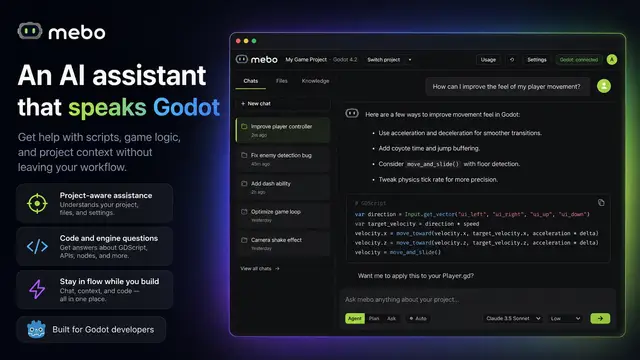
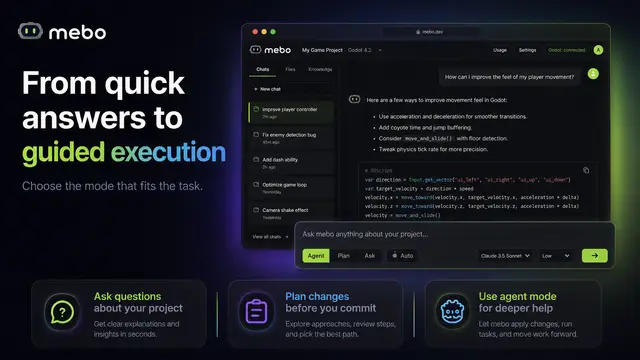
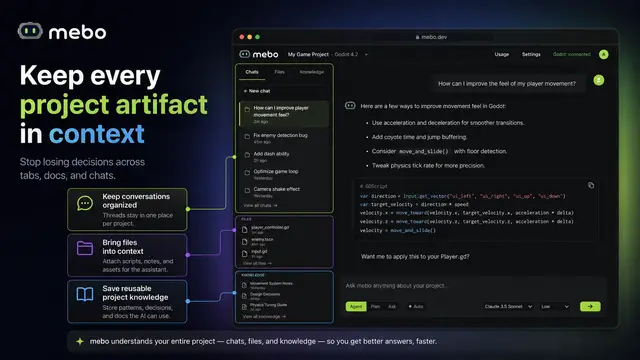
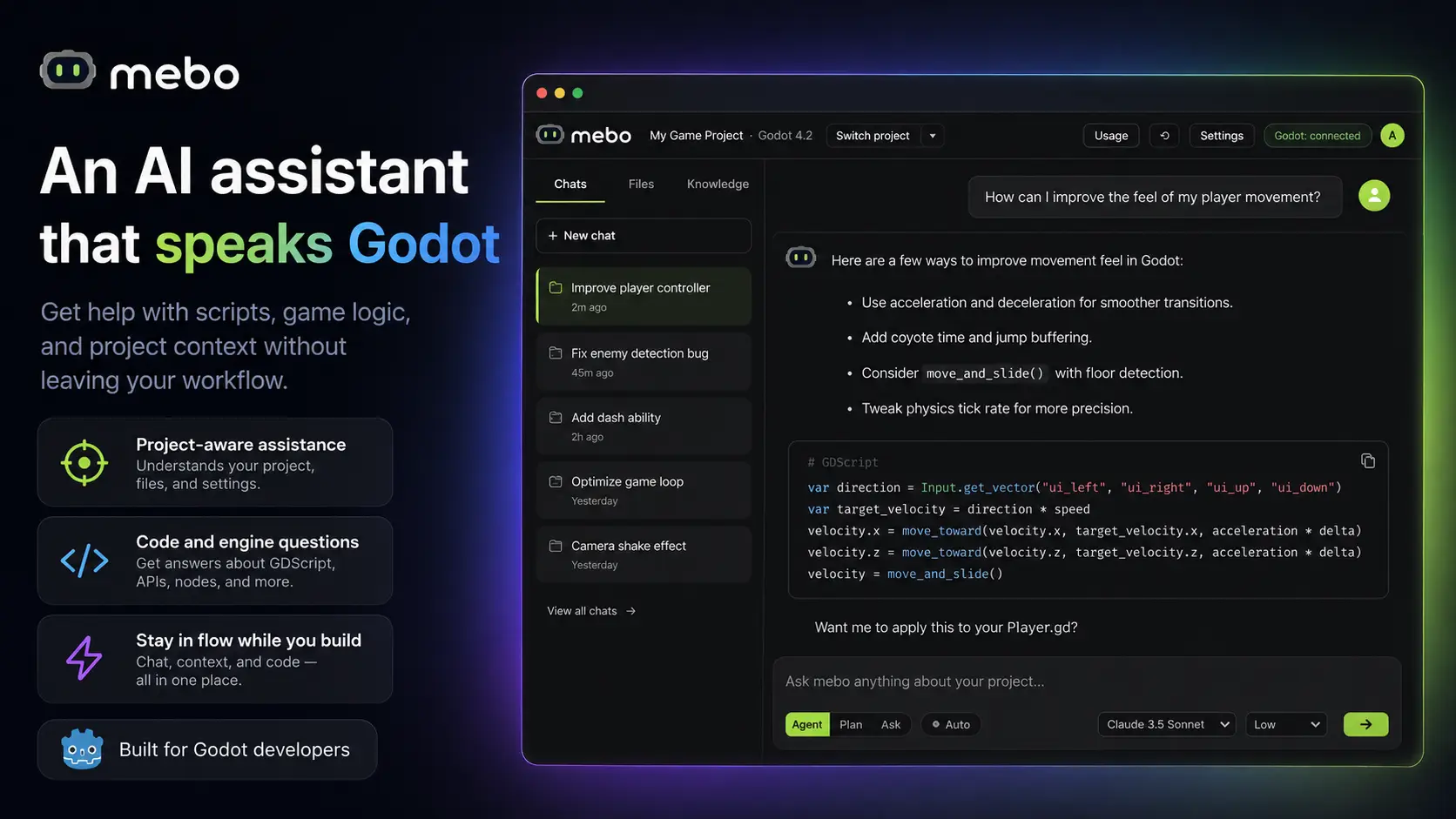
mebo is a standalone AI IDE for the Godot Engine. Its agent indexes your whole project — scenes, scripts, signals — and edits the live editor through a bridge addon: build scenes, wire signals, press play from chat. Every answer is grounded in the official docs for your Godot version (no more Godot 3 API hallucinations), every edit is verified by real diagnostics, and nothing touches your project until you approve the diff. GDScript + C#. macOS, Windows, Linux. Free trial, no card required.
Supported Engine Version
4.0
Version String
0.7.0
License Version
MIT
Support Level
community
Modified Date
22 hours ago
Git URL
Issue URL
mebo Bridge — AI Agent for Godot
The official Godot editor addon for mebo, the AI IDE for the Godot
Engine. It connects your open Godot project to mebo's AI agent, so the agent can work with
the live editor — inspect and edit the scene tree, wire signals, and run or stop your
project — instead of blindly rewriting .tscn files as text.
Requires Godot 4.2+.
What it does
The addon is a small EditorPlugin that runs a JSON-RPC 2.0 server on a local TCP socket
(127.0.0.1:6010 — localhost only, never exposed to the network). Through it, the mebo AI
agent can:
- Read the live scene tree — node names, types, scripts, and key properties, exactly as the editor sees them.
- Edit the open scene — create, delete, and rename nodes, set properties, attach scripts,
and connect signals (persisted into the
.tscnon save). - Capture editor screenshots of the 2D or 3D viewport so the agent can see what you see.
- Run and stop the project or the current scene.
- Reload files changed on disk and hot-reload itself when mebo ships an update.
Nothing touches disk until the scene is saved, and every mutating operation shows an approval card in mebo's chat before it runs — the agent never edits your scene behind your back.
Install
If you use the mebo desktop app, you don't need this repo: mebo installs and enables the addon automatically when you open a project, and keeps it up to date.
To install manually (from the Asset Library or this repo):
- Copy the
addons/godotai_bridgefolder into your project'saddons/directory. - In the Godot editor, enable it under Project → Project Settings → Plugins → mebo Bridge.
- The Output panel prints
mebo bridge listening on 127.0.0.1:6010when it's up. Open the same project in mebo and the topbar pill turns Bridge: connected.
The folder is named
godotai_bridgefor compatibility with existing installs — don't rename it.
Protocol
JSON-RPC 2.0 over a raw TCP socket bound to 127.0.0.1:6010 (override the port with the
MEBO_BRIDGE_PORT environment variable on the editor process), framed with LSP-style
headers — the same transport Godot's own language server uses on port 6005:
Content-Length: <byte length of body>\r\n
\r\n
{"jsonrpc":"2.0","id":1,"method":"ping"}
Params and result keys are camelCase. Node paths are relative to the edited scene root;
"." (or "") means the root itself. Godot values that don't fit JSON (Vector2, Color,
…) travel as var_to_str strings (e.g. "Vector2(100, 50)"); string values sent to
set_node_property are decoded with str_to_var, and a string that is a res:// path to an
existing resource is load()-ed (so you can set textures or scripts by path). Errors come
back as JSON-RPC errors (-32601 unknown method, -32000 operation failures like "node not
found").
| Method | Params | Result |
|---|---|---|
ping |
— | {godotVersion, pluginVersion, editedScene} |
get_scene_tree |
— | {root: SceneTreeNode | null} |
get_selection |
— | {nodePaths, assetPaths, editedScene} |
reload_changed_files |
{resPaths} |
{ok, reloadedScenes, skippedUnsavedScenes, …} |
get_editor_file_info |
{resPath} |
{resPath, indexed, type, existsOnDisk, …} |
reload_plugin |
— | {ok: true} (connection drops, then reload) |
create_node |
{parentPath, type, name} |
{path} (as actually created) |
delete_node |
{path} |
{ok: true} |
rename_node |
{path, newName} |
{path} (after rename) |
set_node_property |
{path, property, value} |
{ok: true} |
attach_script |
{path, scriptResPath} |
{ok: true} |
connect_signal |
{fromPath, signal, toPath, method} |
{ok: true} (CONNECT_PERSIST) |
capture_screenshot |
{viewport: "2d"|"3d"} |
{imageBase64, width, height, mediaType} |
save_scene |
— | {ok: true} |
open_scene |
{resPath} |
{ok: true} |
run_project |
— | {ok: true} |
run_current_scene |
— | {ok: true} |
stop |
— | {ok: true} |
SceneTreeNode: {name, type, path, scriptResPath, properties, children} where properties
surfaces a few key values (position, rotation, scale, visible, text, size) as
var_to_str strings when the node has them.
Mutations happen in the editor and mark the scene unsaved; nothing touches disk until
save_scene. Created nodes get the scene root as owner so they persist on save; signal
connections use CONNECT_PERSIST so they are serialized into the .tscn.
Verify it's running
With the addon enabled and a scene open, smoke-test the socket from a terminal:
printf 'Content-Length: 40\r\n\r\n{"jsonrpc":"2.0","id":1,"method":"ping"}' | nc 127.0.0.1 6010
Expect a framed response containing godotVersion.
Limitations
- Editor operations bypass the editor's undo/redo history (
EditorUndoRedoManagerintegration is future work) — undo in Godot won't revert bridge edits; rejecting the approval card in mebo is the guard. - Only the currently edited scene is addressable; other open scene tabs are not.
capture_screenshotgrabs the editor viewport (2D or 3D, longest side downscaled to 1280px), not the running game's window.- Run/stop covers plain playback; breakpoints and debugging go through Godot's own tools.
About mebo
mebo is a standalone AI IDE for the Godot Engine: an AI agent for Godot that reads your whole project, writes GDScript, edits scenes through this bridge, and asks for approval before every change. This addon is the only part that lives inside your Godot project — it is open source under the MIT license.
Maintainers
The canonical source of this addon lives in mebo's private monorepo (godot-addon/
directory); this repository is a public mirror for distribution and the Godot Asset Library.
When the addon changes upstream, this repo — and the Asset Library listing's pinned commit
and version string — must be updated to match.
mebo is a standalone AI IDE for the Godot Engine. Its agent indexes your whole project — scenes, scripts, signals — and edits the live editor through a bridge addon: build scenes, wire signals, press play from chat. Every answer is grounded in the official docs for your Godot version (no more Godot 3 API hallucinations), every edit is verified by real diagnostics, and nothing touches your project until you approve the diff. GDScript + C#. macOS, Windows, Linux. Free trial, no card required.
Reviews
Quick Information
Mebo
mebo is a standalone AI IDE for the Godot Engine. Its agent indexes your whole project — scenes, scripts, signals — and edits the live editor through a bridge addon: build scenes, wire signals, press play from chat. Every answer is grounded in the official docs for your Godot version (no more Godot 3 API hallucinations), every edit is verified by real diagnostics, and nothing touches your project until you approve the diff. GDScript + C#. macOS, Windows, Linux. Free trial, no card required.
Supported Engine Version
4.0
Version String
0.7.0
License Version
MIT
Support Level
community
Modified Date
22 hours ago
Git URL
Issue URL