Godot Triggers
An asset by sosigmidget
Install Asset
Install via Godot
To maintain one source of truth, Godot Asset Library is just a mirror of the old asset library so you can download directly on Godot via the integrated asset library browser
Quick Information

Godot Triggers
An attempt to bring Source-like triggers and outputs in Godot.Extends the default Area2D/3D nodes.
Supported Engine Version
4.5
Version String
1.0.1
License Version
MIT
Support Level
community
Modified Date
5 months ago
Git URL
Issue URL
Godot Triggers
An attempt to bring Source-like triggers and outputs in Godot, albeit in a limited state.
Usage
- Simply drag and drop the Trigger2D/Trigger3D into your scene and give it a CollisionShape2D/3D.
- IMPORTANT: Set the collision mask of the trigger! Any areas/bodies in the layer it scans will activate the trigger. The collision layer of the trigger itself has no effect.
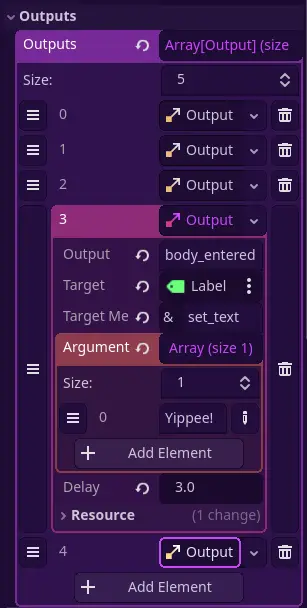
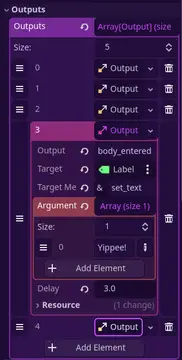
- Add the outputs in the Inspector tab.
The output system

The way outputs are handled are, as the description says, similar to how the Source engine handles outputs.
Here, Outputs are Resources that contain five variables. They ultimately just describe what method (and additional arguments) to call on a Node.
| Variable | Type | Default value | Description | Hammer equivalent |
|---|---|---|---|---|
output |
String | area_entered |
What causes this output to fire. Examples include area_entered, area_exited, etc. |
My Output |
target |
NodePath | The node we are targeting. | Target Entity | |
target_method |
StringName | The name of the method (function) we're calling to the target. | Target Input | |
arguments |
Array | The arguments to be passed along when calling the target method. | Parameter | |
delay |
float | 0.0 |
The number of seconds to wait after the output event occurs before firing. | Delay |
Note that the Triggers have assertions for output, target and target_method.
By default, the Triggers only support four outputs:
area_entered/body_enteredarea_exited/body_exited
You can, however, extend the trigger to add more outputs.
Adding custom outputs
In this section we will add the output "interacted" that will be fired when the player is in the trigger and presses the ui_accept button (spacebar).
- Make a new array to store your custom outputs. (`_on_interacted_outputs)
- Add
Outputs via the_ready()method.
func _ready() -> void:
    super._ready()

    for _output: Output in outputs:
        if _output.output == "interacted":
            _on_interacted_outputs.append(_output)
- In your code for checking input and player collisions, add
_emit_outputs(_on_interacted_outputs).
Adding outputs via code
This is mostly useful for when you're extending the Trigger script for more specific uses. Here is a direct example from my game, which targets a specified "target location" Node, which has a method that essentially sets the player's global position to its global position.
func _ready() -> void:
    super._ready()

    var output: Output = Output.new()
    output.target = tele_target.get_path()
    output.target_method = "teleport"

    _on_area_entered_outputs.append(output)
Known limitations
- Source's outputs have refires. This one does not.
- There are also no special targetnames unlike in Source, where you can call
!activatorto, I don't know, deal 10000 damage to the players that touch it during a Payload explosion or something. Wildcards are also a no-go (setup_door_*to callsetup_door_topandsetup_door_bottom). This is because thetargetinOutputs require a NodePath, rather than a simple string name. - There are no ways to view all the outputs fired onto a Node, unlike Source.
An attempt to bring Source-like triggers and outputs in Godot.
Extends the default Area2D/3D nodes.
Reviews
Quick Information
Godot Triggers
An attempt to bring Source-like triggers and outputs in Godot.Extends the default Area2D/3D nodes.
Supported Engine Version
4.5
Version String
1.0.1
License Version
MIT
Support Level
community
Modified Date
5 months ago
Git URL
Issue URL