SimpleBoards Leaderboard Template (Godot 4)
An asset by simpleboards
Install Asset
Install via Godot
To maintain one source of truth, Godot Asset Library is just a mirror of the old asset library so you can download directly on Godot via the integrated asset library browser
Quick Information

SimpleBoards Leaderboard Template (Godot 4)
A minimal Godot 4 template project demonstrating SimpleBoards leaderboard integration.This template shows how to submit scores, attach metadata, handle async success and error states, and display a ranked leaderboard UI - all without user accounts.Includes a small lane-based survival game to demonstrate a complete gameplay → game over → score submission → leaderboard flow.Designed as a starter template and reference implementation for indie developers who want leaderboards working in minutes.
Supported Engine Version
4.0
Version String
1.0
License Version
MIT
Support Level
community
Modified Date
7 months ago
Git URL
Issue URL
SimpleBoards Godot 4 Leaderboard Example - Lane Dodge Game
This repository contains a minimal, complete Godot 4 leaderboard example demonstrating how to integrate SimpleBoards into a real gameplay loop.
The game is intentionally simple.
The focus is leaderboards, score submission, and UI flow, not game complexity.
This project can be used as a Godot leaderboard example, starter template, or reference implementation for indie developers.


🎮 Game Overview
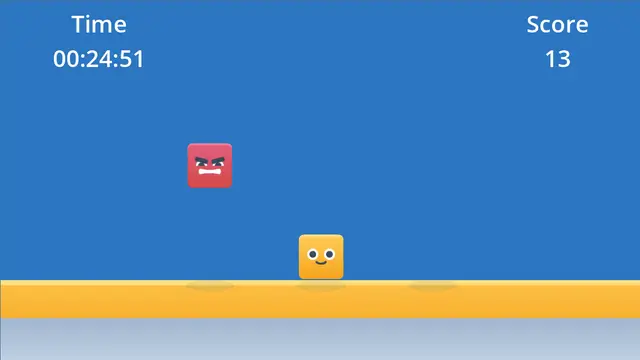
Lane Dodge is a top-down survival game:
- The player can move between three lanes
- Obstacles fall from the top
- Survive as long as possible
- Your survival time and score are submitted to a leaderboard
This project demonstrates a full, real-world leaderboard flow in a small, readable codebase.
✨ Features
- Godot 4 compatible
- Lane-based gameplay
- SimpleBoards leaderboard integration
- Score submission without user accounts
- Async submission with success and error handling
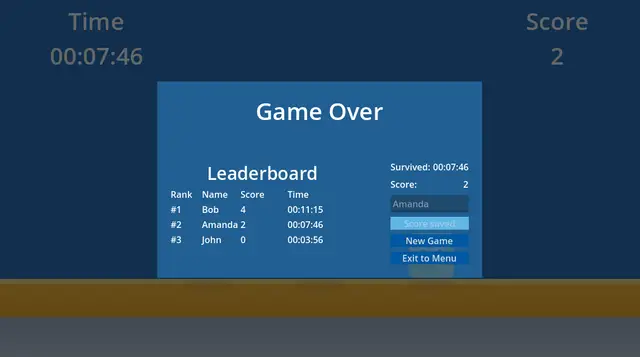
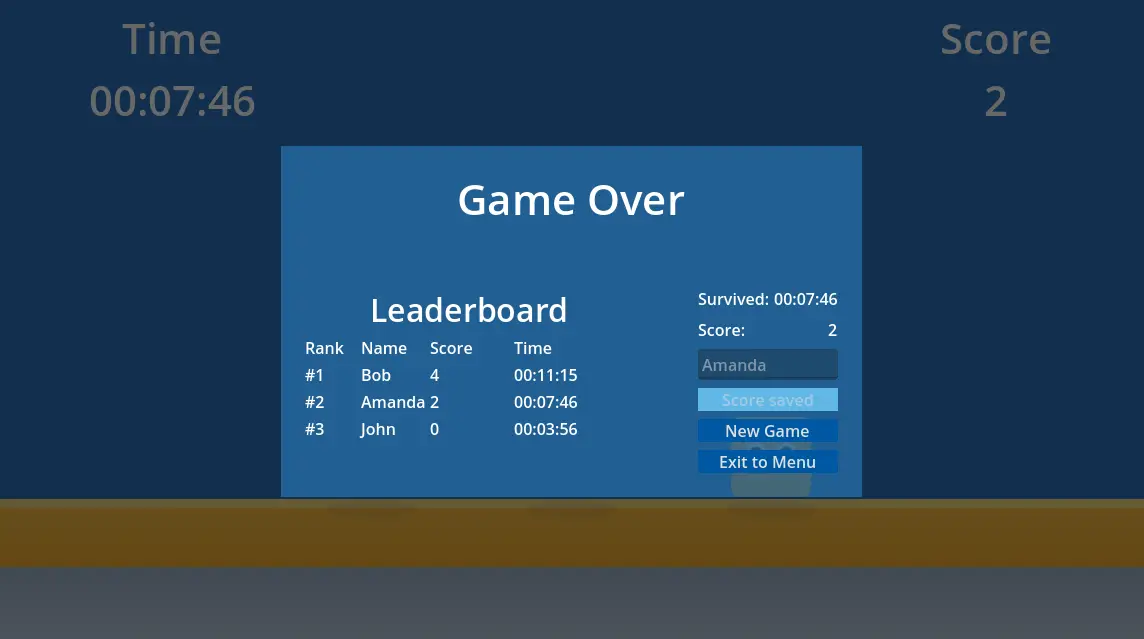
- Game Over leaderboard preview
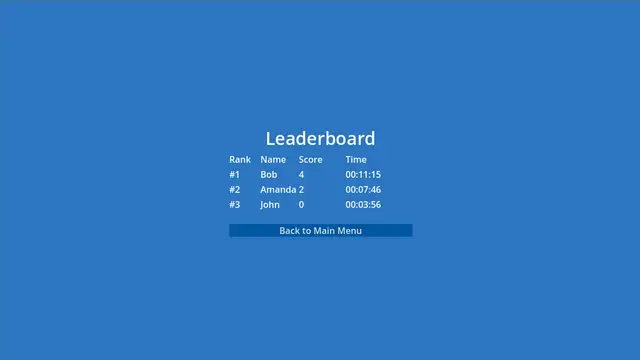
- Full leaderboard page with ranking
👤 Who This Is For
This example is intended for:
- Godot 4 developers
- Indie game developers
- Developers looking for a simple leaderboard solution
- Anyone searching for a Godot leaderboard example or template
🧩 Requirements
- Godot Engine 4.x
- A SimpleBoards account (free tier is enough)
🚀 Getting Started
1. Create a SimpleBoards Account
Go to: https://simpleboards.dev
Register and open the Dashboard.
2. Get Your API Key and Leaderboard ID
After creating your leaderboard in the SimpleBoards dashboard, you need two values:
- API Key – used to authenticate requests
- Leaderboard ID – identifies which leaderboard to submit scores to
You can copy both directly from the dashboard.

Once created, copy the values using the Copy buttons:

- Use Copy under API keys to get your API key
- Use Copy ID under Active leaderboards to get your Leaderboard ID
You will paste these values into the project in the next step.
3. Configure the Project
Open the project in Godot.
Locate the Leaderboard node (or leaderboard.gd script) and the GameOver node (or game_over.gd).
Replace the placeholders:
# Get your Leaderboard ID and API key from https://simpleboards.dev/dashboard
@export var leaderboard_id := "REPLACE_WITH_YOUR_LEADERBOARD_ID"
@export var api_key := "REPLACE_WITH_YOUR_API_KEY"
You can set these values directly in the Inspector.
If you forget this step, the leaderboard will not load.
🏗 Project Structure
Scenes/
├── Menu.tscn
├── Game.tscn
├── GameOver.tscn
├── HUD.tscn
├── Leaderboard.tscn
├── LeaderboardPage.tscn
├── Obstacle.tscn
├── Player.tscn
├── Spawner.tscn

Scripts/
├── game.gd
├── menu.gd
├── hud.gd
├── game_over.gd
├── leaderboard.gd
├── leaderboard_page.gd
├── player.gd
├── obstacle.gd
├── spawner.gd

addons/
└── simpleboards_plugin/

Assets/
└── kenney_shape-characters/
🧠 Core Concepts
Score and Time
- Time = how long the player survives
- Score = how many obstacles were avoided
- Time is also stored as metadata on the leaderboard entry
Example metadata:
00:26:14
Game Flow
- Player starts the game
- Timer and score update live
- Player hits an obstacle
- Game Over screen appears
- Player enters a name
- Score is submitted to SimpleBoards
- Leaderboard refreshes
- Player can replay or return to menu
📡 SimpleBoards Integration
Submitting a Score
Scores are submitted without user accounts, using:
- Leaderboard ID
- Player name
- Score
- Metadata (time)
The UI handles:
- Submitting state
- Success feedback
- Failure recovery
This mirrors how SimpleBoards is intended to be used in real indie games.
Leaderboard Display
The leaderboard shows:
Rank | Name | Score | Time
- Rankings are calculated from the returned order
- Empty leaderboards show a friendly message
- Errors are handled gracefully
🛠 Customization Ideas
You can easily extend this example:
- Add daily or weekly leaderboards
- Highlight the player’s own entry
- Add pagination
- Store structured metadata (JSON)
- Replace dynamic rows with reusable prefabs
The code is intentionally simple and readable to encourage experimentation.
🔒 Security Notes
This example uses client-side score submission.
This is suitable for:
- Prototypes
- Indie games
- Non-competitive leaderboards
For authoritative or anti-cheat-sensitive games, server-side validation is recommended.
🤏 Why This Example Is Simple
This project is intentionally minimal.
The goal is to answer:
“How do I add leaderboards to my Godot 4 game in 10 minutes?”
Not to build a full game.
🧾 License
You are free to:
- Use this project
- Modify it
- Ship it
- Learn from it
No attribution required.
🎨 Assets & Credits
This project uses visual assets from Kenney:
- Shape Characters Pack
https://kenney.nl/assets/shape-characters
Kenney assets are licensed under the Creative Commons CC0 1.0 Universal license, which allows free use in both personal and commercial projects, with no attribution required.
That said, crediting Kenney is highly encouraged and appreciated.
Learn more at:
https://kenney.nl
🌐 Learn More
- SimpleBoards website: https://simpleboards.dev
- SimpleBoards documentation: https://simpleboards.dev/docs
- Dashboard: https://simpleboards.dev/dashboard
- SimpleBoards Godot asset: https://github.com/isetr/simpleboards_godot
✅ Final Notes
If you are:
- An indie developer
- Using Godot
- Shipping a small game
- Or just need leaderboards fast
This project shows the intended SimpleBoards workflow from start to finish.
A minimal Godot 4 template project demonstrating SimpleBoards leaderboard integration.
This template shows how to submit scores, attach metadata, handle async success and error states, and display a ranked leaderboard UI - all without user accounts.
Includes a small lane-based survival game to demonstrate a complete gameplay → game over → score submission → leaderboard flow.
Designed as a starter template and reference implementation for indie developers who want leaderboards working in minutes.
Reviews
Quick Information
SimpleBoards Leaderboard Template (Godot 4)
A minimal Godot 4 template project demonstrating SimpleBoards leaderboard integration.This template shows how to submit scores, attach metadata, handle async success and error states, and display a ranked leaderboard UI - all without user accounts.Includes a small lane-based survival game to demonstrate a complete gameplay → game over → score submission → leaderboard flow.Designed as a starter template and reference implementation for indie developers who want leaderboards working in minutes.
Supported Engine Version
4.0
Version String
1.0
License Version
MIT
Support Level
community
Modified Date
7 months ago
Git URL
Issue URL