Horror Survival Game Project
An asset by boqsc0
Install Asset
Install via Godot
To maintain one source of truth, Godot Asset Library is just a mirror of the old asset library so you can download directly on Godot via the integrated asset library browser


Quick Information

Horror Survival Game Project
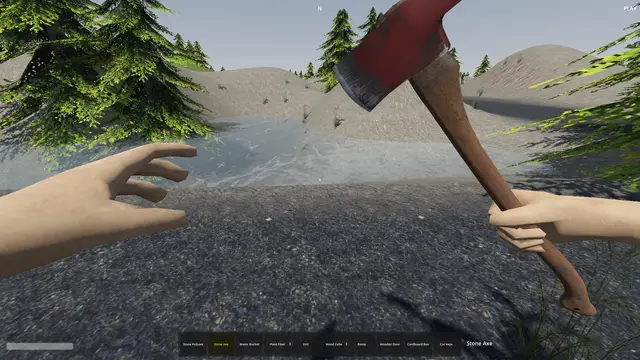
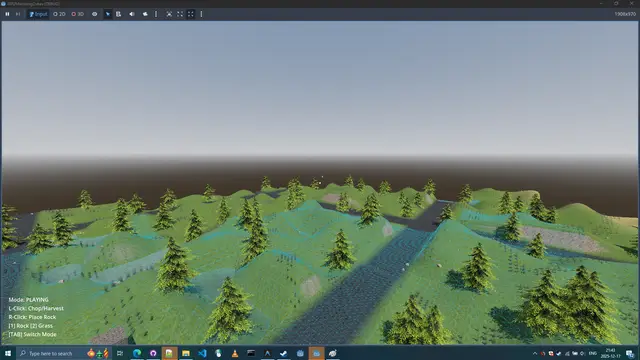
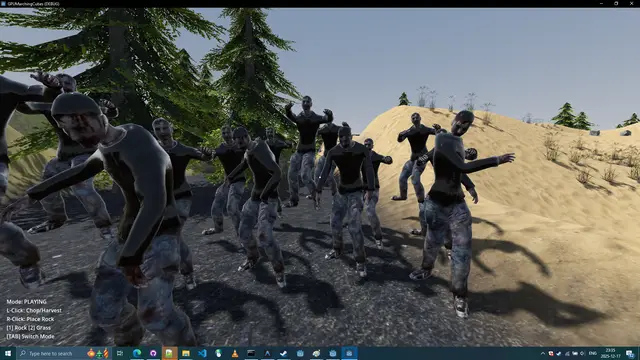
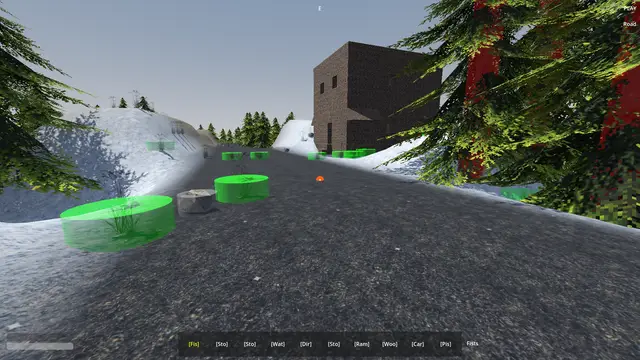
Horror Survival Game Project (HSG) (0.0.0.0)First Person Sandbox Hybrid Voxel Survival Game Project.Technology: Marching Cubes, Greedy Meshing, GDExtension.Languages: GLSL Shader, GDScript, C++Support: Windows 10, 11. (Vulkan, Directx 12)Minimum requirement: ⠀CPU: CPU Intel(R) Core(TM) i5-7300HQ (3.50 GHz) (4 Cores) (4GB RAM)⠀GPU: NVIDIA GeForce GTX 1060 with Max-Q Design (1265 MHz) (3GB VRAM)⠀Storage: Up to 1GB available space Author: BoQscCheck the credits.txt file for license of each asset.Project and code is under CC0 license.To have a smoother playing: Press Play Button from the Godot Project List instead of running from the opened project. I have feeling that Godot Editor tries to add unnecessary things to the runtime that might be producing performance spikes.When you run from the Godot Editor (F6), it attaches the Debugger, Remote Scene Tree, and Profiler. This significantly slows down multithreaded generation.Updating project: a simple HSG asset re-download and reinstall should be enough.Versions of project redistribution.________________With .godot folder________________________________Project with precompiled shaders ready to play (No reimport)https://github.com/BoQsc/gpu-marching-cubes/releases/tag/latest________________No .godot folder__________________________________Project source code without precompiled shaders. (Needs reimport)After download of this project you have to trigger the assets import to start playing, this is done by first-time opening/editing project. https://github.com/BoQsc/Horror-Survival-Game-Project/archive/HEAD.zip ____________________________________________________________________HSG is a Zombie Sandbox Survival game in a low poly style.Procedural volumetric terrain.The game features volumetric terrain instead of heightmaps. If you have a 3D grid of density values (voxels)—where some points are "solid" and some are "empty"—marching cubes is the algorithm that "marches" through that grid and generates the actual polygonal mesh (triangles) that your GPU can render. Tags: Survival, Horror, Voxel, Procedural, Godot, Source Code, FPS, ZombieThe plan of this project is to provide grounds for everyone to enjoy first person sandbox and be able to modify and play without restrictions.If you want to help any way with the project please create an issueon GitHub or do a post in the GitHub Discussions. We need all the help to keep this project alive, from ideas, writers to arts, animations, code and even suggestions for the game name are welcomed, thank you for reading this. Even a simple star ⭐ on GitHub will positively contribute towards the future of this project.
Supported Engine Version
4.6
Version String
0.0.0.0
License Version
CC0
Support Level
community
Modified Date
3 months ago
Git URL
Issue URL
Save Manager Documentation
The save_manager.gd autoload singleton handles all game state persistence.
Quick Reference
| Action | Key |
|---|---|
| Quick Save | F5 |
| Quick Load | F8 |
| Auto-save | On game exit |
Save File Location
%APPDATA%/Godot/app_userdata/GPUMarchingCubes/saves/
quicksave.json- F5 quick saveautosave.json- Auto-save on exit
What Gets Saved
| Data | Source | Description |
|---|---|---|
| Player | character_body_3d.gd |
Position, rotation, fly mode |
| Terrain | chunk_manager.gd |
All digs, fills, material edits |
| Buildings | building_manager.gd |
Voxel blocks + placed objects |
| Vegetation | vegetation_manager.gd |
Chopped trees, removed/placed grass & rocks |
| Roads | road_manager.gd |
Player-placed road segments |
| Prefabs | prefab_spawner.gd |
Which prefabs have been spawned |
| Entities | entity_manager.gd |
Entity positions and types |
| Doors | interactive_door.gd |
Open/closed state |
Save File Format (JSON)
{
  "version": 1,
  "timestamp": "2024-12-16T22:00:00",
  "game_seed": 12345,
  "player": { "position": [x,y,z], "rotation": [x,y,z], "is_flying": false },
  "terrain_modifications": { "0,0,0": [...modifications...] },
  "buildings": { "0,0,0": { "voxels": "base64...", "objects": [...] } },
  "vegetation": { "chopped_trees": [...], "removed_grass": [...] },
  "roads": { "segments": [...] },
  "prefabs": { "spawned_positions": [...] },
  "entities": { "entities": [...] },
  "doors": { "doors": [{ "position": [x,y,z], "is_open": true }] }
}
API
# Quick save/load
SaveManager.quick_save()
SaveManager.quick_load()

# Manual save/load
SaveManager.save_game("user://saves/mysave.json")
SaveManager.load_game("user://saves/mysave.json")

# List available saves
var saves = SaveManager.get_save_files()

# Signals
SaveManager.save_completed.connect(func(success, path): ...)
SaveManager.load_completed.connect(func(success, path): ...)
Adding New Saveable Data
- Add a manager reference in
_find_managers() - Add a
_get_*_data()function to serialize - Add the data to
save_datadict insave_game() - Add a
_load_*_data()function to deserialize - Call the loader in
load_game()
Or implement get_save_data() and load_save_data() in your manager and call those.
Horror Survival Game Project (HSG) (0.0.0.0)
First Person Sandbox Hybrid Voxel Survival Game Project.
Technology: Marching Cubes, Greedy Meshing, GDExtension.
Languages: GLSL Shader, GDScript, C++
Support: Windows 10, 11. (Vulkan, Directx 12)
Minimum requirement:
⠀CPU: CPU Intel(R) Core(TM) i5-7300HQ (3.50 GHz) (4 Cores) (4GB RAM)
⠀GPU: NVIDIA GeForce GTX 1060 with Max-Q Design (1265 MHz) (3GB VRAM)
⠀Storage: Up to 1GB available space
Author: BoQsc
Check the credits.txt file for license of each asset.
Project and code is under CC0 license.
To have a smoother playing: Press Play Button from the Godot
Project List instead of running from the opened project.
I have feeling that Godot Editor tries to add unnecessary things to
the runtime that might be producing performance spikes.
When you run from the Godot Editor (F6), it attaches the
Debugger, Remote Scene Tree, and Profiler. This significantly slows
down multithreaded generation.
Updating project: a simple HSG asset re-download and reinstall should be enough.
Versions of project redistribution.
________________With .godot folder________________________________
Project with precompiled shaders ready to play (No reimport)
https://github.com/BoQsc/gpu-marching-cubes/releases/tag/latest
________________No .godot folder__________________________________
Project source code without precompiled shaders. (Needs reimport)
After download of this project you have to trigger the assets
import to start playing, this is done by first-time opening/editing project.
https://github.com/BoQsc/Horror-Survival-Game-Project/archive/HEAD.zip
____________________________________________________________________
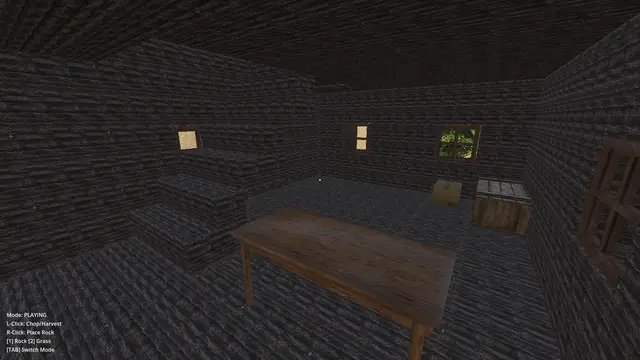
HSG is a Zombie Sandbox Survival game in a low poly style.
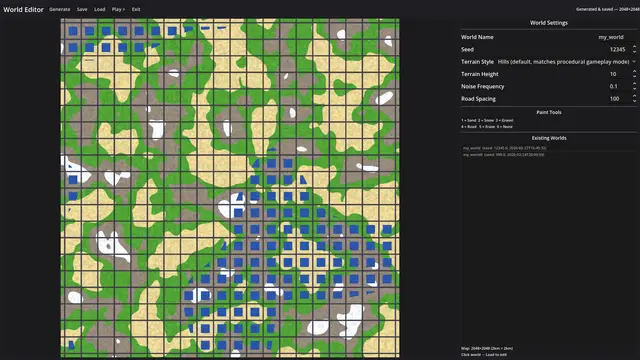
Procedural volumetric terrain.
The game features volumetric terrain instead of heightmaps.
If you have a 3D grid of density values (voxels)—where some
points are "solid" and some are "empty"—marching cubes is the
algorithm that "marches" through that grid and generates the
actual polygonal mesh (triangles) that your GPU can render.
Tags: Survival, Horror, Voxel, Procedural, Godot, Source Code, FPS, Zombie
The plan of this project is to provide grounds for everyone to enjoy first person sandbox and be able to modify and play without restrictions.
If you want to help any way with the project please create an issue
on GitHub or do a post in the GitHub Discussions. We need all the
help to keep this project alive, from ideas, writers to arts,
animations, code and even suggestions for the game name are
welcomed, thank you for reading this. Even a simple star ⭐ on
GitHub will positively contribute towards the future of this project.
Reviews
Quick Information
Horror Survival Game Project
Horror Survival Game Project (HSG) (0.0.0.0)First Person Sandbox Hybrid Voxel Survival Game Project.Technology: Marching Cubes, Greedy Meshing, GDExtension.Languages: GLSL Shader, GDScript, C++Support: Windows 10, 11. (Vulkan, Directx 12)Minimum requirement: ⠀CPU: CPU Intel(R) Core(TM) i5-7300HQ (3.50 GHz) (4 Cores) (4GB RAM)⠀GPU: NVIDIA GeForce GTX 1060 with Max-Q Design (1265 MHz) (3GB VRAM)⠀Storage: Up to 1GB available space Author: BoQscCheck the credits.txt file for license of each asset.Project and code is under CC0 license.To have a smoother playing: Press Play Button from the Godot Project List instead of running from the opened project. I have feeling that Godot Editor tries to add unnecessary things to the runtime that might be producing performance spikes.When you run from the Godot Editor (F6), it attaches the Debugger, Remote Scene Tree, and Profiler. This significantly slows down multithreaded generation.Updating project: a simple HSG asset re-download and reinstall should be enough.Versions of project redistribution.________________With .godot folder________________________________Project with precompiled shaders ready to play (No reimport)https://github.com/BoQsc/gpu-marching-cubes/releases/tag/latest________________No .godot folder__________________________________Project source code without precompiled shaders. (Needs reimport)After download of this project you have to trigger the assets import to start playing, this is done by first-time opening/editing project. https://github.com/BoQsc/Horror-Survival-Game-Project/archive/HEAD.zip ____________________________________________________________________HSG is a Zombie Sandbox Survival game in a low poly style.Procedural volumetric terrain.The game features volumetric terrain instead of heightmaps. If you have a 3D grid of density values (voxels)—where some points are "solid" and some are "empty"—marching cubes is the algorithm that "marches" through that grid and generates the actual polygonal mesh (triangles) that your GPU can render. Tags: Survival, Horror, Voxel, Procedural, Godot, Source Code, FPS, ZombieThe plan of this project is to provide grounds for everyone to enjoy first person sandbox and be able to modify and play without restrictions.If you want to help any way with the project please create an issueon GitHub or do a post in the GitHub Discussions. We need all the help to keep this project alive, from ideas, writers to arts, animations, code and even suggestions for the game name are welcomed, thank you for reading this. Even a simple star ⭐ on GitHub will positively contribute towards the future of this project.
Supported Engine Version
4.6
Version String
0.0.0.0
License Version
CC0
Support Level
community
Modified Date
3 months ago
Git URL
Issue URL