Project Mapper Dock
An asset by Ethan Lucas
Install Asset
Install via Godot
To maintain one source of truth, Godot Asset Library is just a mirror of the old asset library so you can download directly on Godot via the integrated asset library browser
Quick Information

Project Mapper Dock
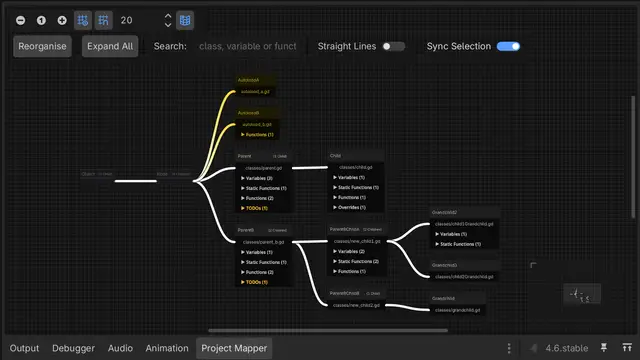
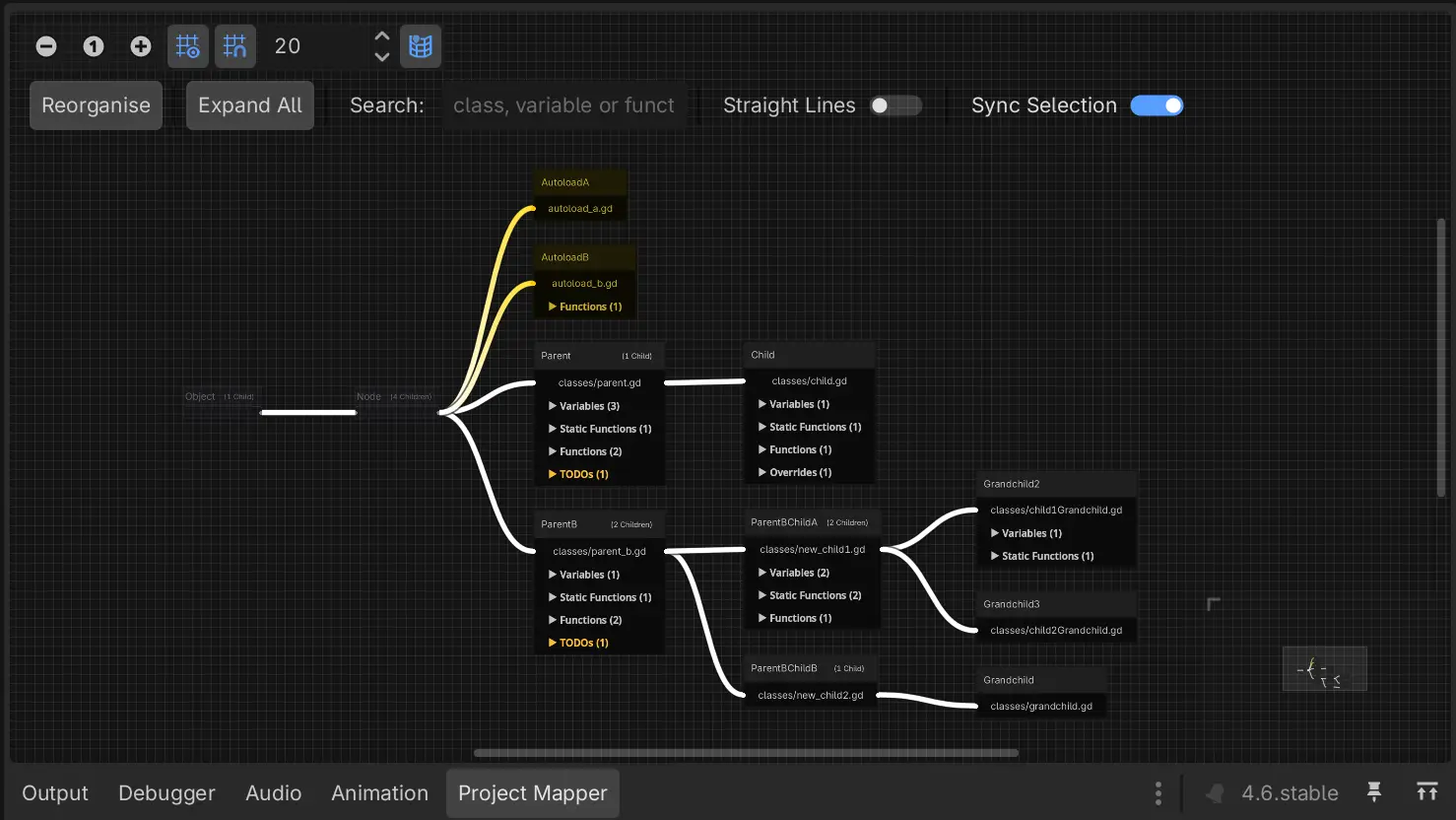
The Project Mapper plugin scans your entire project codebase, then visualises the inheritance between classes in a graph format. This graph format shows information on every class, including their signals, variables, static functions, instance functions, built-in functions, override functions and TODOs. Additionally, the graph view shows function calls between classes, and the scenes in the filesystem that use your project's classes.
Supported Engine Version
4.6
Version String
1.2.1
License Version
MIT
Support Level
community
Modified Date
1 month ago
Git URL
Issue URL
Project Mapper
Project Mapper is a plugin for Godot 4.6+ that maps an entire codebase, and draws a graph showing the inheritances between parents and children.
Features
The Project Mapper plugin scans your entire project codebase, then visualises the inheritance between classes in a graph format. This graph format shows information on every class, including their variables, static functions, instance functions, override functions and TODOs. Additionally, the graph view shows function calls between classes. The window reacts automatically when the editor is saved.
Installation
- Copy
addons/project_mapper/into your project'saddons/folder. - In Godot, go to Project settings → Plugins, and enable the Project Mapper plugin. This will automatically open the
Project Mapperdock to the bottom of the Editor.
The Project Mapper window
The Project Mapper window will automatically open when the plugin is enabled. It will also automatically scan the project, and organise the graph view.
Toolbar
The top of the window contains the following controls for the graph view:
- Reorganise Button: Arranges all of the graph nodes.
- Expand/Collapse All Button: Opens the dropdowns on every graph node and reorganises the graph view.
- Search Bar: Highlights graph where the search query is present in the class's name or script.
- Straight Lines Toggle: Toggles the grpah view between straight or curved lines.
- Sync selection Toggle: By enablign this, graph nodes will automatically be selected if the class' file is open in the Script Editor.
Graph Nodes
Each graph node contains information on each class, and how they relate to other classes.
Graph nodes include information about a class':
- Autoload status (Graph node will be colored separately if the class is an autoload, yellow by default)
- Name (Clicking this will select the graph node, and show the path of inheritance with a separate color, pink by default)
- Following generation children count
- Variables
- Static functions
- Instance functions
- Override Functions (Functions will be coloured differently whether or not the function calls the parent function through
super()) - TODOs
Clicking any item in a graph node dropdown with the Script window open will go to the specific line where the item is defined.
Connections
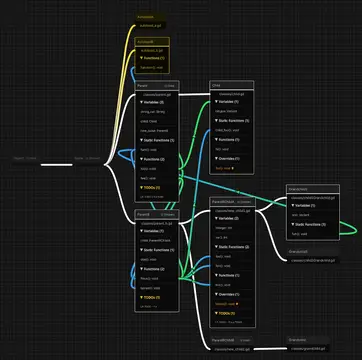
Opening a function dropdown shows the selected class' outgoing function calls (green by default), and which other classes are calling the selected classes functions (blue by default). By viewing this, it is possible to better track how classes interact with each other.
NOTE: The Project Mapper does not track function calls within a class.
View settings
Finally, the project_mapper_settings.tres file contains settings you can use to control how you want the project to look. This includes various color and style options.
License
MIT License. See LICENSE for details.
The Project Mapper plugin scans your entire project codebase, then visualises the inheritance between classes in a graph format. This graph format shows information on every class, including their signals, variables, static functions, instance functions, built-in functions, override functions and TODOs. Additionally, the graph view shows function calls between classes, and the scenes in the filesystem that use your project's classes.
Reviews
Quick Information
Project Mapper Dock
The Project Mapper plugin scans your entire project codebase, then visualises the inheritance between classes in a graph format. This graph format shows information on every class, including their signals, variables, static functions, instance functions, built-in functions, override functions and TODOs. Additionally, the graph view shows function calls between classes, and the scenes in the filesystem that use your project's classes.
Supported Engine Version
4.6
Version String
1.2.1
License Version
MIT
Support Level
community
Modified Date
1 month ago
Git URL
Issue URL