Simple Novel Game JSON Converter
An asset by eunahya
Install Asset
Install via Godot
To maintain one source of truth, Godot Asset Library is just a mirror of the old asset library so you can download directly on Godot via the integrated asset library browser
Quick Information

Simple Novel Game JSON Converter
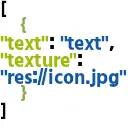
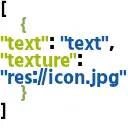
An asset that stores texture paths and text in a single dictionary within an array JSON.Use it when creating novel game-style UI.Example:[ { “text”: “Make a contract with me and become a magical girl⭐️”,“texture”: “res://3Dmodel/CharacterIconSabun/FairySmile.jpg” }, { “text”: “I'm not Q-something-or-other, okay?”, “texture”: “res://3Dmodel/CharacterIconSabun/FairyNormal.jpg” },]
Supported Engine Version
4.5
Version String
1.0
License Version
MIT
Support Level
community
Modified Date
7 months ago
Git URL
Issue URL
概要
読み込んだテクスチャーとテキストの内容を一つの辞書型にまとめて配列に格納し、JSONに変換して保存するアドオンです。
このようなJSONファイルになります。
[
    {
        "texture": "res://path/to/texture.png",
        "text" : "どうも、Godotアドオンです。"
    },
    {
        "texture": "res://path/to/another_texture.png",
        "text" : "複数のテクスチャーとテキストをまとめて保存できます。"
    }
]
使い方
プラグインを有効化した後、左側のタブにNovelLikeSystemというものができていると思うのでそこから編集を開始できます。

- テクスチャーと書かれたボタンを押すとファイル選択ダイアログが開くため、画像ファイルを選択します。
- テキストエリアにはテキストを入力してください。

このようになったら「JSONファイルにテクスチャとテキストを追加」をクリックしてください。
テクスチャとテキストが消えますがそれで追加されたことになります。
保存するボタンでJSONファイルとして名前をつけて保存できます。
An asset that stores texture paths and text in a single dictionary within an array JSON.
Use it when creating novel game-style UI.
Example:
[
{
“text”: “Make a contract with me and become a magical girl⭐️”,
“texture”: “res://3Dmodel/CharacterIconSabun/FairySmile.jpg”
},
{
“text”: “I'm not Q-something-or-other, okay?”,
“texture”: “res://3Dmodel/CharacterIconSabun/FairyNormal.jpg”
},
]
Reviews
Quick Information
Simple Novel Game JSON Converter
An asset that stores texture paths and text in a single dictionary within an array JSON.Use it when creating novel game-style UI.Example:[ { “text”: “Make a contract with me and become a magical girl⭐️”,“texture”: “res://3Dmodel/CharacterIconSabun/FairySmile.jpg” }, { “text”: “I'm not Q-something-or-other, okay?”, “texture”: “res://3Dmodel/CharacterIconSabun/FairyNormal.jpg” },]
Supported Engine Version
4.5
Version String
1.0
License Version
MIT
Support Level
community
Modified Date
7 months ago
Git URL
Issue URL