Breakable Glass Custom
An asset by Stand43
Install Asset
Install via Godot
To maintain one source of truth, Godot Asset Library is just a mirror of the old asset library so you can download directly on Godot via the integrated asset library browser
Quick Information

Breakable Glass Custom
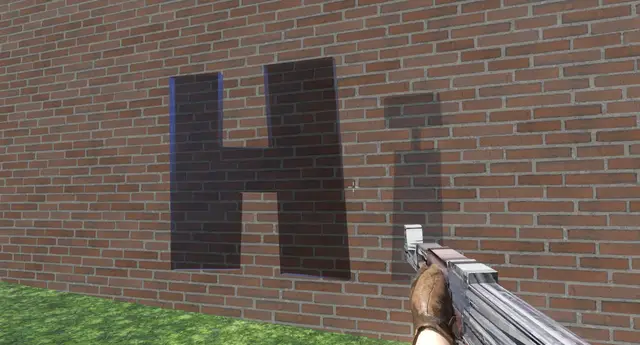
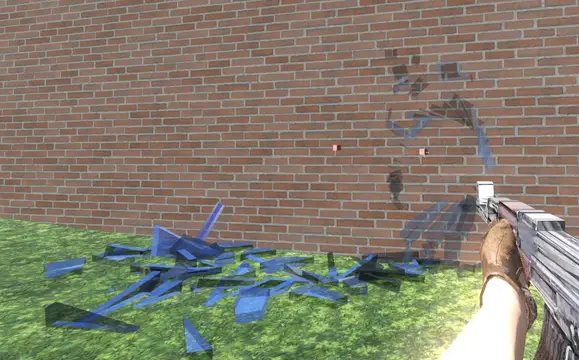
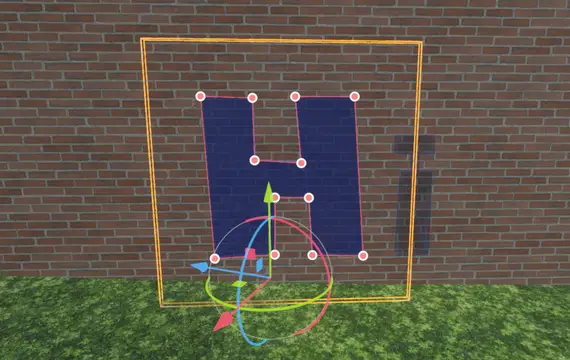
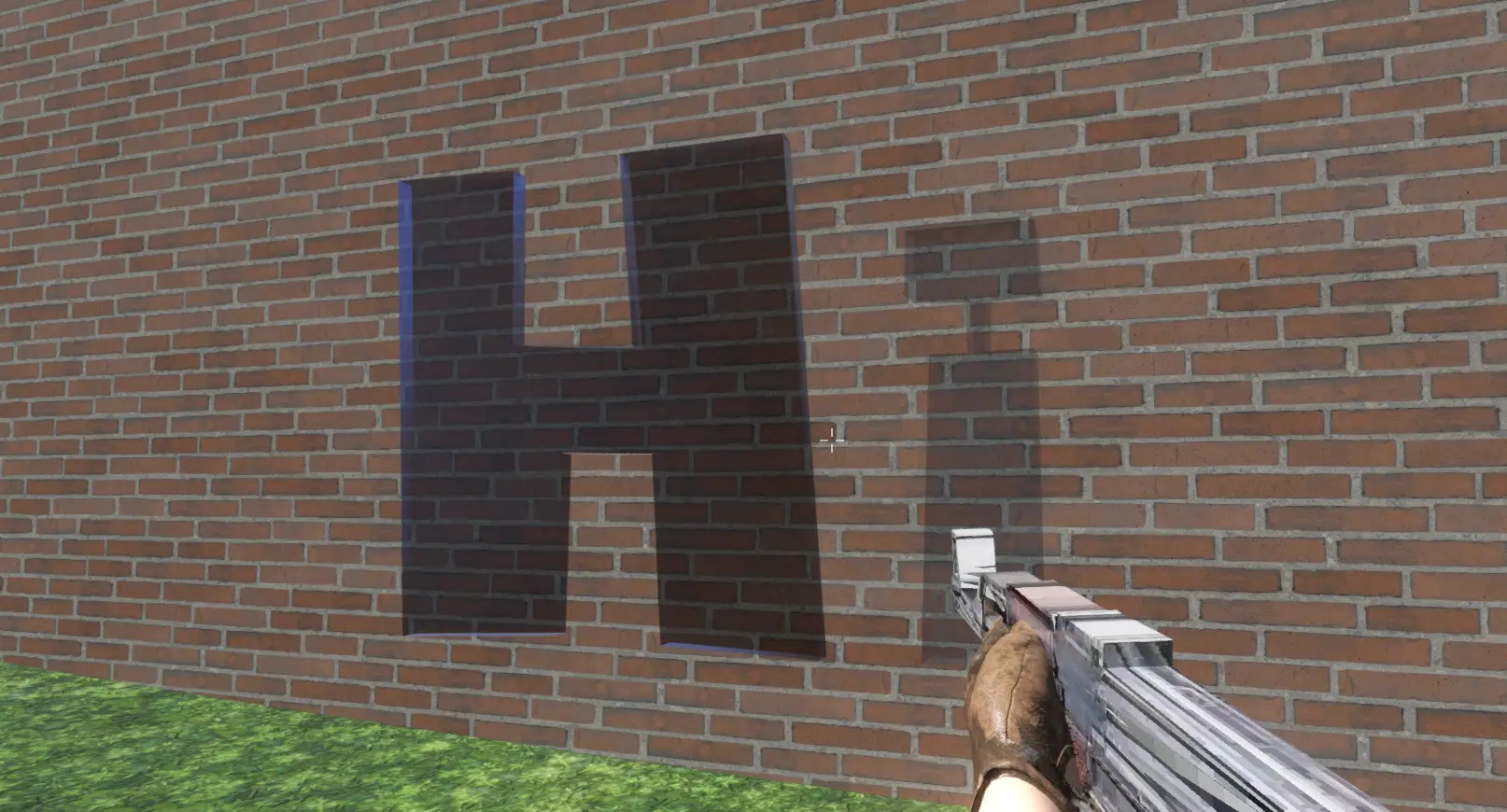
A procedural glass fracture system for Godot 4.x (4.3 and lower require you to change @export_tool_button to boolean with a setter). This addon extends CSGPolygon3D to allow you to draw window shapes of any complexity and shatter them dynamically at runtime using a realistic radial fracture pattern.Quick Start1. Add the Node: In your scene, add a new node and search for BreakableGlassCustom.2. Draw the Window: Use the standard CSGPolygon point editor (in the 3D viewport) to draw your window shape. Tip: Set Depth in the inspector to control glass thickness (default is 0.1).3. Break It: Call the break_window(global_position) method from any script (e.g., a projectile or player interaction).
Supported Engine Version
4.4
Version String
1.0
License Version
MIT
Support Level
community
Modified Date
6 months ago
Git URL
Issue URL
Breakable Glass Custom for Godot 4
A procedural glass fracture system for Godot 4.x (4.3 and lower require you to change @export_tool_button to boolian with a setter). This addon extends CSGPolygon3D to allow you to draw window shapes of any complexity and shatter them dynamically at runtime using a realistic radial fracture pattern.
Made with AI. Probably even works) (Tested(kind of))
✨ Features
- Procedural Geometry: No pre-baked meshes. Draw any shape (concave or convex) using the standard CSGPolygon tools, and the fracture adapts automatically.
- Radial Fracture Pattern: Simulates real glass impact with concentric rings and radial cracks radiating from the exact impact point.
- Editor Preview: Visualize exactly how the glass will break and tweak the pattern settings directly in the editor without running the game.
- Physics Layer Swapping: Automatically moves shards to a different collision layer upon breaking to prevent physics explosions/jitter.
- Plug & Play: Comes with a default glass material and physics settings, so it looks good right out of the box.
📦 Installation
- Copy the
breakable_glass_customfolder into your project'saddons/directory. - In Godot, go to Project -> Project Settings -> Plugins.
- Find Breakable Glass Custom and check the Enable box.
🚀 Quick Start
- Add the Node: In your scene, add a new node and search for
BreakableGlassCustom. - Draw the Window: Use the standard CSGPolygon point editor (in the 3D viewport) to draw your window shape.
- Tip: Set Depth in the inspector to control glass thickness (default is 0.1).
- Break It: Call the
break_window(global_position)method from any script (e.g., a projectile or player interaction).
Example Code (Projectile)
func _on_body_entered(body):
    # Check if the object has the break method
    if body.has_method("break_window"):
        # Pass the global position of the bullet/hit
        body.break_window(global_position)
        queue_free()
⚙️ Configuration
Collision Layers
Unbroken Collision Layer/Mask: The physics layer the window exists on while it is solid.
Broken Collision Layer/Mask: The physics layer the shards will be moved to after breaking.
(Recommendation: Set Broken Collision Layer to something that does NOT collide with your player or projectiles to avoid shards getting stuck or causing jitter.)
Fracture Settings
Shard Mass: Mass of individual glass chunks.
Explosion Force: How violently the shards fly outward from the impact point.
Impact Point Preview: Move this X/Y Vector to test how the pattern generates from different hit locations.
Fracture Pattern
Min/Max Angle Deg: Controls the size of the radial "wedges."
Ring Count: How many concentric circles of cuts to generate.
Jitter: Adds randomness to the cuts so they don't look perfectly geometric.
Editor Actions (Top of Inspector)
Generate Preview: Spawns a dummy version of the broken glass in the editor scene.
Clear Preview: Removes the preview and restores the solid window.
🔧 Known Issues & Notes
Ghost Gizmo on Duplicate: If you duplicate a glass node (Ctrl+D), the editor gizmo (pink handle) might appear on both nodes simultaneously.
Fix: This is purely a visual glitch in the Godot Editor. It does not affect the game. To clear it, simply Reload the Scene (Project -> Reload Saved Scene).
Material: If no material is assigned, a default transparent blue glass material is applied automatically.
Godot 4.3 and lower require you to change @export_tool_button to boolian with a setter.
# example
@export var button: bool = false:
   set(value):
      run_function()
A procedural glass fracture system for Godot 4.x (4.3 and lower require you to change @export_tool_button to boolean with a setter). This addon extends CSGPolygon3D to allow you to draw window shapes of any complexity and shatter them dynamically at runtime using a realistic radial fracture pattern.
Quick Start
1. Add the Node: In your scene, add a new node and search for BreakableGlassCustom.
2. Draw the Window: Use the standard CSGPolygon point editor (in the 3D viewport) to draw your window shape.
Tip: Set Depth in the inspector to control glass thickness (default is 0.1).
3. Break It: Call the break_window(global_position) method from any script (e.g., a projectile or player interaction).
Reviews
Quick Information
Breakable Glass Custom
A procedural glass fracture system for Godot 4.x (4.3 and lower require you to change @export_tool_button to boolean with a setter). This addon extends CSGPolygon3D to allow you to draw window shapes of any complexity and shatter them dynamically at runtime using a realistic radial fracture pattern.Quick Start1. Add the Node: In your scene, add a new node and search for BreakableGlassCustom.2. Draw the Window: Use the standard CSGPolygon point editor (in the 3D viewport) to draw your window shape. Tip: Set Depth in the inspector to control glass thickness (default is 0.1).3. Break It: Call the break_window(global_position) method from any script (e.g., a projectile or player interaction).
Supported Engine Version
4.4
Version String
1.0
License Version
MIT
Support Level
community
Modified Date
6 months ago
Git URL
Issue URL