AxoContainer
An asset by cronodia
Install Asset
Install via Godot
To maintain one source of truth, Godot Asset Library is just a mirror of the old asset library so you can download directly on Godot via the integrated asset library browser


Quick Information

AxoContainer
A specialized custom UI Container designed for Axonometric, Isometric, layouts.Features:- Dual-Axis Transformation: Define independent angles for Primary and Secondary axis.- Flexible Ordering Logic: Choose how children fill slots: STANDARD, SPIRAL (center-out), REVERSE, or BOTTOM_UP.- Editor Debugging: Real-time editor visualization of the grid structure with color-coded slots (Red: Occupied, Blue: Empty).
Supported Engine Version
4.5
Version String
0.5
License Version
MIT
Support Level
community
Modified Date
7 months ago
Git URL
Issue URL
AxoContainer 0.5 for Godot 4.5.1 (stable)
A specialized custom UI Container designed for Axonometric, Isometric, layouts. Unlike standard grid containers, AxoContainer projects children along two custom angular axes, allowing for stylized menus, tactical grids, and isometric inventory systems.

Features
- Dual-Axis Transformation: Define independent angles for Primary and Secondary axes to achieve any axonometric skew.
- Staggered (Brick) Type: Toggle between orthogonal alignment and a staggered layout (where specific rows are offset by 0.5 units and reduced in capacity).
- Flexible Ordering Logic: Choose how children fill slots:
STANDARD,SPIRAL(center-out),REVERSE, orBOTTOM_UP. - Hidden Node Awareness: Toggle
include_hidden_nodesto decide if invisible children should hold their grid position or be skipped. - Editor Debugging: Real-time visualization of the grid structure with color-coded slots (Red: Occupied, Blue: Empty).
Layout Properties
Layout Settings
- Grid Type: Switch between
ORTHOGONAL(standard) andSTAGGERED(brick). - Stagger Even Rows: In Staggered mode, determines if even (0, 2...) or odd (1, 3...) rows get the 0.5 unit offset and lose a point.
- Include Hidden Nodes: If true,
visible = falsenodes still consume a grid slot. - Ordering: The sequence logic for how children fill the available points.
- Primary/Secondary Axis Count: The dimensions of the grid.
Axonometric Angles
- Primary Axis Angle: The direction in degrees for the first axis (columns).
- Secondary Axis Angle: The direction in degrees for the second axis (rows).
Spacing & Scale
- Axis Spacing: Distance multipliers based on the first child's minimum size. Use values < 1.0 to overlap items.
- Child Scale: A uniform scale override applied to all children to maintain visual consistency.
Usage Example: Dynamic Generation
You can populate the container via code. The container will automatically re-sort and animate children to their designated positions as they are added.
extends Node2D

@onready var axo_container = $AxoContainer

func _ready():
    # Dynamically fill the grid with 10 panels
    for i in range(10):
        create_ui_item(i)

func create_ui_item(index: int):
    var panel = Panel.new()
    panel.custom_minimum_size = Vector2(80, 80)

    # Adding as a child automatically triggers the AxoContainer sort logic
    axo_container.add_child(panel)

    # Adding a label for identification
    var label = Label.new()
    label.text = str(index)
    panel.add_child(label)
Screenshots
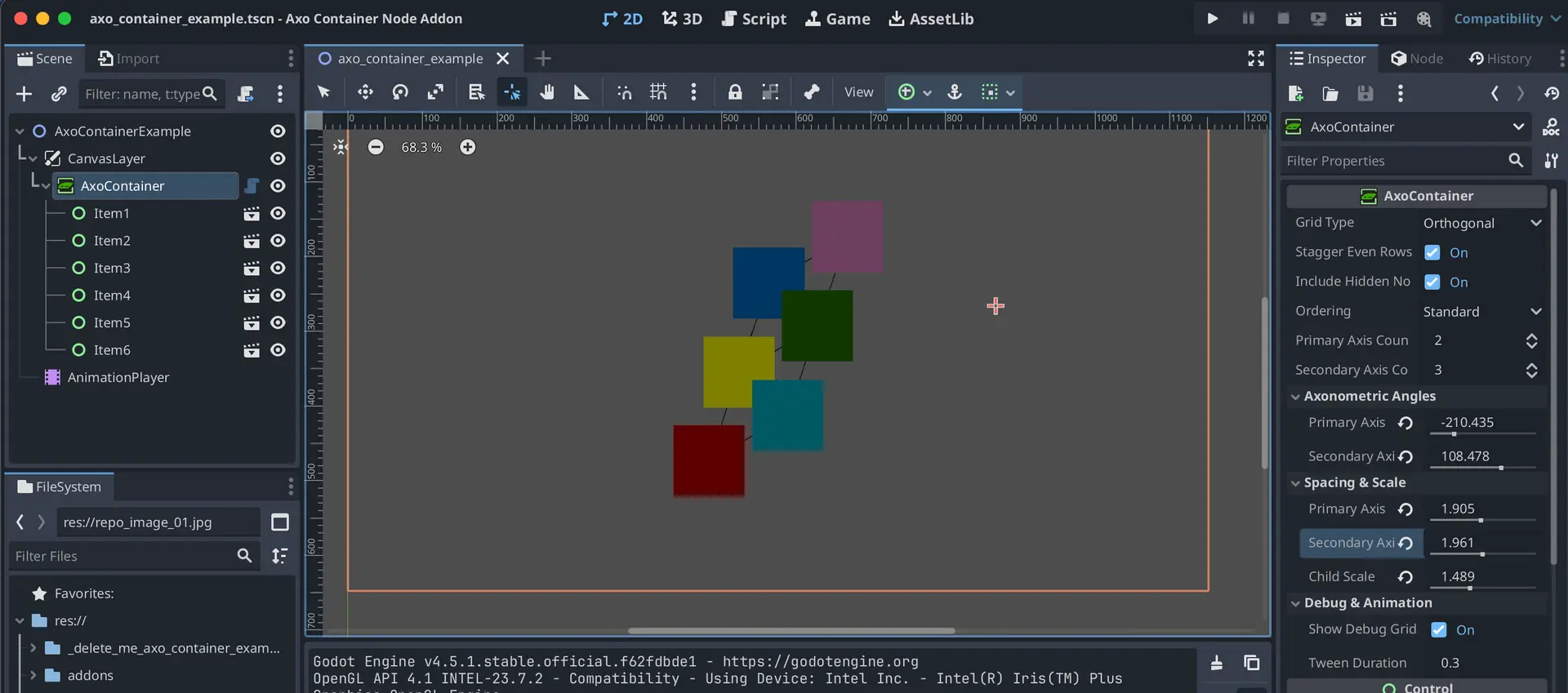
Using it for some colored blocks

Modified settings

In motion, for some cool pictures

A specialized custom UI Container designed for Axonometric, Isometric, layouts.
Features:
- Dual-Axis Transformation: Define independent angles for Primary and Secondary axis.
- Flexible Ordering Logic: Choose how children fill slots: STANDARD, SPIRAL (center-out), REVERSE, or BOTTOM_UP.
- Editor Debugging: Real-time editor visualization of the grid structure with color-coded slots (Red: Occupied, Blue: Empty).
Reviews
Quick Information
AxoContainer
A specialized custom UI Container designed for Axonometric, Isometric, layouts.Features:- Dual-Axis Transformation: Define independent angles for Primary and Secondary axis.- Flexible Ordering Logic: Choose how children fill slots: STANDARD, SPIRAL (center-out), REVERSE, or BOTTOM_UP.- Editor Debugging: Real-time editor visualization of the grid structure with color-coded slots (Red: Occupied, Blue: Empty).
Supported Engine Version
4.5
Version String
0.5
License Version
MIT
Support Level
community
Modified Date
7 months ago
Git URL
Issue URL