External Shader Editor
An asset by Jaeho Yi
Install Asset
Install via Godot
To maintain one source of truth, Godot Asset Library is just a mirror of the old asset library so you can download directly on Godot via the integrated asset library browser
Quick Information

External Shader Editor
External Shader Editor is a Godot 4.x editor plugin that opens .gdshader and .gdshaderinc files in a configurable external editor from the FileSystem dock and shader error links.
Supported Engine Version
4.0
Version String
1.0.0
License Version
MIT
Support Level
community
Modified Date
22 hours ago
Git URL
Issue URL
External Shader Editor


External Shader Editor is a Godot 4.x editor plugin that opens .gdshader and .gdshaderinc files in a configurable external editor from the FileSystem dock and shader error links.
Installation and activation
- Copy
external_shader_editor/into the project'saddons/directory. - Open Project > Project Settings > Plugins.
- Enable External Shader Editor.
Usage
By default, supported shaders open in the external editor when you:
- Double-click it in the FileSystem dock.
- Click its file-and-line link in the Output panel.
When the external editor is the default, select one or more files in the FileSystem dock, right-click, and choose Open Shader in Godot Editor to open them in Godot instead. If Godot is the default, the context action changes to Open Shader in External Editor.
All supported shader files in a multi-selection are opened. Unsupported paths in a mixed selection are ignored.
Settings
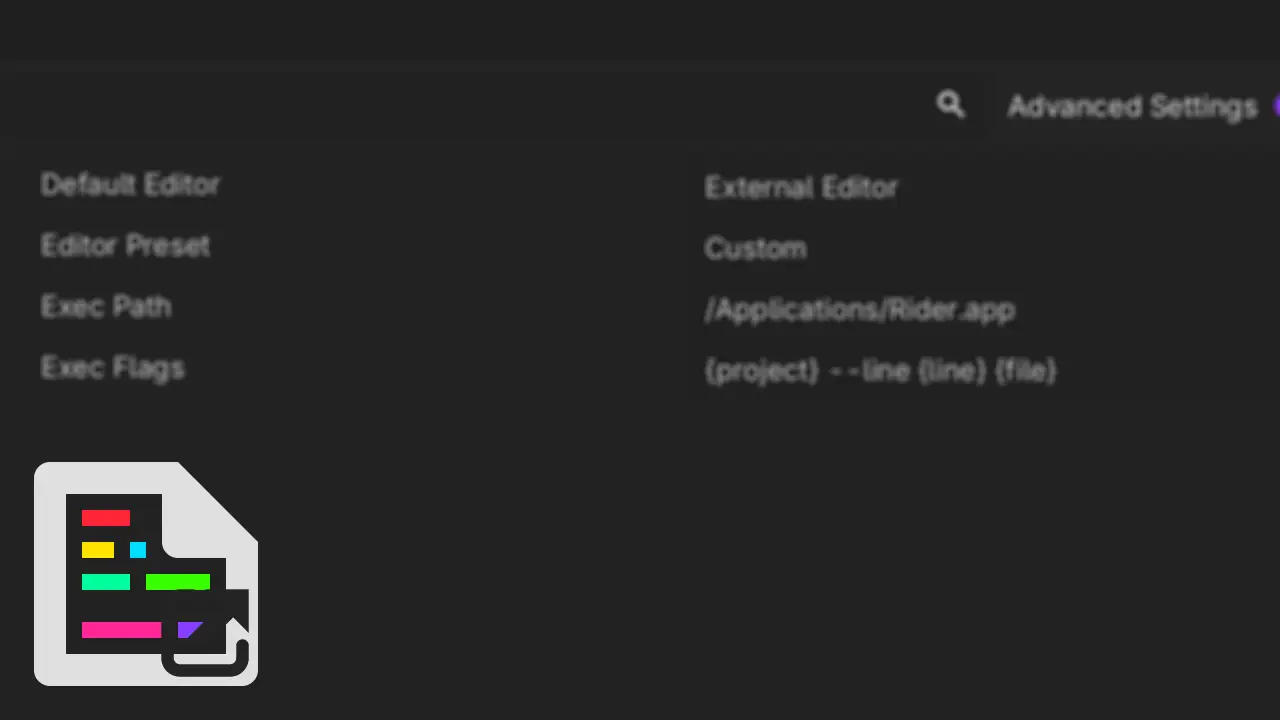
Open Editor > Editor Settings and search for external_shader_editor. The settings are editor-wide.
If a plugin setting is not visible in Editor Settings, enable Advanced Settings first.
| Setting | Purpose |
|---|---|
external_shader_editor/default_editor |
External Editor or Godot Editor; controls double-clicks and error links. Initially follows Godot's external-editor setting. |
external_shader_editor/editor_preset |
Custom, Rider, or VS Code; fills the two execution settings when selected. |
external_shader_editor/exec_path |
Executable, command, or macOS .app bundle path. |
external_shader_editor/exec_flags |
Command-line argument template with quote and placeholder support. |
Presets are only editable starting-point helpers. Selecting Rider or VS Code writes suggested values to Exec Path and Exec Flags once at selection time. You may freely edit those values afterward. The preset is not a source of truth, and editing execution values does not automatically switch it to Custom.
To reapply the currently displayed preset after manual edits, select Custom and then select that preset again.
On first initialization only, the plugin follows Godot's built-in text_editor/external/use_external_editor setting. When enabled, Default Editor is initialized to External Editor and the script editor's Exec Path and Exec Flags are copied into the plugin's Custom preset. When disabled, Default Editor is initialized to Godot Editor and the initial external-editor preset is VS Code. The shader settings remain independent afterward and the plugin never modifies Godot's script editor settings.
Placeholders and quoting
Exec Flags supports:
{project}: absolute project root{file}: absolute shader file path{line}: line number from an Output error link, or1when opened from the FileSystem dock{col}: column number, currently always1{column}: alias of{col}
The tokenizer supports whitespace-separated arguments, single quotes, double quotes, escaped quotes and backslashes, empty quoted arguments, and unterminated-quote errors. Tokenization occurs before placeholder replacement, so quoted placeholders remain one argument even when their resulting path contains spaces.
Example:
"{project}" --goto "{file}:{line}:{col}"
Preset examples
Rider
macOS:
Exec Path:  /Applications/Rider.app
Exec Flags: {project} --line {line} {file}
Windows:
Exec Path:  rider64.exe
Exec Flags: {project} --line {line} {file}
Linux:
Exec Path:  rider
Exec Flags: {project} --line {line} {file}
VS Code
macOS, Windows, and Linux default to the VS Code CLI command:
Exec Path:  code
Exec Flags: {project} --goto {file}:{line}:{col}
The code command must be installed on PATH. You can instead use a full executable path, such as C:/Program Files/Microsoft VS Code/Code.exe on Windows or /usr/bin/code on Linux.
Custom editor
Example for Sublime Text on macOS:
Exec Path:  /Applications/Sublime Text.app
Exec Flags: {project} {file}:{line}:{col}
For Exec Flags examples for other editors, see Godot's Using an external text editor documentation.
macOS application bundles
When Exec Path ends in .app, the macOS launcher starts /usr/bin/open with -n -a <bundle> --args <Exec Flags arguments>. The -n option asks macOS to create a launch request even when the application is already running, ensuring the configured arguments are delivered to the application. The application decides whether to keep a new instance or forward the request to an existing one. Non-bundle paths use the configured executable directly. Exec Path and Exec Flags retain the same meaning on every platform.
Current limitations
- The plugin targets Godot 4.0 and later 4.x releases. Godot 4.0 through 4.2 do not provide clickable shader file links in the Output panel, so Output-link interception is available starting with Godot 4.3. FileSystem double-click and context-menu actions remain available on every supported 4.x release.
- Preset updates are observed while the plugin is enabled. Re-enabling the plugin preserves the stored Exec Path and Exec Flags rather than reapplying the stored preset.
- The plugin does not discover every installed editor. Preset paths are intentionally editable defaults.
- CLI command names cannot be existence-checked before launch; a missing command is reported when process creation fails.
- Each selected shader file starts one independent open request. The external editor may consolidate those requests into one window.
- Double-click and Output-link support relies on stable Godot 4.x editor UI internals because no dedicated public interception API is available. Godot 4.0 through 4.3 also use a compatibility adapter for FileSystem context-menu actions; Godot 4.4 and later use the public
EditorContextMenuPluginAPI. These integrations may need adjustment for later Godot releases.
Tests
From the project root, run:
godot --headless --path . --script tests/test_external_shader_editor.gd
If Godot is not available as godot on PATH, replace it with the path to your Godot executable.
The tests cover quoted and unquoted templates, paths with spaces, placeholder replacement, escaped quotes, empty arguments, unterminated quotes, the macOS /usr/bin/open bundle argument layout, and shader error-link parsing. They verify argument construction without launching an external editor.
Compatibility has been verified with the standard Godot builds for 4.0.4, 4.1.4, 4.2.2, 4.3, 4.4.1, 4.5.2, and 4.6.3, plus the Godot 4.6 Mono build.
External Shader Editor is a Godot 4.x editor plugin that opens .gdshader and .gdshaderinc files in a configurable external editor from the FileSystem dock and shader error links.
Reviews
Quick Information
External Shader Editor
External Shader Editor is a Godot 4.x editor plugin that opens .gdshader and .gdshaderinc files in a configurable external editor from the FileSystem dock and shader error links.
Supported Engine Version
4.0
Version String
1.0.0
License Version
MIT
Support Level
community
Modified Date
22 hours ago
Git URL
Issue URL