Goblend: Export to Godot
An asset by Togira
Install Asset
Install via Godot
To maintain one source of truth, Godot Asset Library is just a mirror of the old asset library so you can download directly on Godot via the integrated asset library browser

Quick Information

Goblend: Export to Godot
This is the Godot part of Goblend. Check the documentation at https://goblend.dev for the Blender part of Goblend.Goblend is an import/export pipeline that allows you to export your Blender scenes into Godot with a click of a button. Its features include:- Bake materials automatically to textures (if needed), for direct use in Godot- Export nested scenes correctly by instantiating child scenes in Godot- Fine-grained control over how materials and other resources are exported- Collisions (primitive and/or convex) directly inside of Blender- Converting basic Blender shaders directly to Godot shader code- Correct lighting by extracting information from existing Godot scenes- Support for material animations- High customizability by defining default settings with a config file- More settings like transparency mode, cull mode, or groups to set in Blender- Including existing Godot scenes in the exported sceneCheck the setup section of the documentation (https://goblend.dev/docs/installation#setup) for installation instructions.
Supported Engine Version
4.5
Version String
v2.1.0
License Version
GPLv3
Support Level
community
Modified Date
2 months ago
Git URL
Issue URL
This is the Godot part of Goblend. Check the documentation at https://goblend.dev for the Blender part of Goblend.
Goblend is an import/export pipeline that allows you to export your Blender scenes into Godot with a click of a button. Its features include:
- Bake materials automatically to textures (if needed), for direct use in Godot
- Export nested scenes correctly by instantiating child scenes in Godot
- Fine-grained control over how materials and other resources are exported
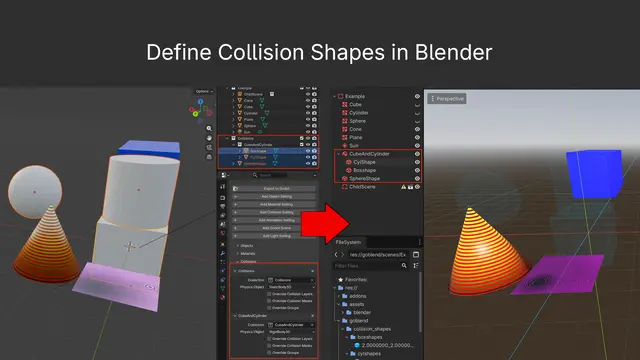
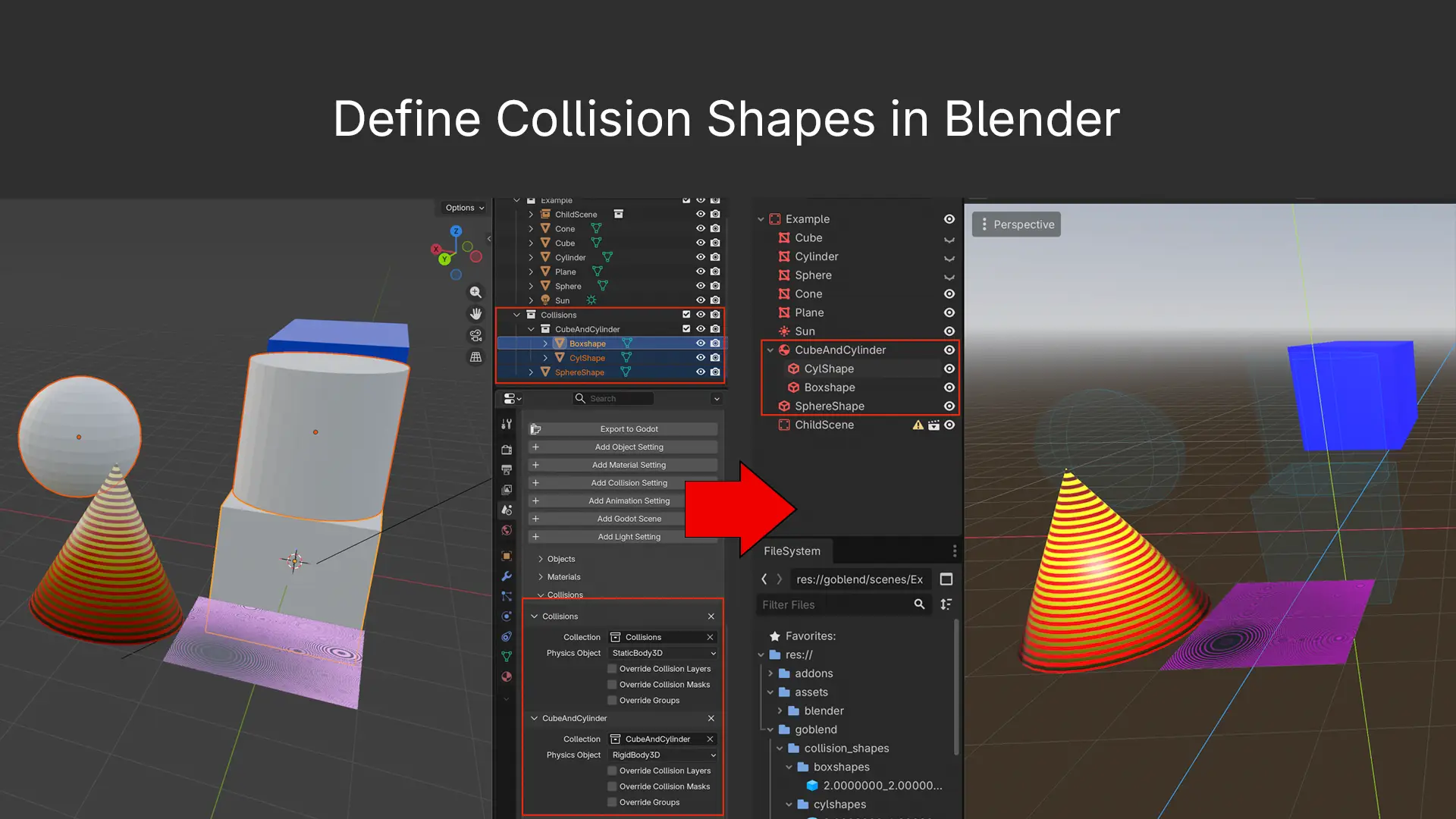
- Collisions (primitive and/or convex) directly inside of Blender
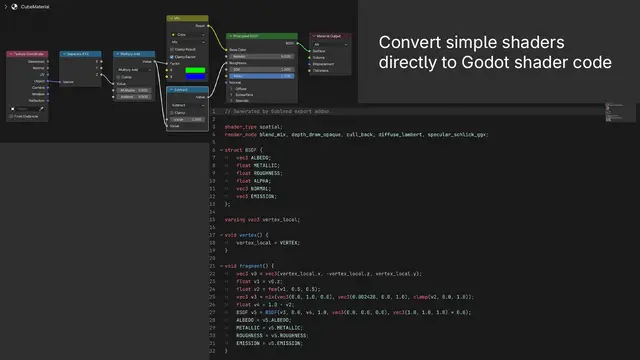
- Converting basic Blender shaders directly to Godot shader code
- Correct lighting by extracting information from existing Godot scenes
- Support for material animations
- High customizability by defining default settings with a config file
- More settings like transparency mode, cull mode, or groups to set in Blender
- Including existing Godot scenes in the exported scene
Check the setup section of the documentation (https://goblend.dev/docs/installation#setup) for installation instructions.
Reviews
Quick Information
Goblend: Export to Godot
This is the Godot part of Goblend. Check the documentation at https://goblend.dev for the Blender part of Goblend.Goblend is an import/export pipeline that allows you to export your Blender scenes into Godot with a click of a button. Its features include:- Bake materials automatically to textures (if needed), for direct use in Godot- Export nested scenes correctly by instantiating child scenes in Godot- Fine-grained control over how materials and other resources are exported- Collisions (primitive and/or convex) directly inside of Blender- Converting basic Blender shaders directly to Godot shader code- Correct lighting by extracting information from existing Godot scenes- Support for material animations- High customizability by defining default settings with a config file- More settings like transparency mode, cull mode, or groups to set in Blender- Including existing Godot scenes in the exported sceneCheck the setup section of the documentation (https://goblend.dev/docs/installation#setup) for installation instructions.
Supported Engine Version
4.5
Version String
v2.1.0
License Version
GPLv3
Support Level
community
Modified Date
2 months ago
Git URL
Issue URL