Ctrl+V Clipboard Image
An asset by palmasop
Install Asset
Install via Godot
To maintain one source of truth, Godot Asset Library is just a mirror of the old asset library so you can download directly on Godot via the integrated asset library browser
Quick Information

Ctrl+V Clipboard Image
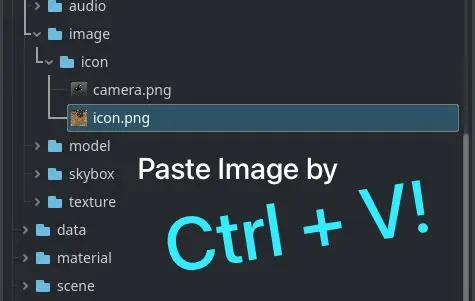
A plugin that allows you to paste image from clipboard directly into the project using Ctrl+V.
Supported Engine Version
4.3
Version String
3.0.0
License Version
MIT
Support Level
community
Modified Date
3 months ago
Git URL
Issue URL
Paste Clipboard Image
A Godot editor plugin that allows pasting image from clipboard directly into the project using Ctrl+V.
Installation
- Download the latest release
- Extract the
addonsfolder to your project directory - Enable the plugin in
Project Settings -> Plugins - Use Ctrl+V to paste image
Requirements
- Godot 4.0 or newer
- System clipboard containing an image
A plugin that allows you to paste image from clipboard directly into the project using Ctrl+V.
Reviews
Quick Information
Ctrl+V Clipboard Image
A plugin that allows you to paste image from clipboard directly into the project using Ctrl+V.
Supported Engine Version
4.3
Version String
3.0.0
License Version
MIT
Support Level
community
Modified Date
3 months ago
Git URL
Issue URL