Godot Animate
An asset by ChimmyChim
Install Asset
Install via Godot
To maintain one source of truth, Godot Asset Library is just a mirror of the old asset library so you can download directly on Godot via the integrated asset library browser
Quick Information

Godot Animate
A major portion (mainly FFmpeg related) of this addon was made with AI.# WARNING: You must have FFmpeg installed on your computer.Windows: In command line use "winget install ffmpeg"CachyOS (Arch Linux): "sudo pacman -S ffmpeg"Makes Godot into an Adobe After Effects alternative.This addon allows you to record into MP4 or WEBM (Depending on if you are using transparency.) using FFmpeg allowing you to use Godot as a animation tool alternative.Features:1. Transparent video.2. Resolution settings.3. Background color for chroma key.4. Specify what fps.5. Goes frame by frame, meaning it will wait until processing is done on that frame to keep a consistent fps with no stutter.6. In many situations, much faster than the movie mode.
Supported Engine Version
4.5
Version String
1.0
License Version
MIT
Support Level
community
Modified Date
12 hours ago
Git URL
Issue URL
A major portion (mainly FFmpeg related) of this addon was made with AI.
# WARNING: You must have FFmpeg installed on your computer.
Windows: In command line use "winget install ffmpeg"
CachyOS (Arch Linux): "sudo pacman -S ffmpeg"
Makes Godot into an Adobe After Effects alternative.
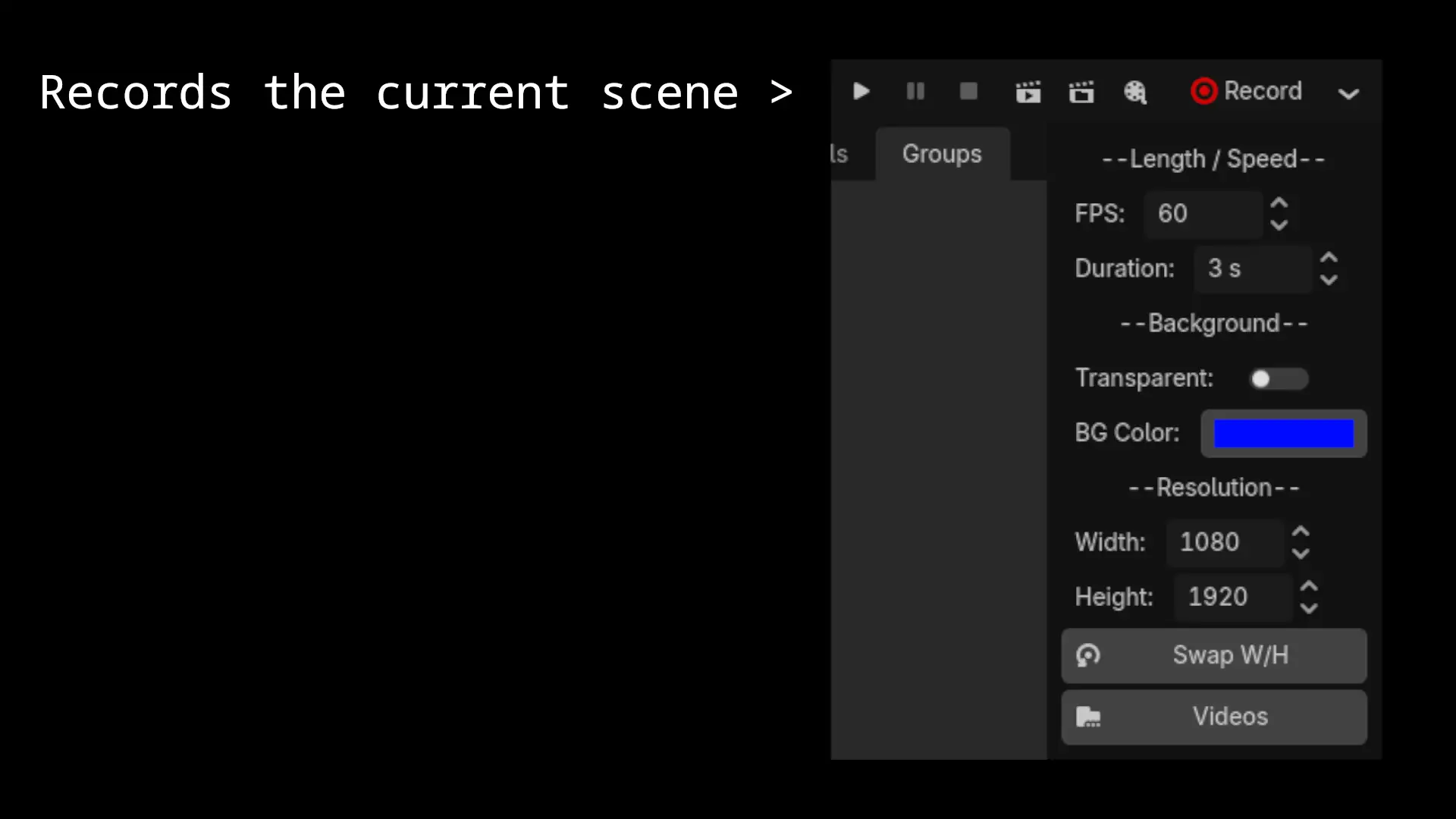
This addon allows you to record into MP4 or WEBM (Depending on if you are using transparency.) using FFmpeg allowing you to use Godot as a animation tool alternative.
Features:
1. Transparent video.
2. Resolution settings.
3. Background color for chroma key.
4. Specify what fps.
5. Goes frame by frame, meaning it will wait until processing is done on that frame to keep a consistent fps with no stutter.
6. In many situations, much faster than the movie mode.
Reviews
Quick Information
Godot Animate
A major portion (mainly FFmpeg related) of this addon was made with AI.# WARNING: You must have FFmpeg installed on your computer.Windows: In command line use "winget install ffmpeg"CachyOS (Arch Linux): "sudo pacman -S ffmpeg"Makes Godot into an Adobe After Effects alternative.This addon allows you to record into MP4 or WEBM (Depending on if you are using transparency.) using FFmpeg allowing you to use Godot as a animation tool alternative.Features:1. Transparent video.2. Resolution settings.3. Background color for chroma key.4. Specify what fps.5. Goes frame by frame, meaning it will wait until processing is done on that frame to keep a consistent fps with no stutter.6. In many situations, much faster than the movie mode.
Supported Engine Version
4.5
Version String
1.0
License Version
MIT
Support Level
community
Modified Date
12 hours ago
Git URL
Issue URL