Modular Character Controller
An asset by Panthera
Install Asset
Install via Godot
To maintain one source of truth, Godot Asset Library is just a mirror of the old asset library so you can download directly on Godot via the integrated asset library browser
Quick Information

Modular Character Controller
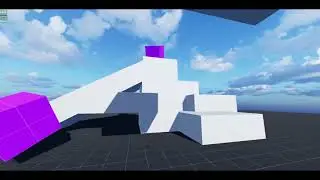
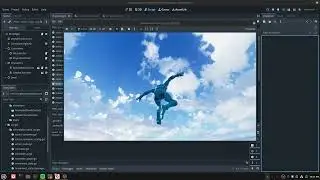
The Modular Character Controller is a set of scripts that aims to make the creation of controllable objects in Godot more organized and flexible. Controllable object examples would be the player character, AI controlled NPCs, and vehicles. Organization and flexibility are achieved by separating logic out into components for the character to prevent the pitfalls of a typical state machine or a monolithic character script. This separation of logic into, single task focused pieces, makes code more organized but also allows pieces of logic to be attached and detached from a character, making characters modular at runtime.This is an addon but multiple example projects are available.See GitHub or README file for more details, documentation, and links.Play the demo level or leave a review:https://pantheradigital.itch.io/godot-modular-character-controllerTested in Godot 4.4, 5.4, and 4.6.1Works for 2D, 3D and any type of character.
Supported Engine Version
4.4
Version String
3.0.1
License Version
MIT
Support Level
community
Modified Date
1 month ago
Git URL
Issue URL
Modular-Character-Controller-for-Godot v3.0.1
Compatible Godot Versions: 4.4, 4.5, 4.6.1
Contact: [email protected]
Links:
- Itch.io: Leave a review, play the demo, read devlogs, or donate
- Godot Asset Library
- Demo Video
- Example Projects
Getting Started
| What Is Included
| Set Up
| | Addon
| | Examples
Using the Modular Character Controller
| General Overview
| Parts
| | Action Node
| | Action Player
| | Action Map Remapper
| | Controller
| Debug
| | UI
| | Logger
Getting Started
What Is Included
Set Up
Addon
- Download the addons folder
- Place folder in your Godot project
- If you have an "addons" folder in your project already then bring the modular_character_controller folder into that folder
- Godot installing-a-plugin tutorial
- Move the script_templates to your project at the top level directory "res://"
- If you have a "script_templates" folder, place the contents of this folder into yours.
- Godot project-defined-templates tutorial
Examples
You can find examples I have made using this system here.
Each example project contains the version of this project it was made with so some exapmles may not be up to date but will function without additional work.
Using the Modular Character Controller
General Overview
The heart of Modular Character Controller is two parts, the ActionNode and the ActionPlayer. ActionNodes implement what a character can do and the ActionPlayer is used to tell the character what to do.
This system is designed to make it clear what a character is capable of at any time, while also keeping the character highly modular, making characters faster to develop and easier to adjust at runtime. The character state is no longer a rigid class but a collection of actions that can be changed at any moment.
Input is also separated from the character, following the Model View Controller pattern, by using a request system that allows other objects to request a character perform an action. If they can, and they have that action, then it is done. This allows for much more freedom over what can control a character and makes it easier to tie player inputs to actions.
Parts
Action Node
ActionNodes hold the game logic needed for a character to perform a specific task (action) related to the Nodes in the character. Examples would be moving, looking, attacking, climbing, and even taking damage.
The collection of ActionNodes on a character should represent the different things they may do during game play. However, ActionNodes are designed to be removed and added during gameplay to allow characters to be more dynamic, so all ActionNodes do not need to be attached to the character from the start.
A simple example of a move action would look like this:
extends ActionNode


const WALK_FORCE = 600

var _character: CharacterBody2D


func _ready() -> void:
    _character = _action_player.get_parent()


## _params: {"direction": float}
func _on_play(_params: Dictionary = {}) -> void:
    if !_params.has(&"direction"):
        return

    # turn input into velocity
    var walk = WALK_FORCE * _params[&"direction"]
    _character.input_velocity.x = walk

func _on_stop() -> void:
    _character.input_velocity.x = 0.0
To move call: move_action.play({&"direction":Vector2(1,0)})
and to stop: move_action.stop()
When thinking in terms of a state machine, imagine ActionNodes as the parts of a single state, coming together to make that state. By doing this you can identify shared logic between states that can be a single ActionNode.
Action Player
The ActionPlayer provides a way for objects outside of the character to Play and Stop actions attached to it. It also allows for control over which actions are accessible to those external objects. The way this works is similar to an API by mapping requests to ActionNodes.
This looks like {&"move":^"Move", &"jump":^"Jump"}, where &"move" and &"jump" are the requests and ^"Move" and ^"Jump" are the ActionNodes attached to the ActionPlayer.
Now to Play an action use action_player.play(self, &"jump"), this will play the ActionNode that is mapped to the request &"jump".
Similarly, to stop and action use action_player.stop(self, &"jump").
To change the actions available, or to change which action is called on by a request, use set_action_map() or set_request().
action_player.set_action_map(self, {&"attack":^"Attack"}) will change the map in ActionPlayer to match what is passed in, if the values are valid. Only ActionNodes that are children of ActionPlayer can be used in the map and they can only be mapped to one request at a time.
action_player.set_request(self, &"attack", ^"Attack") will change, or add, a request to the map and follows the same rules as set_action_map.
Example of ActionPlayer with ActionNodes as children and its action map set in the inspector:


Note that not all ActionNodes need to be added to a map. The map acts as a public interface for other objects to request actions. In the above, actions TakeDamage and Die are called directly from the damage system on the character but will never be called from an object external to the character.
Action Map Remapper
The ActionMapRemapper is simply a tool to manage multiple mappings a character may have. While the ActionPlayer only holds one map, this holds multiple, allowing for easier swapping during gameplay.
The remapper holds maps:
{
&"grounded":{&"move":^"Move", &"jump":^"Jump", &"attack":^"Attack"},
&"attacking":{&"attack":^"Attack"}
}
The remapper should be added to the ActionPlayer as a child, like an ActionNode, where it can then be used to modify the active mapping like so:
remapper.set_active_map(&"attacking")
This will change the map in ActionPlayer to {&"attack":^"Attack"} allowing the character to only attack.
This can be done from within ActionNodes, effectively allowing actions to dictate what a character can do while that action is taking place.
Controller
A Controller can be any object that interacts with the ActionPlayer on a character to have it do things, but a generic script is provided as a base.
Controllers may be in the character scene or separate.
Due to how the ActionPlayer works, a character can have one or many controllers, and a controller may have one or many characters.
A Controller does not have to be a player controller, it may be an AI controller or even a movement modifier that adds extra movements to a character.
Here is a simple player controller that uses player input to make requests.
extends Controller

var run: bool

func _process(_delta: float) -> void:
    var input_direction: Vector2 = Vector2(
        Input.get_axis(&"move_left", &"move_right"),
        Input.get_axis(&"move_up", &"move_down")
    )
    action_player.play(self, &"move", {&"direction":input_direction, &"run":Input.is_action_pressed(&"run")})

func _unhandled_input(event: InputEvent) -> void:
    if event.is_action_pressed(&"jump"):
        action_player.play(self, &"jump")

    if event.is_action(&"run"):
        run = event.is_action_pressed(&"run")
Debug
UI
A UI debugger is provided. It works with and without ActionMapRemapper. The UI will display all requests, the ActionNodes mapped to those requests, if the action is playing, and the names of the maps ActionMapRemapper adds.
Logger
ActionPlayer, ActionMapRemapper, and ActionPlayerDebugUI make use of the CustomLogger class to print out useful debug info if their debug variable is enabled.
This class is named CustomLogger to prevent problems with the Logger class added in Godot 4.5.
The Modular Character Controller is a set of scripts that aims to make the creation of controllable objects in Godot more organized and flexible. Controllable object examples would be the player character, AI controlled NPCs, and vehicles.
Organization and flexibility are achieved by separating logic out into components for the character to prevent the pitfalls of a typical state machine or a monolithic character script. This separation of logic into, single task focused pieces, makes code more organized but also allows pieces of logic to be attached and detached from a character, making characters modular at runtime.
This is an addon but multiple example projects are available.
See GitHub or README file for more details, documentation, and links.
Play the demo level or leave a review:
https://pantheradigital.itch.io/godot-modular-character-controller
Tested in Godot 4.4, 5.4, and 4.6.1
Works for 2D, 3D and any type of character.
Reviews
Quick Information
Modular Character Controller
The Modular Character Controller is a set of scripts that aims to make the creation of controllable objects in Godot more organized and flexible. Controllable object examples would be the player character, AI controlled NPCs, and vehicles. Organization and flexibility are achieved by separating logic out into components for the character to prevent the pitfalls of a typical state machine or a monolithic character script. This separation of logic into, single task focused pieces, makes code more organized but also allows pieces of logic to be attached and detached from a character, making characters modular at runtime.This is an addon but multiple example projects are available.See GitHub or README file for more details, documentation, and links.Play the demo level or leave a review:https://pantheradigital.itch.io/godot-modular-character-controllerTested in Godot 4.4, 5.4, and 4.6.1Works for 2D, 3D and any type of character.
Supported Engine Version
4.4
Version String
3.0.1
License Version
MIT
Support Level
community
Modified Date
1 month ago
Git URL
Issue URL