Polyliner
An asset by Firepal3D
Install Asset
Install via Godot
To maintain one source of truth, Godot Asset Library is just a mirror of the old asset library so you can download directly on Godot via the integrated asset library browser
Quick Information

Polyliner
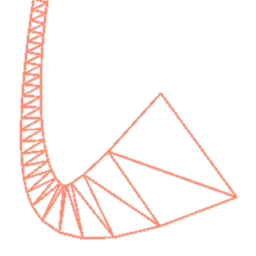
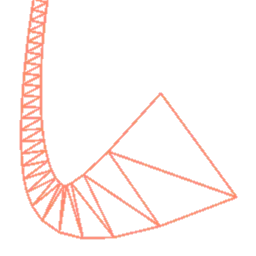
**Warning, this software is not complete, some functionality may be glitchy or change in the future**Polyliner allows you to create 3D lines.- LinePath3D lets you create a line using the Path node's Curve3D tools.- Trail3D continuously generates a line that follows its own node every frame.
Supported Engine Version
4.1
Version String
0.6
License Version
MIT
Support Level
community
Modified Date
8 months ago
Git URL
Issue URL
Polyliner early development

This plugin is currently being developed in Godot 3.4 and is not guaranteed to function in 3.3
Adds 3D thick line rendering capabilities.
Usage Instructions
Create a LinePath3D node
Setup the curve like you would with the Godot
Pathnode.
Select the LinePath3D, click the yellow-y "Add Points" icon at the top of the viewport and click around to create points.
To add handles to a point, click the greyish "Select Points" icon at the top of the viewport, hold Shift and click-and-drag on a point to add curve handles to it.
???
Profit!
You can drag-and-drop any of the shaders from addons/godot-polyliner/shaders/ into the "Shader" property slot. Remember to click "Make Unique" on it so you don't overwrite the original plugin data when you edit them.
To-Do
- Implement curve system with a fully custom "tangent"
- SpatialMaterial shader injection
**Warning, this software is not complete, some functionality may be glitchy or change in the future**
Polyliner allows you to create 3D lines.
- LinePath3D lets you create a line using the Path node's Curve3D tools.
- Trail3D continuously generates a line that follows its own node every frame.
Reviews
Quick Information
Polyliner
**Warning, this software is not complete, some functionality may be glitchy or change in the future**Polyliner allows you to create 3D lines.- LinePath3D lets you create a line using the Path node's Curve3D tools.- Trail3D continuously generates a line that follows its own node every frame.
Supported Engine Version
4.1
Version String
0.6
License Version
MIT
Support Level
community
Modified Date
8 months ago
Git URL
Issue URL