Nexus Pipeline Importer
An asset by movec
Install Asset
Install via Godot
To maintain one source of truth, Godot Asset Library is just a mirror of the old asset library so you can download directly on Godot via the integrated asset library browser

Quick Information
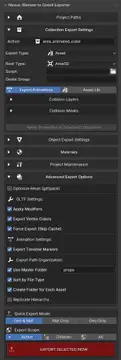

Nexus Pipeline Importer
Easy to use GLTF importer.Important Prerequisite:The Nexus Pipeline Importer for Godot is not a general-purpose GLTF importer. It is the exclusive counterpart to the Blender addon "Nexus Godot Pipeline".Find it on Superhivemarket: https://superhivemarket.com/products/nexus-godot-pipelineThis Godot addon will only work as intended on .gltf files that have been exported using the corresponding Blender addon, as it relies on the special metadata written during the export process.Now supports Nexus Resonance for real spatial audio!For Support join the discord channel:(https://discord.gg/VTSpAEHHhW)
Supported Engine Version
4.5
Version String
1.3.1
License Version
MIT
Support Level
community
Modified Date
15 days ago
Git URL
Issue URL
Nexus Importer
Godot addon for importing assets from the Nexus Blender Export Pipeline.
Setup
- Install: Copy the
nexus_importerfolder intoaddons/or enable via Project Settings. - Asset Index: After exporting from Blender,
asset_index.jsonandmaterial_index.jsonappear in the Godot project root. - Import Mode: Project → Tools → Nexus Importer → Import Mode
- Auto: Config and wrappers update on import. Recommended for most workflows.
- Manual: Run Tools → Nexus Importer → Reimport Assets after each Blender export.
How It Works
- Automatic: When you open a Godot project or reimport files, Nexus detects glTF files with Nexus metadata and applies post-processing (root type, collision layers, bone attachments, materials, etc.).
- Wrappers: Nexus creates
.tscnwrapper scenes for imported glTFs when needed (e.g. for scripts, animation libraries). - Feedback: A notification appears in the editor when Nexus processes imports (Godot 4.4+).
Project Settings
Under nexus/import/:
auto_assign_post_processor: Enable automatic Nexus processing (default: true)asset_index_path: Path to asset_index.json (default: res://asset_index.json)material_index_path: Path to material_index.json (default: res://material_index.json)
Index Files
- asset_index.json: Tracks exported assets (paths, hashes). Required for placeholders and reimport.
- material_index.json: Tracks shared materials. Do not delete; Nexus uses it for material swapping.
Troubleshooting
- Imports look like plain glTF: Ensure the glTF was exported from Blender with Nexus (Nexus Export sidebar). Check that Import Mode is Auto or run Reimport Assets manually.
- Placeholder not replaced: Asset ID in Blender must match an entry in asset_index.json. Run Reimport Assets after exporting.
Easy to use GLTF importer.
Important Prerequisite:
The Nexus Pipeline Importer for Godot is not a general-purpose GLTF importer. It is the exclusive counterpart to the Blender addon "Nexus Godot Pipeline".
Find it on Superhivemarket: https://superhivemarket.com/products/nexus-godot-pipeline
This Godot addon will only work as intended on .gltf files that have been exported using the corresponding Blender addon, as it relies on the special metadata written during the export process.
Now supports Nexus Resonance for real spatial audio!
For Support join the discord channel:
(https://discord.gg/VTSpAEHHhW)
Reviews
Quick Information
Nexus Pipeline Importer
Easy to use GLTF importer.Important Prerequisite:The Nexus Pipeline Importer for Godot is not a general-purpose GLTF importer. It is the exclusive counterpart to the Blender addon "Nexus Godot Pipeline".Find it on Superhivemarket: https://superhivemarket.com/products/nexus-godot-pipelineThis Godot addon will only work as intended on .gltf files that have been exported using the corresponding Blender addon, as it relies on the special metadata written during the export process.Now supports Nexus Resonance for real spatial audio!For Support join the discord channel:(https://discord.gg/VTSpAEHHhW)
Supported Engine Version
4.5
Version String
1.3.1
License Version
MIT
Support Level
community
Modified Date
15 days ago
Git URL
Issue URL