Log Pop
An asset by ZIM
Install Asset
Install via Godot
To maintain one source of truth, Godot Asset Library is just a mirror of the old asset library so you can download directly on Godot via the integrated asset library browser
Quick Information

Log Pop
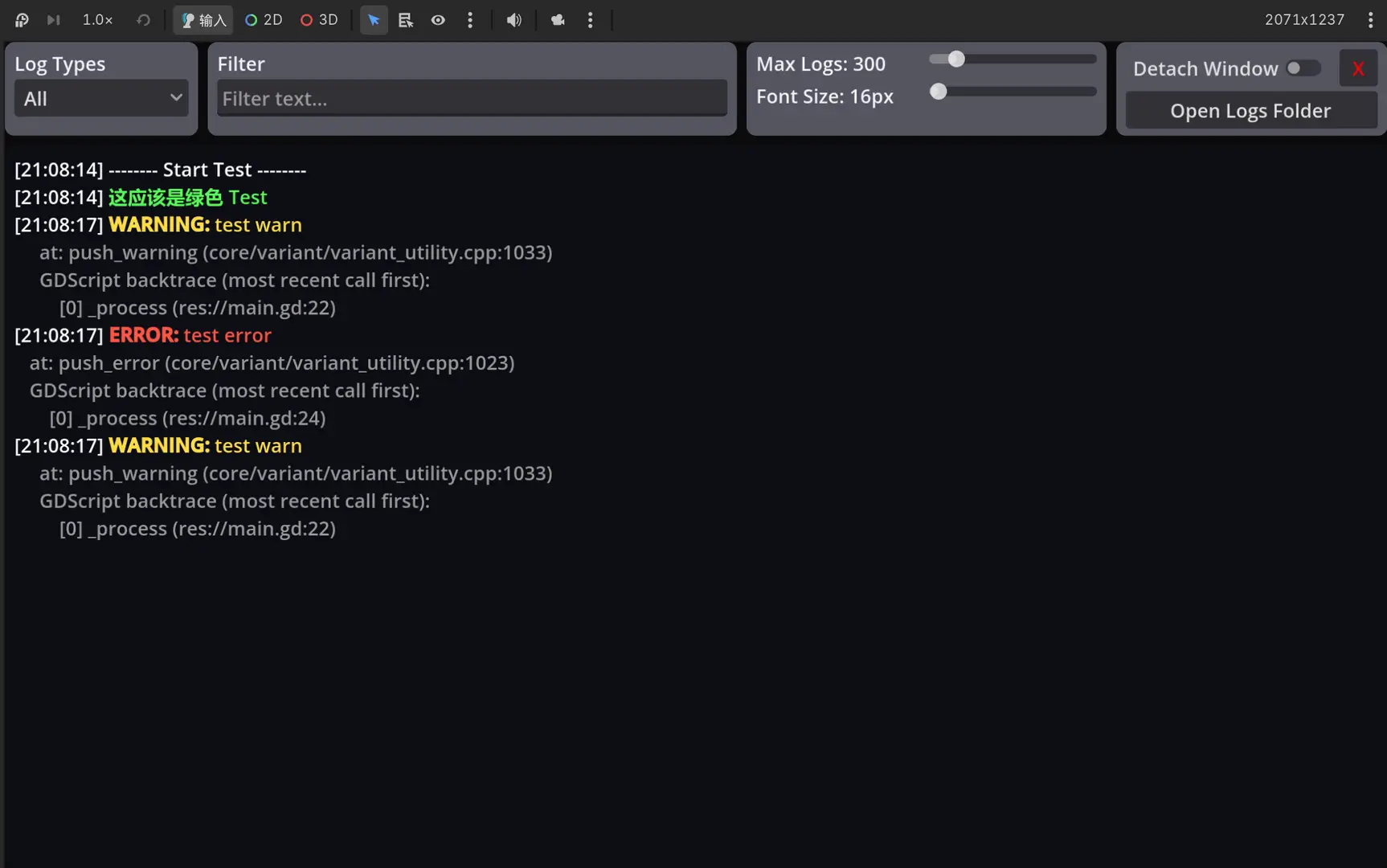
A lightweight in-game log overlay for Godot 4 (pure GDScript, no .NET required). Works in both GDScript and C# projects. View print / warning / error while running. Open with hotkey (default Ctrl+L), three-finger long-press, or auto-open on error (can be disabled). Filter by type/text, detachable window.Keywords: logger, log viewer, debug
Supported Engine Version
4.5
Version String
0.2.0
License Version
MIT
Support Level
community
Modified Date
7 hours ago
Git URL
Issue URL
LogPop (GDScript)
In-game log viewer for Godot 4. Shows print / warning / error messages in an overlay while the game is running.
Requirements
- Godot 4.5 or newer
Install
- Copy the plugin folder into your project’s
addons/directory (recommended name:log_pop). - Open the project in Godot, then go to Project → Project Settings → Plugins and enable LogPop.
- Add a LogPop node to your main scene (or any scene that runs in-game).
Use only one LogPop node in the running game.
How to open the in-game log
| Method | Description |
|---|---|
| Keyboard | Hotkey from Inspector (Toggle Hotkey). Default: Ctrl+L. Alternatives: Ctrl+Alt+L, Ctrl+Alt+P. |
| Touch | Three-finger long-press (duration: Three Finger Hold Seconds, default ~0.8s). |
| On error | By default, the overlay opens automatically when an error is logged (even if it was closed). Warnings do not trigger this. Logs are still captured while the overlay is closed. |
Disable auto-open on error: select the LogPop node → in the Inspector uncheck Auto Open On Error.
中文
面向 Godot 4 的游戏内日志查看器(纯 GDScript)。运行游戏时可在浮层中查看 print / 警告 / 错误信息。
运行要求
- Godot 4.5 及以上
安装
- 将插件文件夹复制到项目的
addons/目录下(建议文件夹名为log_pop)。 - 用 Godot 打开项目,进入 项目 → 项目设置 → 插件,启用 LogPop。
- 在主场景(或游戏运行时会加载的场景)中添加一个 LogPop 节点。
运行中的游戏里请只放 一个 LogPop 节点。
如何打开游戏内日志
| 方式 | 说明 |
|---|---|
| 键盘 | 检查器中的 Toggle Hotkey。默认:Ctrl+L。可选:Ctrl+Alt+L、Ctrl+Alt+P。 |
| 触屏 | 三指长按(时长:Three Finger Hold Seconds,默认约 0.8 秒)。 |
| 出错时 | 默认在出现 error 时自动打开浮层(关闭时也会继续收日志)。warning 不会触发自动打开。 |
关闭出错自动弹窗: 选中 LogPop 节点 → 在检查器中取消勾选 Auto Open On Error。
A lightweight in-game log overlay for Godot 4 (pure GDScript, no .NET required). Works in both GDScript and C# projects. View print / warning / error while running. Open with hotkey (default Ctrl+L), three-finger long-press, or auto-open on error (can be disabled). Filter by type/text, detachable window.
Keywords: logger, log viewer, debug
Reviews
Quick Information
Log Pop
A lightweight in-game log overlay for Godot 4 (pure GDScript, no .NET required). Works in both GDScript and C# projects. View print / warning / error while running. Open with hotkey (default Ctrl+L), three-finger long-press, or auto-open on error (can be disabled). Filter by type/text, detachable window.Keywords: logger, log viewer, debug
Supported Engine Version
4.5
Version String
0.2.0
License Version
MIT
Support Level
community
Modified Date
7 hours ago
Git URL
Issue URL