Primitives2D
An asset by pkish
Install Asset
Install via Godot
To maintain one source of truth, Godot Asset Library is just a mirror of the old asset library so you can download directly on Godot via the integrated asset library browser
Quick Information

Primitives2D
A plugin for the Godot game engine (version 3.x) for rendering primitive 2d shapes.
Supported Engine Version
4.0
Version String
0.0.2
License Version
MIT
Support Level
community
Modified Date
1 year ago
Git URL
Issue URL
Primitives2D

A plugin for the Godot game engine (version 4.x) for rendering primitive 2d shapes.

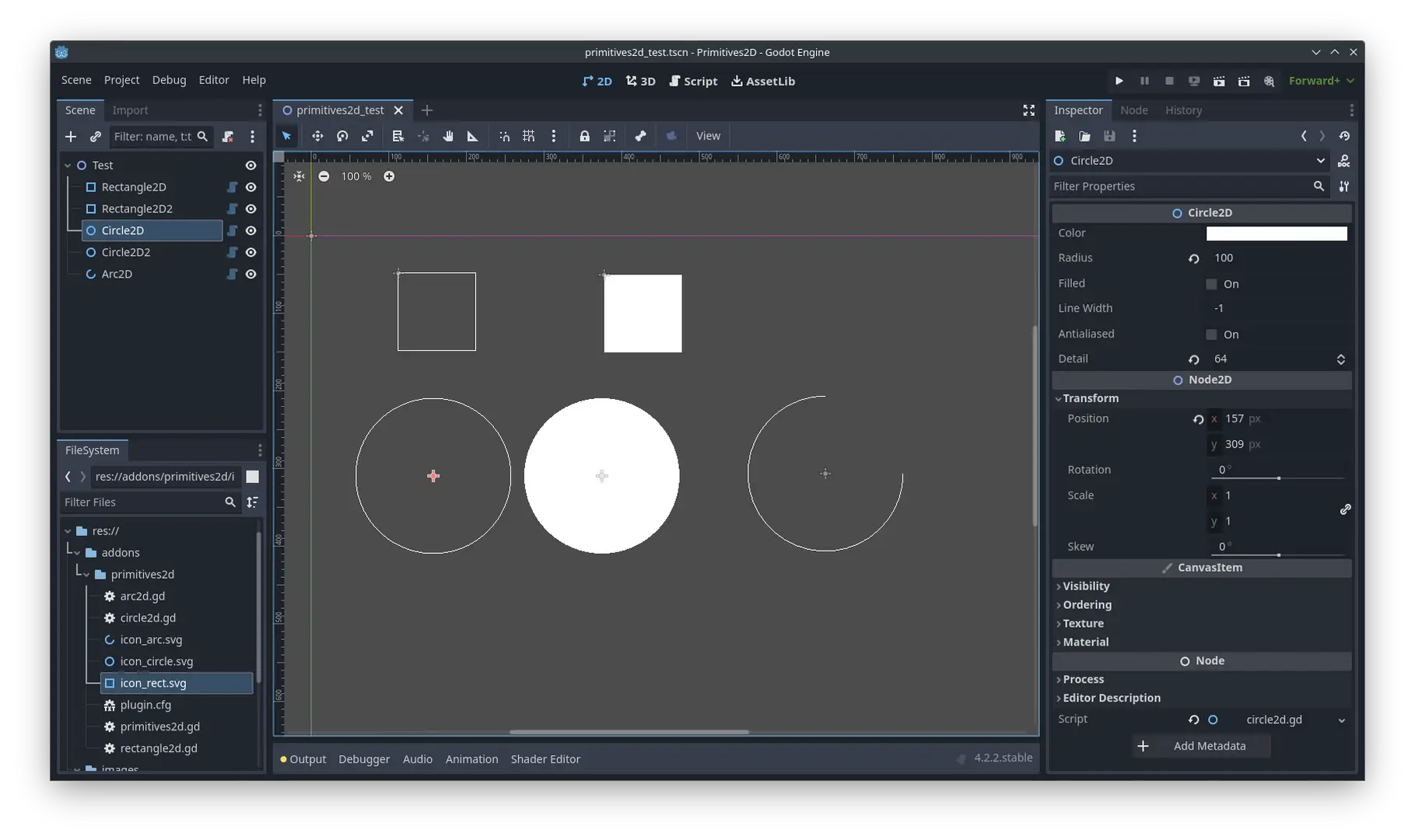
While the CanvasItem class supports a number of methods for rendering primitive shapes, the engine only offers the Line2D and Polygon2D nodes for adding primitive shapes to a scene. This plugin introduces the following node types in a similar fashion:


The nodes simply use the builtin CanvasItem methods for drawing primitive shapes: draw_rect, draw_circle and draw_arc.
Installation
- Create an
addonsdirectory inside your project directory. - Get the plugin from the AssetLib or from GitHub
- From the AssetLib: Open the AssetLib from the Godot editor and search for "Primitives2D". Click download to install the plugin.
- From GitHub: Run
git clone https://github.com/peter-kish/primitives2d.gitand copy the contents of theaddonsdirectory to your projectsaddonsdirectory.
- Enable the plugin in
Project Settings > Plugins.
Usage
Add a Rectangle2D, Circle2D or Arc2D node to your scene and set the node properties described below.
Rectangle2D
Draws a 2D rectangle.
Properties
color: Color- The color of the rectangle.size: Vector2- The size of the rectangle.filled: bool- Iffalse, the rectangle will be drawn as a stroke with thecolorandline_widthspecified.line_width: float- Width of the stroke (in casefilledistrue).centered: bool- Iftrue, the rectangle will be drawn centered.
Circle2D
Draws a 2D circle.
Properties
color: Color- The color of the circle.radius: float- The radius of the circle.filled: bool- Iffalse, the circle will be drawn as a stroke with thecolorandline_widthspecified.line_width: float- Width of the stroke (in casefilledistrue).antialiased: bool- Iftrue, the lines will attempt to perform antialiasing using OpenGL line smoothing.detail: int- The number of line segments.
Arc2D
Draws a unfilled 2D arc.
Properties
color: Color- The color of the arc.radius: float- The radius of the arc.filled: bool- Iffalse, the arc will be drawn as a stroke with thecolorandline_widthspecified.line_width: float- Width of the stroke (in casefilledistrue).antialiased: bool- Iftrue, the lines will attempt to perform antialiasing using OpenGL line smoothing.detail: int- The number of line segments.
A plugin for the Godot game engine (version 3.x) for rendering primitive 2d shapes.
Reviews
Quick Information
Primitives2D
A plugin for the Godot game engine (version 3.x) for rendering primitive 2d shapes.
Supported Engine Version
4.0
Version String
0.0.2
License Version
MIT
Support Level
community
Modified Date
1 year ago
Git URL
Issue URL