Fullscreen Export
An asset by bearlikelion
Install Asset
Install via Godot
To maintain one source of truth, Godot Asset Library is just a mirror of the old asset library so you can download directly on Godot via the integrated asset library browser
Quick Information
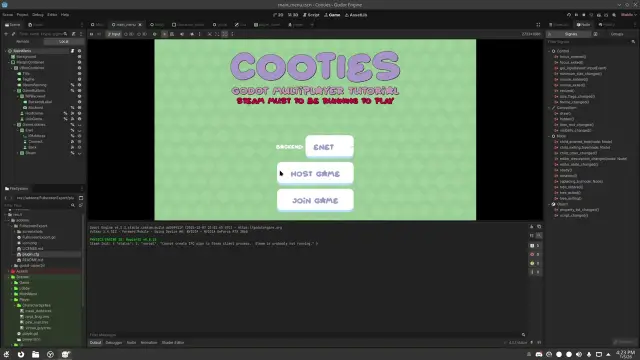

Fullscreen Export
An editor export plugin that automatically sets your project's window mode setting to full screen when exporting and reverts it back to the previous setting when completed
Supported Engine Version
4.0
Version String
1.0
License Version
MIT
Support Level
community
Modified Date
2 days ago
Git URL
Issue URL
Fullscreen Export
A Godot 4 editor plugin that automatically sets your project's window mode to fullscreen during export, then reverts back to the original mode once the export completes.
Why Use This Plugin?

While I work on my Godot projects I prefer to play in Windowed mode embedded in the editor. This allows me to read logs and interact with the remote tree while still playing the game from a single window. But I always forget to switch the window settings back to Fullscren when exporting a build. I end up having to export and ship another patch just to set the project's window mode to fullscreen.
So I decided to automate this with an export plugin and thought I could share it with you!
Features
- Automatically sets window mode to Exclusive Fullscreen (mode 4) during export
- Easily change the export from Exclusive (4) to Fullscreen (3)
- Restores the original window mode after export completes
- Handles export failures gracefully
- Provides console feedback about window mode changes
- Staticly typed and commeted GDScript
- Zero configuration required, just enable the plugin from project settings
Installation
Copy the
FullscreenExportfolder to your project'saddonsdirectory:your_project/ └── addons/ └── FullscreenExport/ ├── FullscreenExport.gd └── plugin.cfgEnable the plugin in Godot:
- Go to Project -> Project Settings -> Plugins
- Find Fullscreen Export in the list
- Check the Enable checkbox
Usage
Once enabled, the plugin works automatically. Simply export your project as you normally would:
- Go to Project → Export
- Configure your export preset (if not already done)
- Click Export Project or Export All
The plugin will:
- Detect the current window mode setting
- Change it to exclusive fullscreen (mode 4)
- Save the project settings
- Complete the export
- Restore your original window mode
You'll see console messages during export:
ExportFullscreen: Set window mode to exclusive fullscreen for export (original: 0)
ExportFullscreen: Restored window mode to 0
Window Modes
The plugin sets the window mode to Exclusive Fullscreen (mode 4). If you prefer regular fullscreen (mode 3), you can modify line 11 in FullscreenExport.gd:
const WINDOW_MODE_FULLSCREEN: int = 3 # Change from 4 to 3
0- Windowed1- Minimized2- Maximized3- Fullscreen4- Exclusive Fullscreen
License
MIT License. This plugin is provided as-is for use in your projects.
Author
Troubleshooting
The plugin doesn't seem to work:
- Make sure the plugin is enabled in Project Settings -> Plugins
- Check the console for any error messages during export
My window mode isn't being restored:
- This should only happen if the export process crashes
- You can manually change the window mode in Project Settings -> Display -> Window -> Size -> Mode
I want to use a different fullscreen mode:
- Edit the
WINDOW_MODE_FULLSCREENconstant in FullscreenExport.gd (see Window Modes section above)
An editor export plugin that automatically sets your project's window mode setting to full screen when exporting and reverts it back to the previous setting when completed
Reviews
Quick Information
Fullscreen Export
An editor export plugin that automatically sets your project's window mode setting to full screen when exporting and reverts it back to the previous setting when completed
Supported Engine Version
4.0
Version String
1.0
License Version
MIT
Support Level
community
Modified Date
2 days ago
Git URL
Issue URL