Debug Panel
An asset by breadpack
Install Asset
Install via Godot
To maintain one source of truth, Godot Asset Library is just a mirror of the old asset library so you can download directly on Godot via the integrated asset library browser
Quick Information

Debug Panel
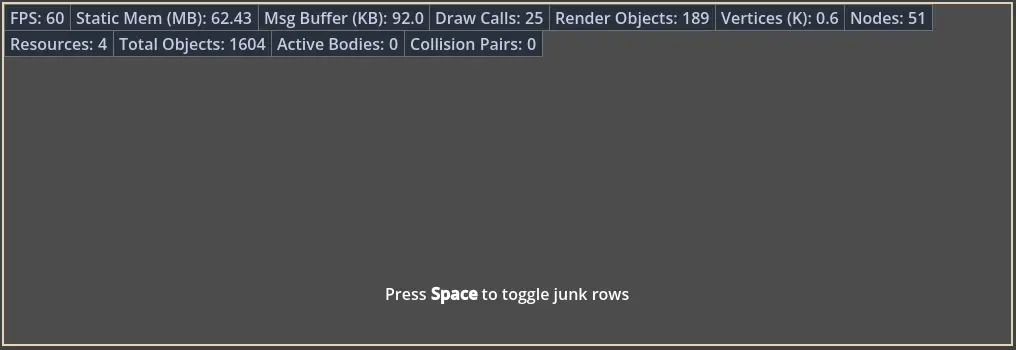
It's a simple debug panel. Enable `Dp` plugin to use it.Here's how you can use it:```gdscript# Insert or update row by id with provided valueDp.push(&"FPS", "%.0f" % Engine.get_frames_per_second())# Hide row by idDp.hide(&"FPS")# Show row by idDp.show(&"FPS")# Erase row by idDp.erase(&"FPS")# Remove all rows from panelDp.clear()# Debug panel visibiltyDb.visible = falseDb.visible = true```
Supported Engine Version
4.6
Version String
0.1
License Version
MIT
Support Level
community
Modified Date
4 hours ago
Git URL
Issue URL
It's a simple debug panel. Enable `Dp` plugin to use it.
Here's how you can use it:
```gdscript
# Insert or update row by id with provided value
Dp.push(&"FPS", "%.0f" % Engine.get_frames_per_second())
# Hide row by id
Dp.hide(&"FPS")
# Show row by id
Dp.show(&"FPS")
# Erase row by id
Dp.erase(&"FPS")
# Remove all rows from panel
Dp.clear()
# Debug panel visibilty
Db.visible = false
Db.visible = true
```
Reviews
Quick Information
Debug Panel
It's a simple debug panel. Enable `Dp` plugin to use it.Here's how you can use it:```gdscript# Insert or update row by id with provided valueDp.push(&"FPS", "%.0f" % Engine.get_frames_per_second())# Hide row by idDp.hide(&"FPS")# Show row by idDp.show(&"FPS")# Erase row by idDp.erase(&"FPS")# Remove all rows from panelDp.clear()# Debug panel visibiltyDb.visible = falseDb.visible = true```
Supported Engine Version
4.6
Version String
0.1
License Version
MIT
Support Level
community
Modified Date
4 hours ago
Git URL
Issue URL