


This addon adds a container, that can have multiple tabs, which the user can change by swiping left or right on the screen. It is based on the ScrollContainer node.Getting Started:• Download the addon and place it into your project directory, either manually, or through the Asset Store• Activate it in the Project Settings ("Plugins" tab)• Add a BetterTabContainer node to a scene. It is recommended that it is either set to full rect or has a "Fill" horizontal size flag• Add multiple nodes to it. Each child node counts as a separate tab, it can be any type of Control node. Please ignore the "ScrollContainer can only have one node" warning, I am actively trying to get rid of it• Done!Customizing the Node:• You can set the "Current Tab" property in the inspector. By default, it is set to 0, meaning the first tab is active on start• You can connect the "tab_switched" signal to another node to detect when it's changed• If you want to change the tab through code (for example, if you have a list of tab buttons next to the container), you can call the switch_tab(tab) method• You might also want to hide the horizontal scroll bar, as it does nothing• If you want to be able to swipe on tabs, make sure to set all of the children containers' mouse filter to "Pass", so it detects input
Mouse Passthrough Manager
An asset by LAPCAT_STUDIO
Quick Information

Mouse Passthrough Manager
A high-performance C# plugin for Godot 4.6+ (.NET) that enables precise mouse click-through on transparent windows.Dynamic Click-Through: Allows mouse inputs to pass through transparent areas to background apps while maintaining interactivity on defined shapes.QuadTree Optimization: Uses a QuadTree structure for high-efficiency, real-time spatial queries and collision detection.Flexible Shape Registration: Supports Polygon2D, CollisionPolygon2D, and CollisionShape2D as interactive regions.Native Windows Support: Utilizes Win32 APIs for seamless performance on Windows, with a default fallback for other platforms.Global Access: Features a Singleton-based API for easy integration and global control.
Supported Engine Version
4.6
Version String
1.1.1
Support Level
community
Modified Date
20 days ago
Git URL
Issue URL
Godot 要求
- Godot.net 4.6 或更高版本
Setup
- 将pass_through_manager文件夹复制到目标项目的addon文件夹下(没有就新建一个)。
- 点击一下Build project小锤子按钮(Alt+B)编译项目。
- 在项目设置/插件中启用PassThroughManager插件。
- 在项目设置/全局中添加:res://addons/pass_through_manager/PassthroughManager.cs脚本作为全局变量。
类 API
属性 (Properties)
static PassthroughManager Instance { get; }
- 类型: PassthroughManager(静态属性)
- 说明: 获取 PassthroughManager 的单例实例
- 用途: 全局访问入口点
- 示例:
PassthroughManager.Instance.Initialize(GetViewport().GetWindow());
QuadTree QuadTree { get; }
- 类型: QuadTree(只读属性)
- 说明: 获取四叉树数据结构实例,用于存储和查询点击区域
- 用途: 内部数据结构,用于高效的空间查询和碰撞检测
- 示例:
var hitItem = PassthroughManager.Instance.QuadTree.GetHitItem(mousePos);
bool ForceClickable { get; }
- 类型: bool(只读属性)
- 说明: 判断是否有强制可点击的节点存在
- 返回:
true如果有强制可点击节点,false否则 - 用途: 在鼠标穿透逻辑中判断是否忽略穿透计算
信号 (Signals)
QuadTreeUpdate
- 代理:
delegate void QuadTreeUpdateEventHandler() - 说明: 当四叉树更新时触发的信号
- 用途: 外部系统可以监听此信号以响应点击区域的变化
- 示例:
PassthroughManager.Instance.QuadTreeUpdate += OnQuadTreeUpdated;
方法 (Methods)
Initialize(Window window, Camera2D camera = null, int maxDepth = 7, int maxItemCount = 1, bool keepExistingAreas = true)
- 参数:
window(Window): 目标窗口对象camera(Camera2D, 可选): 主相机对象,默认 nullmaxDepth(int, 可选): 四叉树最大深度,默认 7maxItemCount(int, 可选): 单个节点最大项目数,默认 1keepExistingAreas(bool, 可选): 是否保留现有区域,默认 true
- 返回值: void
- 说明: 重置或重建 PassthroughManager,初始化四叉树和平台相关的穿透提供者
- 用途: 在场景加载或重启时初始化鼠标穿透功能
- 备注:
- Windows 平台使用
WindowsPassthroughProvider - 其他平台使用
DefaultPassthroughProvider
- Windows 平台使用
- 示例:
PassthroughManager.Instance.Initialize(GetViewport().GetWindow());
SetMainCamera(Camera2D camera)
- 参数:
camera(Camera2D): 主相机对象
- 返回值: void
- 说明: 设置主相机并重建四叉树数据
- 用途: 在运行时动态更换主相机,确保 QuadTree 区域与新相机视口一致
- 示例:
var newCamera = GetNode<Camera2D>("NewCamera");
PassthroughManager.Instance.SetMainCamera(newCamera);
RegisterPolygon2DClickArea(Polygon2D poly)
- 参数:
poly(Polygon2D): 要注册的 Polygon2D 节点
- 返回值: void
- 说明: 注册一个 Polygon2D 节点为可点击区域
- 用途: 将 Polygon2D 形状添加到点击检测系统
- 备注: 若已注册则自动更新区域而非重复添加
- 示例:
var polygon = GetNode<Polygon2D>("MyPolygon");
PassthroughManager.Instance.RegisterPolygon2DClickArea(polygon);
RegisterCollisionPolygon2DClickArea(CollisionPolygon2D poly)
- 参数:
poly(CollisionPolygon2D): 要注册的 CollisionPolygon2D 节点
- 返回值: void
- 说明: 注册一个 CollisionPolygon2D 节点为可点击区域
- 用途: 将碰撞多边形形状添加到点击检测系统
- 备注: 若已注册则自动更新区域而非重复添加
- 示例:
var collisionPoly = GetNode<CollisionPolygon2D>("MyCollisionPoly");
PassthroughManager.Instance.RegisterCollisionPolygon2DClickArea(collisionPoly);
RegisterCollisionShape2DClickArea(CollisionShape2D shape)
- 参数:
shape(CollisionShape2D): 要注册的 CollisionShape2D 节点
- 返回值: void
- 说明: 注册一个 CollisionShape2D 节点为可点击区域
- 用途: 将碰撞形状添加到点击检测系统
- 备注: 若已注册则忽略重复注册
- 示例:
var shape = GetNode<CollisionShape2D>("MyShape");
PassthroughManager.Instance.RegisterCollisionShape2DClickArea(shape);
UnregisterClickArea(Node2D root)
- 参数:
root(Node2D): 要注销的节点
- 返回值: void
- 说明: 注销一个已注册的可点击区域
- 用途: 从点击检测系统移除节点(如节点被删除或不再需要点击)
- 备注: 若节点未注册则不做任何操作
- 示例:
PassthroughManager.Instance.UnregisterClickArea(node);
UpdateClickArea(Node2D root)
- 参数:
root(Node2D): 要更新的节点
- 返回值: void
- 说明: 更新单个已注册节点的点击区域
- 用途: 当节点位置、旋转或形状改变时调用,确保碰撞检测信息最新
- 备注: 若节点未注册则不做任何操作
- 示例:
PassthroughManager.Instance.UpdateClickArea(node);
UpdateAllClickArea()
- 参数: 无
- 返回值: void
- 说明: 更新所有已注册的点击区域
- 用途: 在需要刷新整个点击系统时调用(如大规模更新)
- 示例:
PassthroughManager.Instance.UpdateAllClickArea();
接口 API
IPassthroughProvider 接口
提供平台相关的鼠标穿透实现
void Initialize(Window window)
- 参数:
window(Window) - 目标窗口 - 说明: 初始化穿透提供者
- 用途: 与操作系统的窗口系统交互
void SetClickthrough(bool clickthrough)
- 参数:
clickthrough(bool) - true 启用穿透,false 禁用穿透 - 说明: 设置窗口是否启用鼠标穿透
- 用途: 控制操作系统级别的鼠标穿透行为
工作流示例
基本初始化
// 1. 初始化管理器
PassthroughManager.Instance.Initialize(GetViewport().GetWindow());

// 2. 注册可点击区域
var polygon = GetNode<Polygon2D>("ClickableArea");
PassthroughManager.Instance.RegisterPolygon2DClickArea(polygon);

// 3. 监听更新信号
PassthroughManager.Instance.QuadTreeUpdate += OnClickAreasUpdated;
动态更新区域
// 当节点移动时,更新其点击区域
if (nodePosition != previousPosition)
{
    PassthroughManager.Instance.UpdateClickArea(node);
}
注销区域
// 当节点删除时
public override void _ExitTree()
{
    PassthroughManager.Instance.UnregisterClickArea(this);
}
内部实现细节
- _clickAreas: 存储所有注册的点击区域(字典,key为实例ID)
- _provider: 平台相关的穿透提供者实例
- _forceClickableNodes: 强制可点击节点集合
- _isUpdated: 标记四叉树是否需要更新
关键特性
✅ 四叉树优化: 使用四叉树实现高效的空间查询
✅ 跨平台支持: Windows 使用原生 API,其他平台有默认实现
✅ 单例模式: 全局唯一实例,便于访问
✅ 信号系统: 集成 Godot 信号,方便外部监听
✅ 灵活注册: 支持多种碰撞形状(Polygon2D、CollisionPolygon2D、CollisionShape2D)
参考
A high-performance C# plugin for Godot 4.6+ (.NET) that enables precise mouse click-through on transparent windows. Dynamic Click-Through: Allows mouse inputs to pass through transparent areas to background apps while maintaining interactivity on defined shapes. QuadTree Optimization: Uses a QuadTree structure for high-efficiency, real-time spatial queries and collision detection. Flexible Shape Registration: Supports Polygon2D, CollisionPolygon2D, and CollisionShape2D as interactive regions. Native Windows Support: Utilizes Win32 APIs for seamless performance on Windows, with a default fallback for other platforms. Global Access: Features a Singleton-based API for easy integration and global control.
Reviews
0 total reviews
Quick Information
Mouse Passthrough Manager
A high-performance C# plugin for Godot 4.6+ (.NET) that enables precise mouse click-through on transparent windows.Dynamic Click-Through: Allows mouse inputs to pass through transparent areas to background apps while maintaining interactivity on defined shapes.QuadTree Optimization: Uses a QuadTree structure for high-efficiency, real-time spatial queries and collision detection.Flexible Shape Registration: Supports Polygon2D, CollisionPolygon2D, and CollisionShape2D as interactive regions.Native Windows Support: Utilizes Win32 APIs for seamless performance on Windows, with a default fallback for other platforms.Global Access: Features a Singleton-based API for easy integration and global control.
Supported Engine Version
4.6
Version String
1.1.1
Support Level
community
Modified Date
20 days ago
Git URL
Issue URL
Related Assets
More in 2D Tools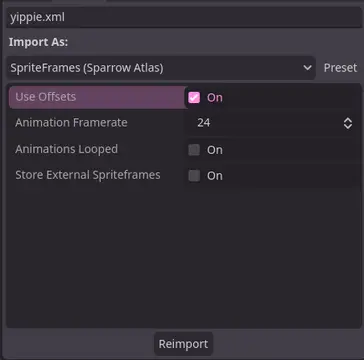

A Godot addon that adds a ResourceImporter for the Sparrow Texture Atlas XML Format.


TileBitTools is a Godot 4 plugin for autotile templates and terrain bit editing.- Built-in autotile templates for all 3 terrain modes* 3x3 minimal, 3x3 16-tile and 2x2 templates from Godot 3 documentation* Blob, Wang and Wang 3-terrain templates to match Tilesetter's default export* 256-tile Corners and Sides templates from TilePipe2 (requires plugin for use)* Simple 9- and 4-tile templates- Custom user template creation- Bulk terrain bit editing buttons: Fill, Set Bits, and Clear- Customization options in Project SettingsSee github.com/dandeliondino/tile_bit_tools for full Readme and Wiki documentation


A smooth, feature-rich top-down camera plugin for Godot.Effortlessly pan and zoom your 2D game scenes with intuitive controls and configurable boundaries.Ideal for strategy and simulation games, with camera controls inspired by titles like Hearts of Iron and Stacklands.Main Features- Smooth Cursor-Centric Zoom & PanSeamlessly zoom in and out towards the mouse cursor, with smooth camera movement and interpolation for a polished feel.- Visual Boundary ConfigurationEasily set and visualize camera movement limits in the editor.- Edge ScrollingAutomatically pan the camera when the mouse approaches the screen edges.- Keyboard ControlMove the camera with keyboard input.