Sonilo Music & Sound Effect Generator
An asset by Sonilo
Install Asset
Install via Godot
To maintain one source of truth, Godot Asset Library is just a mirror of the old asset library so you can download directly on Godot via the integrated asset library browser
Quick Information

Sonilo Music & Sound Effect Generator
Generate AI-powered music and sound effects directly inside Godot with the Sonilo API. Create audio for levels, battles, menus, cutscenes, and more in seconds. Preview and use your results instantly. Every generated track includes commercial use rights and is ready for your game.
Supported Engine Version
4.2
Version String
1.0
License Version
MIT
Support Level
community
Modified Date
16 hours ago
Git URL
Issue URL

Sonilo Audio Generator for Godot
Generate game music and sound effects with the Sonilo AI audio API, directly inside the Godot editor. Describe what you need, click Generate, preview the result, and drop it into your scene — without leaving Godot.
Features
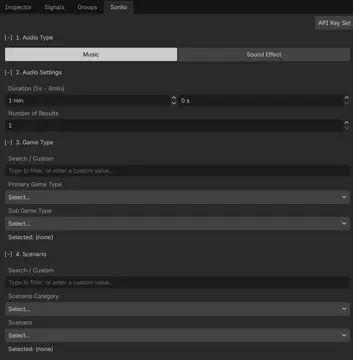
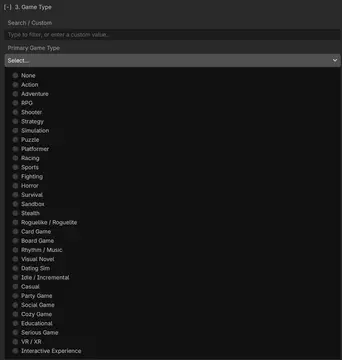
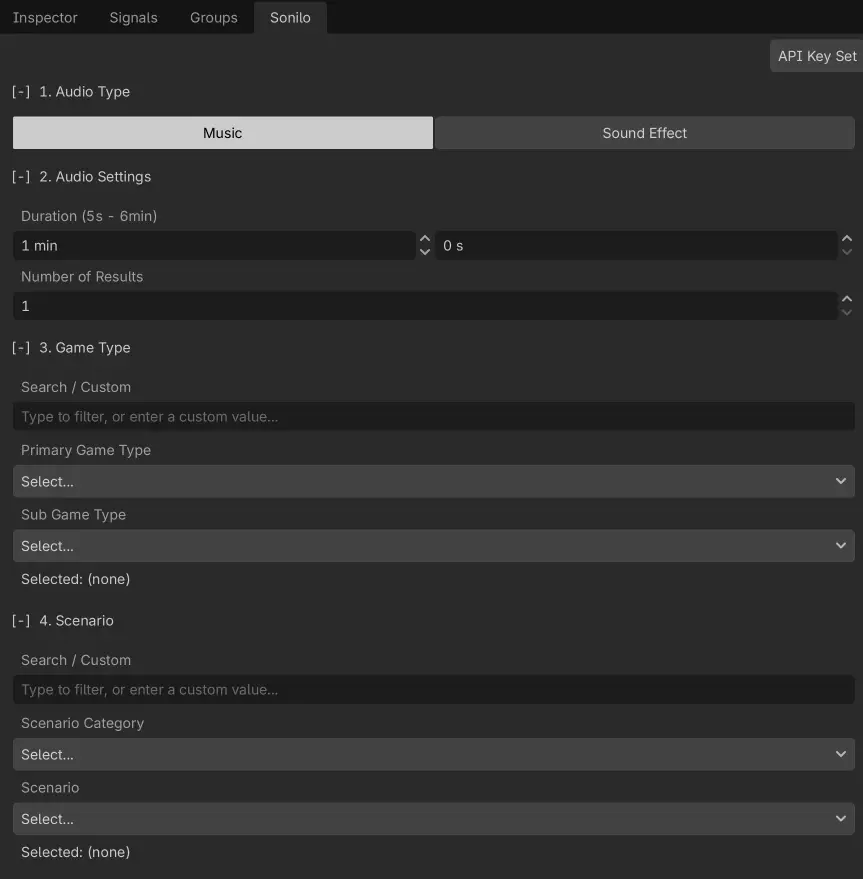
- Music generation — build a structured prompt from game type, scenario, mood and dynamic behavior; pick a duration from 5 seconds to 6 minutes; generate one or several results per run.
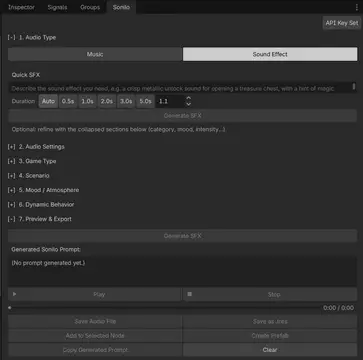
- Quick SFX — describe a sound effect in plain text, optionally refine it with structured options, and let Sonilo pick the duration automatically.
- Preview player — play / pause / stop generated audio right in the dock, with a draggable seek bar, before saving anything.
- One-click integration — save results as audio files or
.tresresources, attach them to the selected node, or create a ready-to-use audio prefab scene. - Native WAV output — audio is requested as 16-bit PCM WAV, which Godot decodes directly; no external converter needed.
Requirements
- Godot 4.2 or newer (GDScript only — no compilation, no dependencies).
- A Sonilo API key — get one at platform.sonilo.com. Sonilo bills per generated second of audio.
Installation
From the Asset Library: search for "Sonilo Audio Generator", install, then enable the plugin under Project → Project Settings → Plugins.
Manually: copy the addons/sonilo_audio_generator folder into your project:
your_project/
├── project.godot
└── addons/
    └── sonilo_audio_generator/
Then enable Sonilo Audio Generator under Project → Project Settings → Plugins. A Sonilo dock appears next to the Inspector.
Getting started
- Click Add API Key at the top of the Sonilo dock and paste your API key (stored per project in your editor settings, never committed to version control).
- Choose Music or Sound Effect.
- Select at least one option — game type, scenario, mood, dynamic behavior — or, for sound effects, just type a description into the Quick SFX box.
- Click Generate. Progress is shown under the button; generation runs asynchronously and typically takes under a minute.
- Use Play / Pause / Stop to audition the result (drag the seek bar to jump around), then:
- Save Audio File — saves the audio exactly as Sonilo returned it (WAV) under
res://sonilo/generated_audio/. - Save as .tres — saves every generated stream as a Godot
AudioStreamresource underres://sonilo/generated_audio/. - Add to Selected Node — adds a configured
AudioStreamPlayer(orAudioStreamPlayer3Dfor spatial SFX) plus aSoniloAudioComponentmetadata node under the selected node. - Create Prefab — saves a self-contained audio scene under
res://sonilo/prefabs/.
- Save Audio File — saves the audio exactly as Sonilo returned it (WAV) under
Audio format
The plugin requests WAV (16-bit PCM) from the Sonilo API, which Godot decodes directly — no conversion or external tools are involved. In the unlikely case the API returns a format Godot cannot decode, the raw file is still saved into res://sonilo/generated_audio/ so nothing is lost.
Troubleshooting
- Generate button is disabled — select at least one option (or type an SFX description) first.
- "Insufficient balance" popup — your Sonilo account is out of credit; top up at platform.sonilo.com.
- HTTP 401 errors — the API key is missing or invalid; re-enter it via Add API Key.
License
MIT © Sonilo
Generate AI-powered music and sound effects directly inside Godot with the Sonilo API. Create audio for levels, battles, menus, cutscenes, and more in seconds. Preview and use your results instantly. Every generated track includes commercial use rights and is ready for your game.
Reviews
Quick Information
Sonilo Music & Sound Effect Generator
Generate AI-powered music and sound effects directly inside Godot with the Sonilo API. Create audio for levels, battles, menus, cutscenes, and more in seconds. Preview and use your results instantly. Every generated track includes commercial use rights and is ready for your game.
Supported Engine Version
4.2
Version String
1.0
License Version
MIT
Support Level
community
Modified Date
16 hours ago
Git URL
Issue URL