Comedot ECS Template
An asset by Syntaks.io
Install Asset
Install via Godot
To maintain one source of truth, Godot Asset Library is just a mirror of the old asset library so you can download directly on Godot via the integrated asset library browser




Quick Information

Comedot ECS Template
All-in-one project template & components framework: Basically nodes but for gameplay. Optimized for 2D pixel art. • Includes components for platformer/overhead/tile-based movement, combat, interactions, inventory, turn-based logic etc.• Handles tricky edge case issues in physics, stats, collectibles, climbing etc.• UI controls like stat HUDs, buttons for special skills etc.• Scenes for Logo → Main Menu → Options, Input Remapping, Pause Overlay & simple game examples.• Save/Load player preferences in config file with `Settings.anyName = 69`• Helper functions & debugging tools like realtime charts for monitoring variables.• Free-to-use 3rd-party assets for quick prototyping.• Meatcrafted components can be Lego'ed together by AI codeslaves to reliably create various gameplay. *(Comedot itself has no AI-generated code.)Even if you don't need the template or components, you can cherry-pick specific code to use in your own scripts.This is a work in constant progress! For delicious details & the latest version, gaze upon the glorious GitHub repository: https://github.com/InvadingOctopus/comedot/tree/developTilesets: https://kenney.nl/assets/1-bit-pack Font: Jayvee Enaguas (HarvettFox96) https://www.dafont.com/pixel-operator.font
Supported Engine Version
4.6
Version String
4.6.0.100.69
License Version
MIT
Support Level
community
Modified Date
5 days ago
Git URL
Issue URL
Comedot: Entities, Components & Shit* for Godot
* ECS but without that "systems" crap.

The goal is to be an all-in-one project template for 2D games (platformers, shoot-em-ups, RPGs, turn-based, tile-based, strategy, puzzle) where you build scenes by adding components to entities and tweaking their parameters in the UI. "Entities" and "Components" are like regular Godot Nodes but for gameplay, so you can combine this framework with any other addons or architecture or fetish.
- Megatons of components for player movement, combat, collectibles, interactions, upgrades etc.
- UI controls like a stats HUD and dynamic buttons for special skills, inventory etc.
- Template scenes for Logo → Main Menu → Options, Input Remapping, Pause Overlay
- Save/Load player preferences via a config file with just
Settings.anyName = 69 - A neutron star spoonful of helper functions & debugging tools.
- Commented & documented code.
- Snippets for VSCode/VSCodium.
- Free-to-use 3rd-party assets for quick prototyping.
🌟 Some specially sprillific components go beyond basic implementation to make sure gameplay feels right, by handling tricky cases that all games run into sooner or later, like:
- Health/ammo/etc. collectibles don't get picked up if your stat is at max. If the stat drops while still standing on the item, then it gets picked up!
- Climbing: Grabbing a ladder/rope while holding the climb input in mid-jump. Walking towards the ladder if not fully aligned. Horizontal movement on fences etc.
[!TIP] 🛠️ Even if you don't need the template or components, you can copy some of the logic code to use in your own scripts, or just yoink [Tools.gd][tools]
[!WARNING] This is still mostly a private personal project; it's what I'm using to make future GotYs while learning Godot as I go. The API eschews cringe conventions like ugly underscores and shit may break frequently: No backwards compatibility is guaranteed!
Examples
⭐️ The composition architecture lets you do cool shit like putting a GunComponent and MouseRotationComponent on any object and It Just Works: (imgur)
https://github.com/user-attachments/assets/43853546-159f-4184-a7a4-da857ba5e75c
⭐️ Implement dynamic gameplay and easily change abilities/buffs at runtime; just add/remove components in simple event handlers, like this example of swapping between platformer physics and flying/overhead movement: (imgur)
https://github.com/user-attachments/assets/061cf16a-04e9-477d-8f59-e2fa0fa523b7
⬆️ These scenes are included in /Templates/Examples/
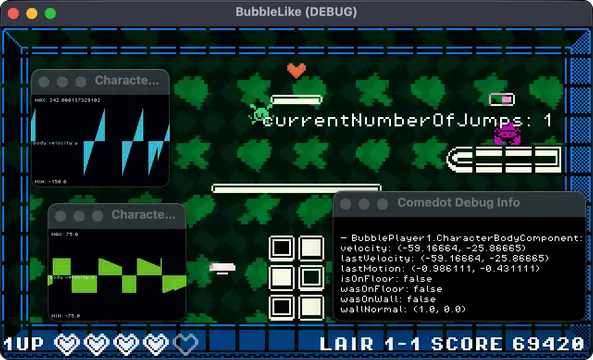
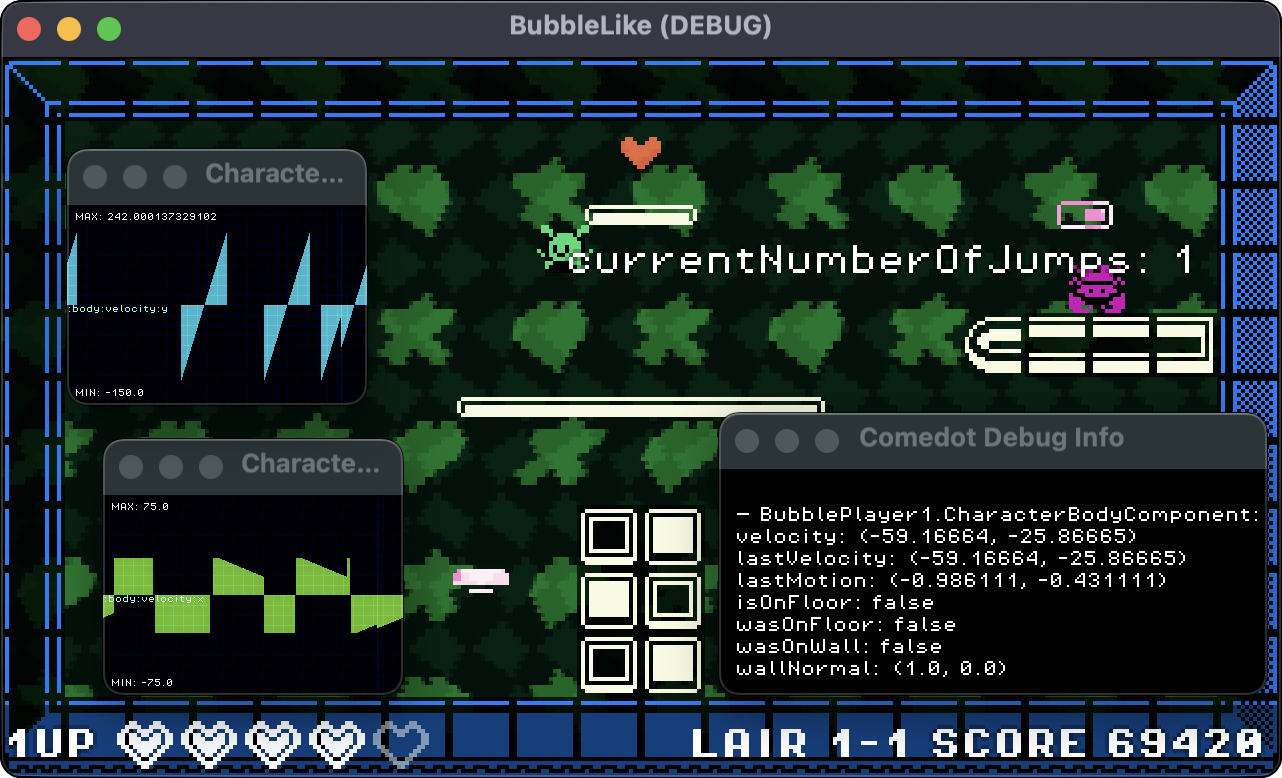
📈 There's even kawaii charts for monitoring variables in real-time!
How To Use
[!IMPORTANT]
Requires Godot 4.6
🚀 Quickstart: To try right away, open project.godot and run PlatformerSceneTemplate.tscn in /Templates/Scenes/
- Clone this repository; this is a Godot template so you should make a local copy of this entire project for each of your games.
- or you can cherry-pick files from Comedot to use in other templates.
- Drag-&-drop nodes from the
/Entities/and/Components/folders into your scene tree./Templates/contains scenes and Entities with preset Components as a quick starting point for various gameplay./Scripts/contains code for non-Entity nodes./UI/contains customizable UI elements for health, ammo, actions, upgrades etc.
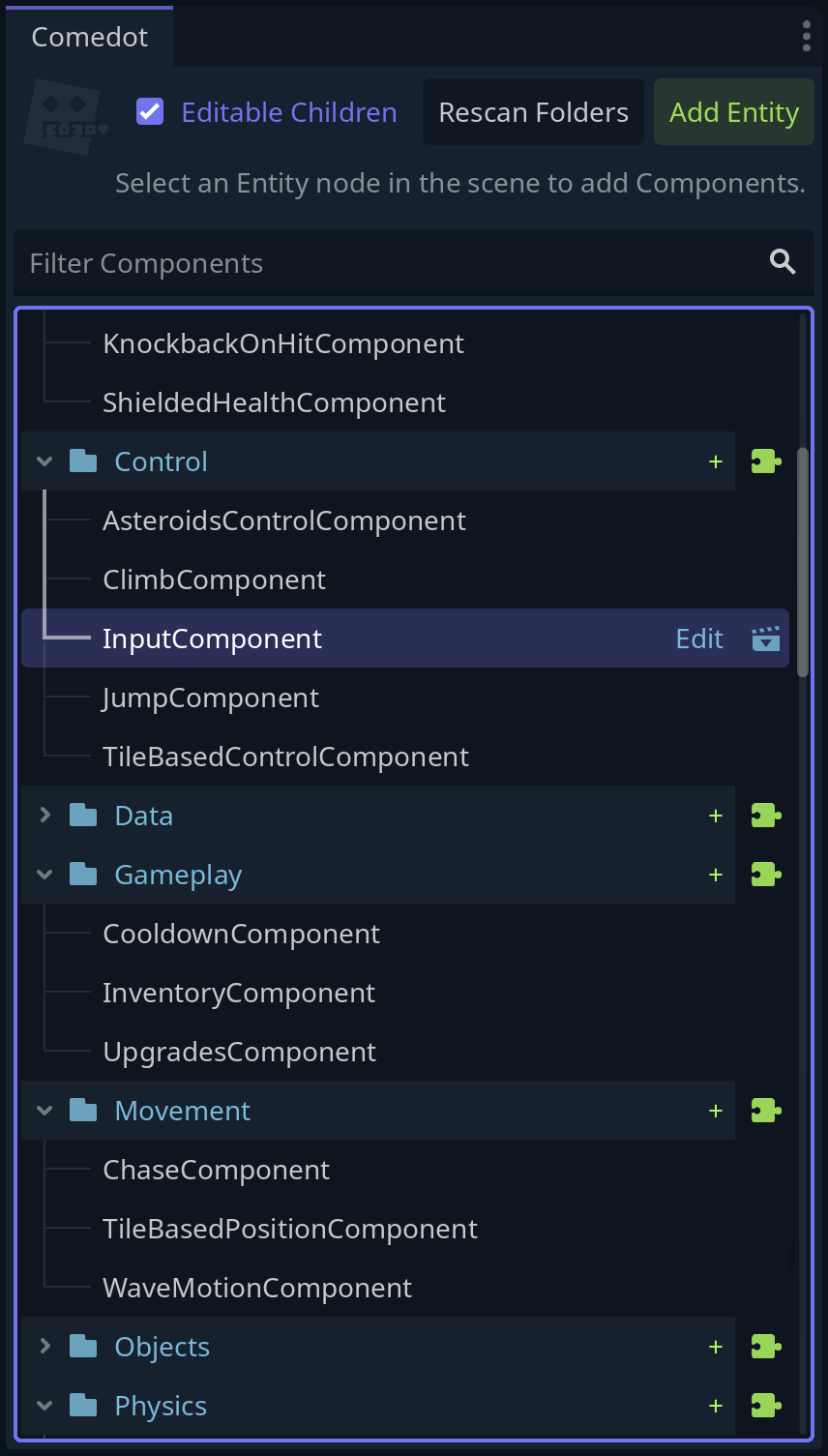
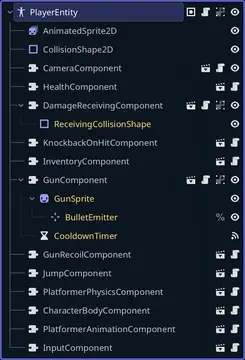
🎳 Whenever your game needs an "actor" like the player character or a monster, or an object with "behaviors" that could be reused for other objects, like interactive items or collectible powerups:
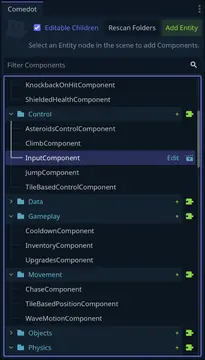
- Use the included custom dock plugin (the Comedock :) or perform these steps manually:
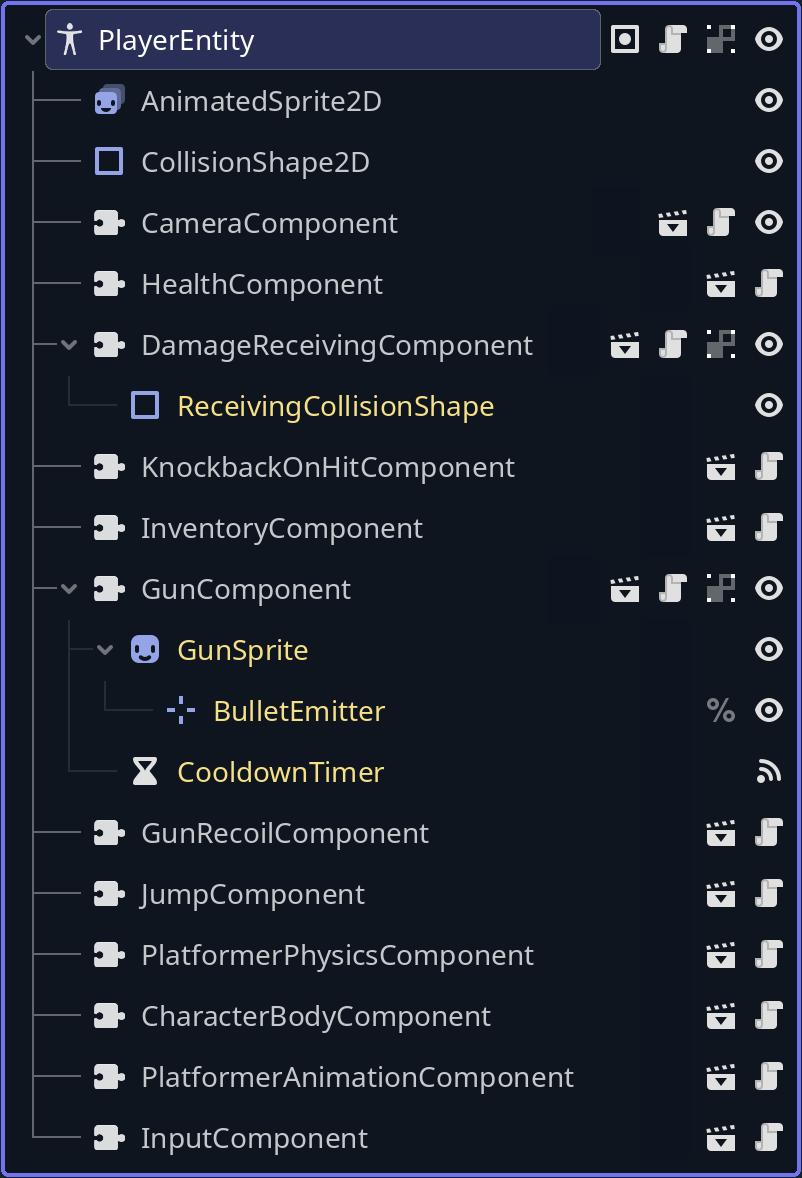
- Create a new Entity node: a
Node2D/Sprite2D/CharacterBody2Detc. with theEntity.gdscript attached. - Add Component child nodes to the entity. A component is also any
Node/Area2Detc. with a script thatextends Component - Modify component parameters in the Inspector sidebar.
- Save that entity+components subtree as a standalone scene file, to organize it separately from the main "world scene" and quickly create copies of it anywhere.
[!TIP] 📜 Read [HowTo.md][howto] to see how to do basic tasks or fix common issues.
See [Conventions.md][Conventions] for the style guide and design rules this project tries to follow.
Comedot © MMXXVI ShinryakuTako@GitHub • Syntaks.io@Discord • Syntaks@Mastodon
💕 THANKS:
- Tilesets: https://kenney.nl/assets/1-bit-pack
- Font: Jayvee Enaguas (HarvettFox96) https://www.dafont.com/pixel-operator.font
[howto]: HowTo.md [conventions]: Conventions.md [thanks]: Thanks.md [todo]: ToDo.md [tools]: Scripts/Tools.gd
All-in-one project template & components framework: Basically nodes but for gameplay. Optimized for 2D pixel art.
• Includes components for platformer/overhead/tile-based movement, combat, interactions, inventory, turn-based logic etc.
• Handles tricky edge case issues in physics, stats, collectibles, climbing etc.
• UI controls like stat HUDs, buttons for special skills etc.
• Scenes for Logo → Main Menu → Options, Input Remapping, Pause Overlay & simple game examples.
• Save/Load player preferences in config file with `Settings.anyName = 69`
• Helper functions & debugging tools like realtime charts for monitoring variables.
• Free-to-use 3rd-party assets for quick prototyping.
• Meatcrafted components can be Lego'ed together by AI codeslaves to reliably create various gameplay. *(Comedot itself has no AI-generated code.)
Even if you don't need the template or components, you can cherry-pick specific code to use in your own scripts.
This is a work in constant progress! For delicious details & the latest version, gaze upon the glorious GitHub repository: https://github.com/InvadingOctopus/comedot/tree/develop
Tilesets: https://kenney.nl/assets/1-bit-pack
Font: Jayvee Enaguas (HarvettFox96) https://www.dafont.com/pixel-operator.font
Reviews
Quick Information
Comedot ECS Template
All-in-one project template & components framework: Basically nodes but for gameplay. Optimized for 2D pixel art. • Includes components for platformer/overhead/tile-based movement, combat, interactions, inventory, turn-based logic etc.• Handles tricky edge case issues in physics, stats, collectibles, climbing etc.• UI controls like stat HUDs, buttons for special skills etc.• Scenes for Logo → Main Menu → Options, Input Remapping, Pause Overlay & simple game examples.• Save/Load player preferences in config file with `Settings.anyName = 69`• Helper functions & debugging tools like realtime charts for monitoring variables.• Free-to-use 3rd-party assets for quick prototyping.• Meatcrafted components can be Lego'ed together by AI codeslaves to reliably create various gameplay. *(Comedot itself has no AI-generated code.)Even if you don't need the template or components, you can cherry-pick specific code to use in your own scripts.This is a work in constant progress! For delicious details & the latest version, gaze upon the glorious GitHub repository: https://github.com/InvadingOctopus/comedot/tree/developTilesets: https://kenney.nl/assets/1-bit-pack Font: Jayvee Enaguas (HarvettFox96) https://www.dafont.com/pixel-operator.font
Supported Engine Version
4.6
Version String
4.6.0.100.69
License Version
MIT
Support Level
community
Modified Date
5 days ago
Git URL
Issue URL