Horror Survival Game Project
An asset by boqsc0
Install Asset
Install via Godot
To maintain one source of truth, Godot Asset Library is just a mirror of the old asset library so you can download directly on Godot via the integrated asset library browser

Quick Information

Horror Survival Game Project
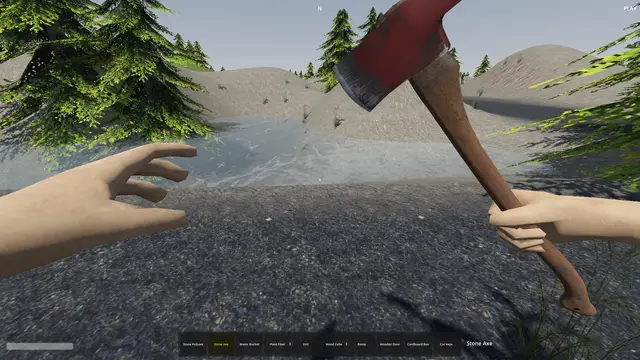
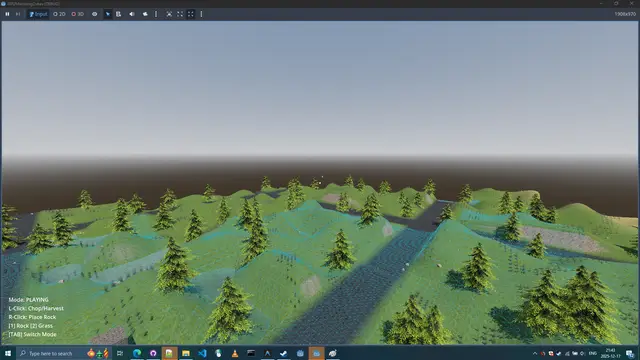
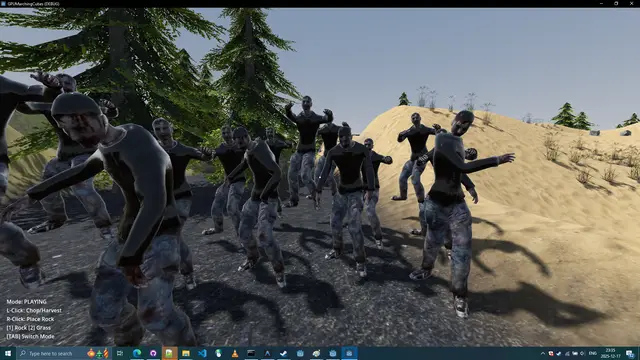
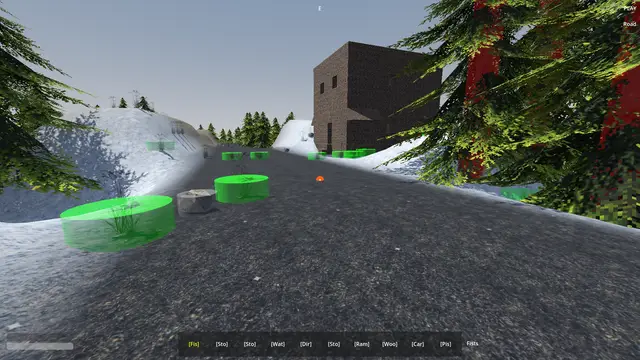
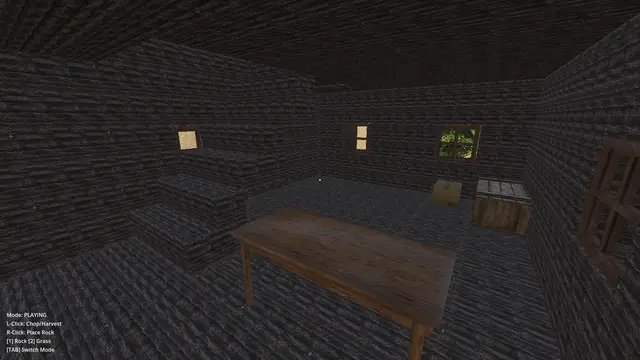
Horror Survival Game Project (HSG) (0.0.0.0)First Person Sandbox Hybrid Voxel Survival Game Project.Technology: Marching Cubes, Greedy Meshing, GDExtension.Languages: GLSL Shader, GDScript, C++Support: Windows 10, 11. (Vulkan, Directx 12)Minimum requirement: ⠀GPU: NVIDIA GeForce GTX 1060 with Max-Q Design⠀Storage: ~1GB (285 MB before assets import trigger)Project Author: BoQscYear: 2026Check the credits.txt file for license of each asset.Project and code is under CC0 license.To have a smoother playing: Press Play Button from the Godot Project List instead of running from the opened project. I have feeling that Godot Editor tries to add unnecessary things to the runtime that might be producing performance spikes.After download of this project you have to trigger the assets import to start playing, this is done by first-time opening/editing project. To check if this project would perform well on your hardware: you might compare to this GPU benchmark.https://gpu.userbenchmark.com/SpeedTest/325746/NVIDIA-GeForce-GTX-1060-with-Max-Q-Design___Project with precompiled shaders ready to play (No reimport)https://github.com/BoQsc/gpu-marching-cubes/releases/download/latest/pre_imported_asset.zipProject with latest source code (Needs reimport)https://github.com/BoQsc/Horror-Survival-Game-Project/archive/HEAD.zip ___HSG is a Zombie Sandbox Survival game.
Supported Engine Version
4.6
Version String
0.0.0.0
License Version
CC0
Support Level
community
Modified Date
1 day ago
Git URL
Issue URL
Debug Module
Resource-based debug configuration system with saveable presets.
Usage
- Select a preset: In editor, assign a preset to
DebugManager.current_preset - Toggle at runtime: Modify
DebugManager.current_presetproperties - Create custom presets: Right-click
presets/→ New Resource → DebugPreset
Presets
default.tres- All OFF (production)terrain_inspection.tres- Yellow marker + material UIvegetation_debug.tres- Collision shapes visible
Files
debug_preset.gd- Resource class definitiondebug_manager.gd- Autoload that reads/applies presetspresets/- Saveable .tres preset files
Horror Survival Game Project (HSG) (0.0.0.0)
First Person Sandbox Hybrid Voxel Survival Game Project.
Technology: Marching Cubes, Greedy Meshing, GDExtension.
Languages: GLSL Shader, GDScript, C++
Support: Windows 10, 11. (Vulkan, Directx 12)
Minimum requirement:
⠀GPU: NVIDIA GeForce GTX 1060 with Max-Q Design
⠀Storage: ~1GB (285 MB before assets import trigger)
Project Author: BoQsc
Year: 2026
Check the credits.txt file for license of each asset.
Project and code is under CC0 license.
To have a smoother playing: Press Play Button from the Godot
Project List instead of running from the opened project.
I have feeling that Godot Editor tries to add unnecessary things to
the runtime that might be producing performance spikes.
After download of this project you have to trigger the assets
import to start playing, this is done by first-time opening/editing project.
To check if this project would perform well on your hardware: you might compare to this GPU benchmark.
https://gpu.userbenchmark.com/SpeedTest/325746/NVIDIA-GeForce-GTX-1060-with-Max-Q-Design
___
Project with precompiled shaders ready to play (No reimport)
https://github.com/BoQsc/gpu-marching-cubes/releases/download/latest/pre_imported_asset.zip
Project with latest source code (Needs reimport)
https://github.com/BoQsc/Horror-Survival-Game-Project/archive/HEAD.zip
___
HSG is a Zombie Sandbox Survival game.
Reviews
Quick Information
Horror Survival Game Project
Horror Survival Game Project (HSG) (0.0.0.0)First Person Sandbox Hybrid Voxel Survival Game Project.Technology: Marching Cubes, Greedy Meshing, GDExtension.Languages: GLSL Shader, GDScript, C++Support: Windows 10, 11. (Vulkan, Directx 12)Minimum requirement: ⠀GPU: NVIDIA GeForce GTX 1060 with Max-Q Design⠀Storage: ~1GB (285 MB before assets import trigger)Project Author: BoQscYear: 2026Check the credits.txt file for license of each asset.Project and code is under CC0 license.To have a smoother playing: Press Play Button from the Godot Project List instead of running from the opened project. I have feeling that Godot Editor tries to add unnecessary things to the runtime that might be producing performance spikes.After download of this project you have to trigger the assets import to start playing, this is done by first-time opening/editing project. To check if this project would perform well on your hardware: you might compare to this GPU benchmark.https://gpu.userbenchmark.com/SpeedTest/325746/NVIDIA-GeForce-GTX-1060-with-Max-Q-Design___Project with precompiled shaders ready to play (No reimport)https://github.com/BoQsc/gpu-marching-cubes/releases/download/latest/pre_imported_asset.zipProject with latest source code (Needs reimport)https://github.com/BoQsc/Horror-Survival-Game-Project/archive/HEAD.zip ___HSG is a Zombie Sandbox Survival game.
Supported Engine Version
4.6
Version String
0.0.0.0
License Version
CC0
Support Level
community
Modified Date
1 day ago
Git URL
Issue URL