gd-plug-plus
An asset by huzz
Install Asset
Install via Godot
To maintain one source of truth, Godot Asset Library is just a mirror of the old asset library so you can download directly on Godot via the integrated asset library browser
Quick Information

gd-plug-plus
A plugin manager for Godot 4.x with built-in editor UI. Manage addon installation, updates, and version pinning — all from within the editor, no config scripts needed.
Supported Engine Version
4.0
Version String
1.0.3
License Version
Apache-2.0
Support Level
community
Modified Date
5 hours ago
Git URL
Issue URL
gd-plug-plus
English | 中文
A plugin manager for Godot 4.x with built-in editor UI. Browse, install, update, and version-pin addons — all from within the editor, no config scripts needed.
Requirements
- Godot 4.x (tested with 4.4+)
- git in system
PATH
Installation
Copy addons/gd-plug-plus/ into your project's addons/ directory, then enable the plugin in Project → Project Settings → Plugins.
Usage
Install Addons
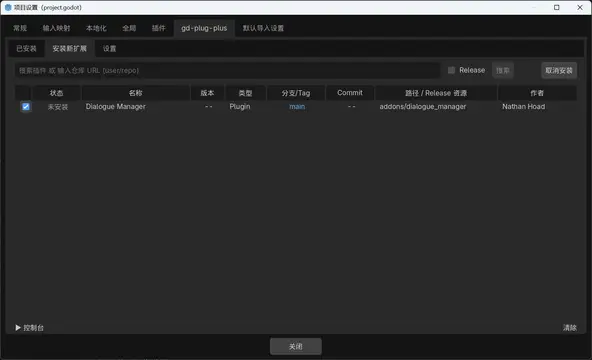
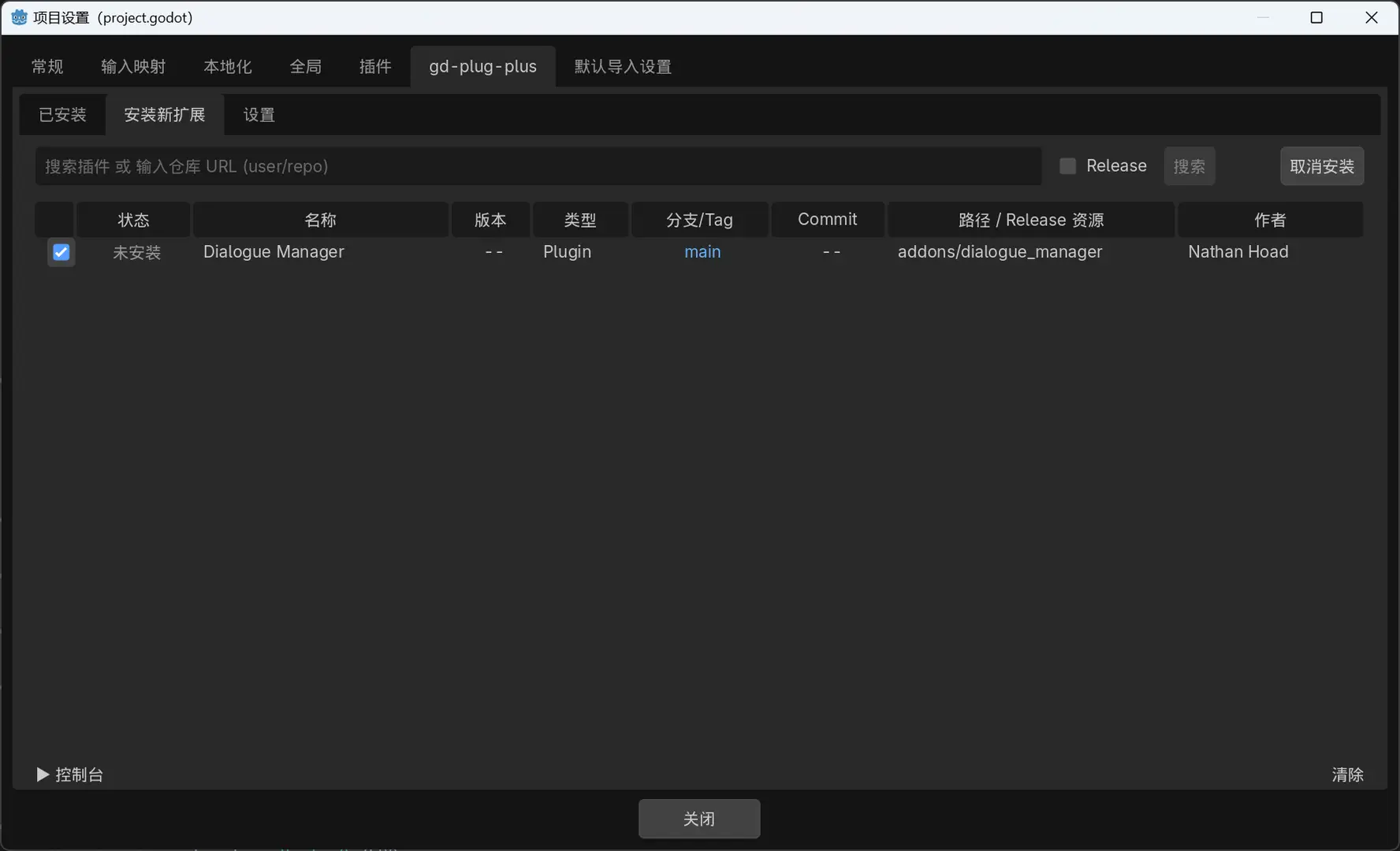
Switch to the Install New tab. The built-in catalog lists community addons ready for one-click install. You can also type a Git URL into the search bar and click Search to find any public repository.
Select the addons you want, then click Install Selected.

Install GDExtensions from Releases
Some addons (especially GDExtensions) ship as pre-built binaries via GitHub Releases instead of raw source code.
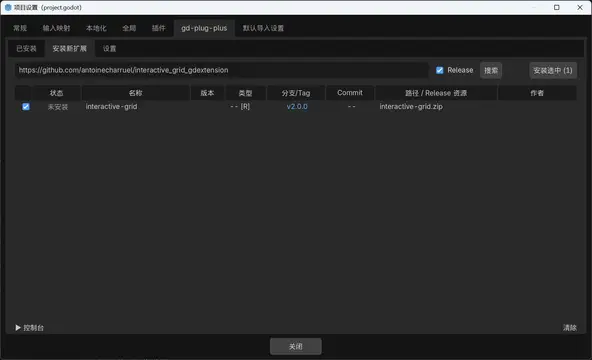
- Enter the repository URL, tick the Release checkbox, and click Search

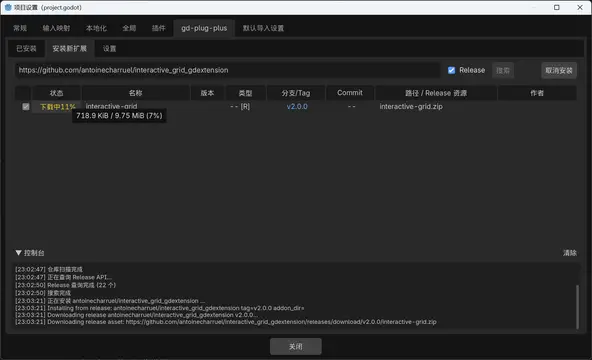
- Select the result and click Install Selected — the asset is downloaded with real-time progress, extracted, and copied into your project

Check for Updates
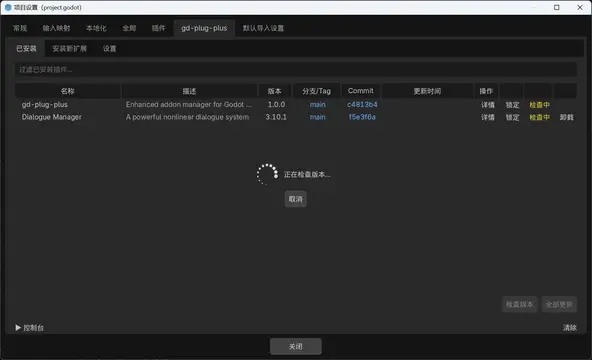
On the Installed tab, click Check Versions to compare every installed addon against its remote. Addons with new commits will show an Update button.

Update All
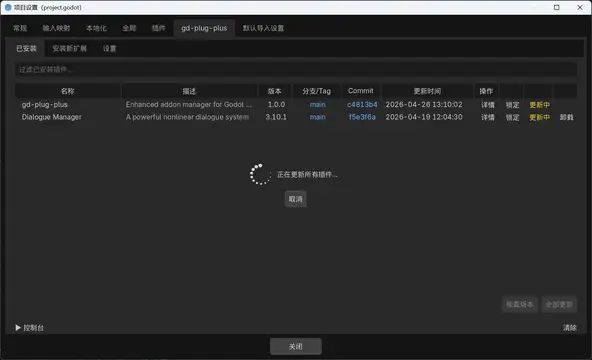
Click Update All to pull the latest changes for every addon in one batch.

Switch Version
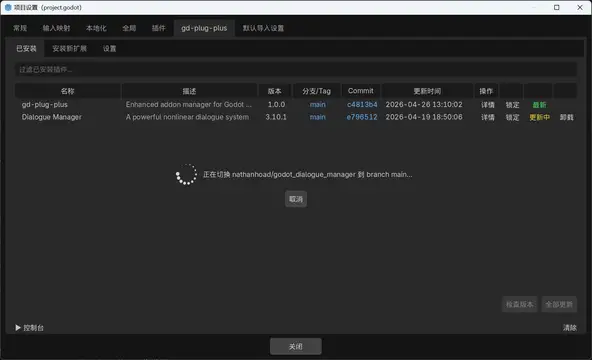
Click the branch/tag or commit link of any installed addon to switch it to a different branch, tag, or commit.

Switch Release Version
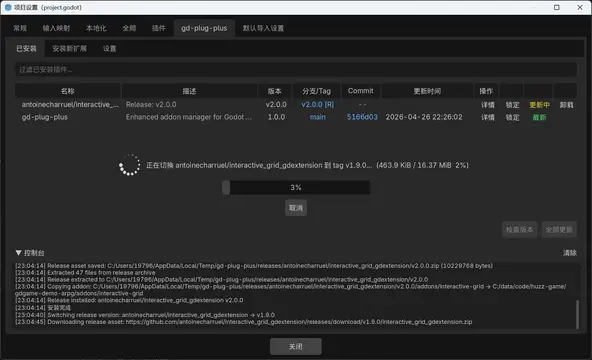
For addons installed from Releases, click the tag link (e.g. v2.0.0 [R]) to switch to a different release tag. The new asset is downloaded and replaces the old one, with a progress bar and the option to cancel.

Token Configuration
Platform API tokens are required for Release searches and downloads (to avoid rate limits and access private repos). Tokens are stored in an encrypted file outside the project and shared across all Godot projects on the same machine.
Go to Settings → Auth to configure tokens:
| Platform | Auth Methods | How to obtain |
|---|---|---|
| GitHub | Device Flow OAuth / PAT | github.com/settings/tokens |
| Codeberg | PAT | codeberg.org/user/settings/applications |
| Gitee | PAT | gitee.com/profile/personal_access_tokens |
- Device Flow (GitHub only): click "Device Flow Login", a code appears — open the browser link, enter the code, authorize, and the token is saved automatically.
- PAT (all platforms): paste a Personal Access Token into the input field and click Save.
Token file location: $XDG_CONFIG_HOME/gd-plug-plus/tokens.dat (Linux/macOS) or %APPDATA%/gd-plug-plus/tokens.dat (Windows).
Proxy Configuration
Go to Settings → Network to configure an HTTP/HTTPS proxy. When enabled, the proxy applies to all network requests — both Godot HTTP requests and git subprocess commands.
Contributing
Plugin Index
The built-in addon catalog in the Install New tab is powered by addon_index.json. Anyone can contribute new entries:
- Fork the gd-plug-plus repo
- Edit
addons/gd-plug-plus/addon_index.json - Add an entry following the format below
- Submit a Pull Request
Format
addon_index.json is a JSON array. Each element represents a repository:
[
  {
    "url": "https://github.com/user/repo",
    "addons": [
      {
        "name": "My Plugin",
        "description": "A short description.",
        "addon_dir": "addons/my_plugin",
        "author": "Author Name",
        "type": "plugin",
        "branch": "main"
      }
    ]
  }
]
Fields
| Field | Required | Description |
|---|---|---|
url |
Yes | Full git clone URL |
addons |
Yes | Array of addons in this repo |
addons[].name |
Yes | Display name |
addons[].addon_dir |
Yes | Install target directory (e.g. addons/my_plugin) |
addons[].branch |
Yes | Default branch (e.g. main) |
addons[].description |
No | One-line summary |
addons[].author |
No | Author name |
addons[].type |
No | plugin (default) or gdextension |
For repos with multiple addons, list each as a separate element in the addons array.
Acknowledgements
gd-plug-plus is inspired by two projects from imjp94:
- gd-plug — Git-based plugin manager for Godot (MIT)
- gd-plug-ui — Editor UI for gd-plug (MIT)
License
A plugin manager for Godot 4.x with built-in editor UI. Manage addon installation, updates, and version pinning — all from within the editor, no config scripts needed.
Reviews
Quick Information
gd-plug-plus
A plugin manager for Godot 4.x with built-in editor UI. Manage addon installation, updates, and version pinning — all from within the editor, no config scripts needed.
Supported Engine Version
4.0
Version String
1.0.3
License Version
Apache-2.0
Support Level
community
Modified Date
5 hours ago
Git URL
Issue URL