This simple tool will automatically open .gd and .cs files in the editor when they are created by right-clicking in the filesystem browser and selecting create new -> script. Currently creating the file and opening it in the editor are two separate actions.Please upvote the proposal here if you think this should be default Godot behavior:https://github.com/godotengine/godot-proposals/discussions/11428Then I can remove this silly addon.Source code available here:https://gitlab.com/pahool_gamedev/godot_file_autoopen_addon
A GDScript implementation of a line renderer in Godot 4.0, useful for rendering cylindrical volume such as lasers, trails, etc. Based on the Godot 3.0 version by @dbp8890 at https://github.com/dbp8890/line-renderer, which is based on the helpful C# implementation by @paulohyy at https://github.com/paulohyy/linerenderer and added some additional features such as UV tiling and a .tscn file for ease of use.To use, simply download and unzip the folder, which contains a demo project. If the demo project is not needed, the LineRenderer subfolder can be copied directly into the Godot project.Drag and drop the LineRenderer.tscn scene into the project, and you should see a line!To edit the line's points, simply edit the points member variable of the line renderer, and add/remove points from the array (see demo project for details). This can also be done via the editor in Godot.
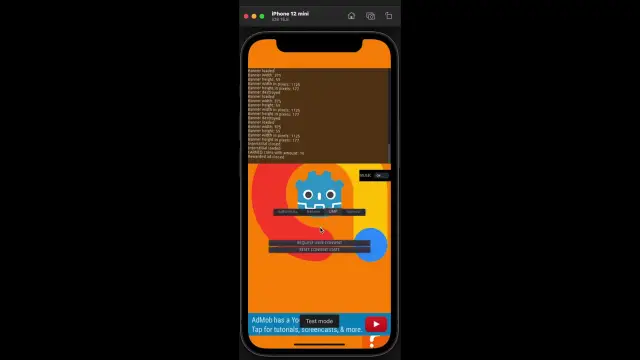
This plugin helps to use the AdMob Plugin created by Poing Studios.Android: https://github.com/Poing-Studios/godot-admob-androidiOS: https://github.com/Poing-Studios/godot-admob-ios
Plugin designed to be generic and usable for any kind of game.The system is called Thoth from the Egyptian deity that was the holder of knowledge and patron of scribes, so Thoth is in charge of saving your game.If you want to support me : https://www.stupidrat.com/senselessIf you wish to pledge to help me I also have a Patreon page.https://www.patreon.com/c64cosminDocumentation : https://stupidratstudio.github.io/thoth/Contact & Support : https://discord.gg/FX5NaQHcjS

Intuitive UI design workflow in Godot.Import/manage font source files and styling UI directly in the editor viewport.This version is only compatible with Godot 4.x, check out godot3(https://github.com/imjp94/UIDesignTool/tree/godot3) branch for older versionv0.3.0:Port to Godot 4.0v0.2.2:Exlcude unwanted files from export & Fix null exception when set font to RichTextLabelv0.2.1:Minor bugfix, handle null exception when selected non-Control node, exclude unwanted files from asset libraryv0.2.0:UIDesignTool now support batch edit with toolbar & Vertical alignment.Other than that, this release mainly focus on improving v0.1.0, in terms of UI, efficiency & bugfixing.For more details, check out (https://github.com/imjp94/UIDesignTool/blob/master/CHANGELOG.md)Note: Users updating from v0.1.* to v0.2.* might needs to specify font resource directory again, due to a bug which has been tackled in v0.2.0
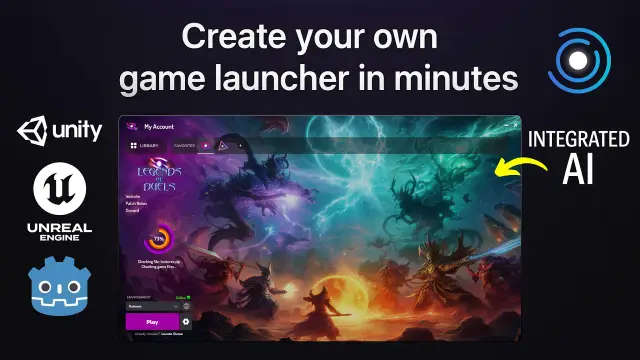
Create and manage your game patches from Godot Engine to Game Launcher CloudGame Launcher Cloud is a platform to create your own custom game launcher for any engine and any game. White label solution.It includes automatic updates, player login, in-launcher purchases, analytics, hosting, AI-powered news generation, and support for private servers — all in one place.➤ Website:https://gamelauncher.cloud/➤ Documentation:https://help.gamelauncher.cloud/➤ Discord (Community and Support):https://discord.com/invite/FpWvUQ2CJP◆ [email protected]▽ Features ▽Connect to your Game Launcher Cloud account to● BUILD, COMPRESS AND UPLOAD PATCHESBuild your game and upload it directly to Game Launcher Cloud.The manager handles everything for you.● TIPSReceive smart tips to improve patch quality.
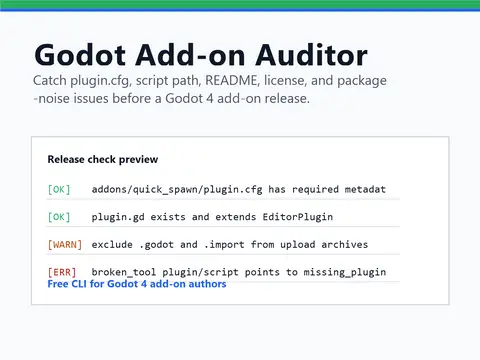
Godot Add-on Auditor is a free Godot 4 editor add-on and CLI for checking editor plugins before a release or Asset Library upload.It scans plugin.cfg metadata, plugin script paths, editor plugin script basics, missing add-on README/license files, and noisy folders such as .godot, .import, .git, node_modules, and .vs. Use the editor dock for quick local checks, or run the CLI in CI and release scripts for repeatable validation.Version 0.2.0 adds a Godot editor add-on wrapper so the tool can be installed from the Asset Library while keeping the command-line workflow available from GitHub.Free source and downloads: https://github.com/Grind-Knight/godot-addon-auditorOptional support: https://ko-fi.com/grindknight
An integration for ink, a powerful narrative scripting language. GodotInk is mainly aimed at C# games, but is completely interoperable from GDScript. - Project home page: https://github.com/paulloz/godot-ink/- Installation: https://github.com/paulloz/godot-ink/wiki#%EF%B8%8F-installation- Quick start guide: https://github.com/paulloz/godot-ink/wiki#-quick-start-guide
Interact with WebAssembly modules from Godot.Inspect Wasm modules, access globals, call functions, and manipulate memory.Documentation: https://github.com/ashtonmeuser/godot-wasm/wikiRepository: https://github.com/ashtonmeuser/godot-wasm
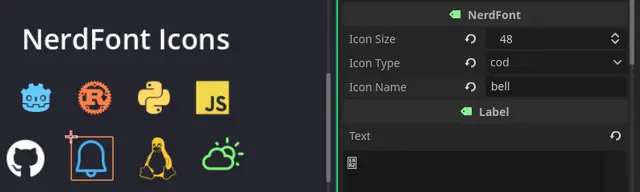
# Nerd Fonts plugin for GodotUse [Nerd Fonts](https://www.nerdfonts.com) 3.4.0 icons in Godot 4.x!Nerd Fonts includes 10,764 icons from 17 icon sets: FontAwesome, Material Design, Devicons, Codicons, Octicons, and more.## UsageCreate a new "NerdFont" Node and configure its values. To change color, simply go to theme overrides and change the font color.All icons can be found under **Project > Tools > NerdFont Icons**.### Icon Categories- `cod` - VS Code Codicons- `custom` - Custom icons- `dev` - Devicons (programming languages/tools)- `extra` - Extra glyphs- `fa` - FontAwesome- `fae` - FontAwesome Extended- `iec` - IEC Power Symbols- `indent` / `indentation` - Indentation guides- `linux` - Linux distribution logos- `md` - Material Design (largest set)- `oct` - Octicons (GitHub)- `pl` / `ple` - Powerline / Powerline Extra- `pom` - Pomicons- `seti` - Seti UI icons- `weather` - Weather icons## Using Different FontsThe plugin includes `SymbolsNerdFont-Regular.ttf` by default (icons only, ~2.4MB).You can replace it with any patched Nerd Font from [nerdfonts.com](https://www.nerdfonts.com/font-downloads):1. Download a font (e.g., FiraCode Nerd Font, JetBrains Mono Nerd Font)2. Extract and copy the `.ttf` file to `addons/nerdfonts/fonts/`3. Update the `icon_font` path in `NerdFont.gd`## UpdatingTo update to a new version of Nerd Fonts:1. Download `glyphnames.json` from the [Nerd Fonts repository](https://github.com/ryanoasis/nerd-fonts)2. Open `utils/dump_nerdfonts.html` in a browser3. Drop `glyphnames.json` into the page4. Copy/download the output and replace `All.gd`5. Update font files in `addons/nerdfonts/fonts/` if needed
Testing Framework for GDScript in Godot 4 Game EngineFeatures: - Supports creation of custom user-defined tests. - Provides an editor dock to display all tests and their results. - Offers a Testing singleton with methods for easy assertions in non-test code.Please see the Github repo for more more information and the latest version of the plugin!https://github.com/accmltr/simple-testing-godot
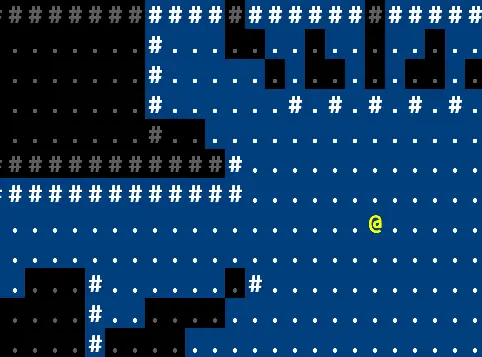
Mingos' Restrictive Precise Angle Shadowcasting is an algorithm used by traditional roguelike games for determining which map cells are in the player's field of view.See the README for instructions on usage: https://github.com/matt-kimball/godot-mrpas-assetlib/blob/master/README.mdA demo project using this algorithm is available on github: https://github.com/matt-kimball/godot-mrpas