


A simple branching dialogue editor and stateless runtime.Create your dialogue right in the Godot Editor itself with a simple script-like language and the built-in syntax checker.Then, in your game, use the DialogueManager global to fetch lines of dialogue. There is an example dialogue balloon to help get you started on creating your own to fit in better with your game.
Extendable Inspector for 3.5
An asset by j9794
Quick Information

Extendable Inspector for 3.5
Add any control to the inspector for your specific nodes by defining one method in your node's script, without having to create a new plugin for each one.
Supported Engine Version
3.5
Version String
1.0.0
Support Level
community
Modified Date
2 years ago
Git URL
Issue URL
Extendable Inspector
Makes it easier to add custom inspector controls to nodes.


How to install
Download the project and copy the addon folder into your godot project.
Go to Project Settings > Plugins, and enable Extendable Inspector.
Quick Start / Tutorial
Let's add a button that prints the node name in godot's output:
- Choose the node that should have this control, make sure its script has the
@toolannotation at the beginning, this allows it to run code while in the editor. - Define a method called
_extend_inspector_beginthat receives a parameter, let's call that parameterinspector. If you want, you can type it asExtendableInspectorto get some autocomplete features: - Create a button that when pressed, it prints the node's name. Then, simply add it to the inspector with
inspector.add_custom_control(a_control). You will have to unfocus the node and focus it again for the button to appear:
How to use
What this plugin does is allow extending the inspector by declaring some methods in the script for which you want to add custom extensions to the inspector.
The supported methods are analogous to methods that can be defined in an EditorInspectorPlugin to add new features to the inspector.
https://docs.godotengine.org/en/3.5/classes/class_editorinspectorplugin.html
These methods are:
void _extend_inspector_begin(inspector: ExtendableInspector)
Allows adding controls at the beginning of the inspector.
void _extend_inspector_end(inspector: ExtendableInspector)
Allows adding controls at the end of the inspector.
bool _extend_inspector_category(inspector: ExtendableInspector, category: String)
Allows adding controls at the beginning of a category in the property list for object.
void _extend_inspector_property(inspector: ExtendableInspector, object: Object, type: int, name: String, hint_type: int, hint_string: String, usage_flags: int, wide: bool)
Allows adding property-specific editors to the property list for object. The added editor control must extend EditorProperty. Returning true removes the built-in editor for this property, otherwise allows to insert a custom editor before the built-in one.
Examples
Examples can be found in the example folder
Utils
This plugin has a core folder that adds the functionality to let you extend the inspector with any custom control you define from your own scripts.
Apart from that, there's a utils folder that defines some already made controls that can be added to the inspector.
Add any control to the inspector for your specific nodes by defining one method in your node's script, without having to create a new plugin for each one.
Reviews
0 total reviews
Quick Information
Extendable Inspector for 3.5
Add any control to the inspector for your specific nodes by defining one method in your node's script, without having to create a new plugin for each one.
Supported Engine Version
3.5
Version String
1.0.0
Support Level
community
Modified Date
2 years ago
Git URL
Issue URL
Related Assets
More in Tools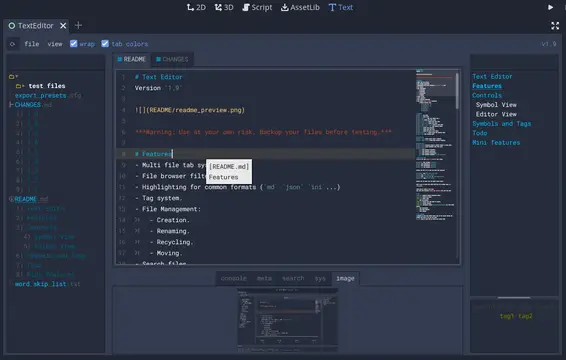

A text editor with many features:- Table of contents.- Tag filtering.- Comment toggling for .md .yaml .json .ini .cfg.- Directory colors.- And tons of Quality of Life features.
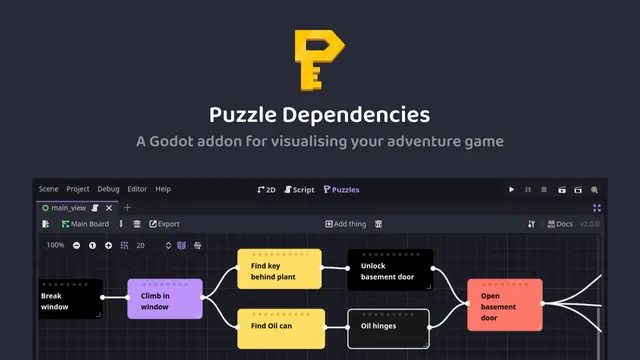

A tool for building puzzle dependency charts to help visualise and map out your adventure game puzzles.


A routeable HTTP server for Godot.