


A simple branching dialogue editor and stateless runtime.Create your dialogue right in the Godot Editor itself with a simple script-like language and the built-in syntax checker.Then, in your game, use the DialogueManager global to fetch lines of dialogue. There is an example dialogue balloon to help get you started on creating your own to fit in better with your game.
StringKeys: String Translation Key Finder
An asset by MrTriPie
Quick Information

StringKeys: String Translation Key Finder
StringKeys allows you to automatically generate a .csv translation file from strings in your game by searching for certain patterns surrounding the strings. For example it could find the text property for a Button or Label node in a scene file, or it could find a string inside a tr() (translate) function call.
Supported Engine Version
3.2
Version String
2.1
Support Level
community
Modified Date
5 years ago
Git URL
Issue URL
StringKeys for Godot Engine
StringKeys allows you to automatically generate a .csv translation file from strings in your game following a certian pattern.
Version 2 (current version) allows for searching for strings by the patterns surrounding them, this allows for it to be used on projects at the end of development, that weren't designed with StringKeys in mind, at the cost of maybe be a little less precise. Patterns can be things such as the property name in a scene or resource, or as the paramteter of a function call (such as Godot's translate function: tr("string")). Its UI is in a dropdown menu so that it is a little less in the way.
V2 Latest Release: https://github.com/mrtripie/godot-string-keys/releases/tag/2.1_godot_3.2
V2 Documentation: https://docs.google.com/document/d/176WFKE-2SxA0uWEDP7c8vInO8wChC54EQKv-6F_xb8M/edit?usp=sharing
Version 1 (original version) requires every string to be specifically marked for translation by having a certain substring (called the prefix), this allows a higher guarentee that every key is correct, but requires more work and that the project was made with StringKeys V1 in mind from the start. Its UI is in the form of a dock.
V1 Latest Release: https://github.com/mrtripie/godot-string-keys/releases/tag/3.2.1
V1 Documentation: https://docs.google.com/document/d/14UY6yVfz1w5g5WvZmC93h8XTp4L9ka4GQcmGOJ1PpEM/edit?usp=sharing
StringKeys allows you to automatically generate a .csv translation file from strings in your game by searching for certain patterns surrounding the strings. For example it could find the text property for a Button or Label node in a scene file, or it could find a string inside a tr() (translate) function call.
Reviews
0 total reviews
Quick Information
StringKeys: String Translation Key Finder
StringKeys allows you to automatically generate a .csv translation file from strings in your game by searching for certain patterns surrounding the strings. For example it could find the text property for a Button or Label node in a scene file, or it could find a string inside a tr() (translate) function call.
Supported Engine Version
3.2
Version String
2.1
Support Level
community
Modified Date
5 years ago
Git URL
Issue URL
Related Assets
More in Tools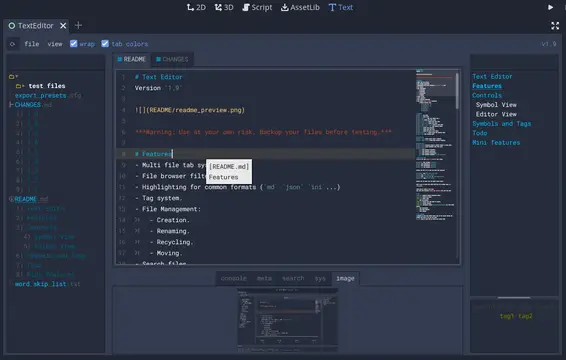

A text editor with many features:- Table of contents.- Tag filtering.- Comment toggling for .md .yaml .json .ini .cfg.- Directory colors.- And tons of Quality of Life features.
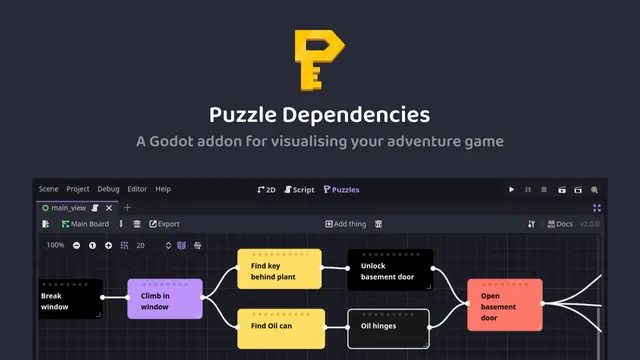

A tool for building puzzle dependency charts to help visualise and map out your adventure game puzzles.


A routeable HTTP server for Godot.