


A simple branching dialogue editor and stateless runtime.Create your dialogue right in the Godot Editor itself with a simple script-like language and the built-in syntax checker.Then, in your game, use the DialogueManager global to fetch lines of dialogue. There is an example dialogue balloon to help get you started on creating your own to fit in better with your game.
ThreadPool++
An asset by ChromiumOS-Guy
Quick Information

ThreadPool++
A GDScript thread pool to asynchronously execute taskswith a bunch of useful features from task time limit to the highly useful join() functionfor further information an documentation please head to the GitHub pagehttps://github.com/ChromiumOS-Guy/ThreadPoolPlusPlusworks on v3.4.4 - v3.5
Supported Engine Version
3.5
Version String
1.5
Support Level
community
Modified Date
3 years ago
Git URL
Issue URL
ThreadPoolPlusPlus
A full fledged GDScript thread pool with all the features you'll (probably) need
Youtube Playlist:
https://www.youtube.com/watch?v=9Khs5F1jXp4&list=PLTgk34QEf4QVybQcZEzLNUR2XGqKu9yyA
Link to Godot AssetLib plugin:
https://godotengine.org/asset-library/asset/1422 (outdated wating for moderators to accept a diffrent commit)
WARNINGS:
thread_pool_manager.gd is an autoload remember to set it as such
load_scene_with_interactive() is by desgin ment to run once per time don't use in parallel if you do, expext unexpected behavor and crashes
the test folder inside of addons/ThreadPool++/ is for unit testing with GUT (Godot Unit Test: https://github.com/bitwes/Gut)
ThreadPool Features:
task time limit
variable thread count
Futures
Priority
join (suspected to not work with multiple threads at the same time please report bugs)
ThreadPoolManager.gd functions:
# get functions:
get_task_queue_as_immutable():
get_task_queue_as_immutable(immutable: bool = true)
if turned off it will give the task queue in mutable form not recommended
get_pending_queue_as_immutable():
get_pending_queue_as_immutable(immutable: bool = true)
if turned off it will give the pending queue in mutable form not recommended
get_threads_as_immutable() should only be used for debugging purposes !!!:
get_threads_as_immutable(immutable: bool = true)
if turned off it will give the thread array in mutable form really really not recommended
(DO NOT USE THIS IF YOU DON'T KNOW WHAT YOUR DOING)
# normal functions:
join():
join(identifier, by: String = "task")
when called will "block" the thread from doing anything until a task is finished or cancelled
use example 1: join(task)
use example 2: join("the_task_tag","task_tag")
"the_task_tag" is the the tag name to search for , "task_tag" is to tell join you want to search by task.tag
will return err when finished err == "OK" is success , err == "OK_CANCEL" is success but task that has been joined got cancelled
submit_task():
submit_task(instance: Object, method: String, parameter,task_tag : String ,time_limit : float = task_time_limit, priority:int = default_priority)
submit tasks like normal,
use example: submit_task(self, "very_important_function",data,"important_task",10000,0)
"important_task" will be task.tag , data is the method data to pass to method , "very_important_function" is the method name , self is the object , 100000 is the time limit in milliseconds , 0 is highest priority (theres no limit to lowest priority)
submit_task_as_parameter():
submit_task_as_parameter(instance: Object, method: String, parameter,task_tag : String, time_limit : float = task_time_limit, priority:int = default_priority)
like submit_task() but gives the selected method the task as self, allowing said method to change things about its task
method example: func said_method(userdata, task)
submit_task_unparameterized():
submit_task_unparameterized(instance: Object, method: String, task_tag : String, time_limit : float = task_time_limit, priority:int = default_priority)
like submit_task() but without any parameters
use example: submit_task(self, "very_important_function","important_task",10000,0)
"important_task" will be task.tag , "very_important_function" is the method name , self is the object , 100000 is the time limit in milliseconds , 0 is highest priority (theres no limit to lowest priority)
submit_task_array_parameterized():
submit_task_array_parameterized(instance: Object, method: String, parameter: Array,task_tag : String, time_limit : float = task_time_limit, priority:int = default_priority)
like submit_task() but uses callv () instead of call()
submit_task_as_only_parameter():
submit_task_as_only_parameter(instance: Object, method: String ,task_tag : String, time_limit : float = task_time_limit, priority:int = default_priority)
like submit_task_unparameterized() but sends task as only parameter
method example: func said_method(task)
submit_task_unparameterized_if_no_parameter():
submit_task_unparameterized_if_no_parameter(instance: Object, method: String, task_tag : String,parameter = null, time_limit : float = task_time_limit, priority:int = default_priority)
like submit_task() but if parameter is equal to null it uses submit_task_unparameterized() instead of submit_task()
load_scene_with_interactive():
load_scene_with_interactive(path, task_tag : String, print_to_console = true ,time_limit : float = task_time_limit, priority:int = 0, do_not_switch_to_scene = false)
uses ResourceLoader.load_interactive() to load your scene async while also updating the task's task.progress and it returns task so you can hook it up to a loading screen
use example: load_scene_with_interactive("path_to_level.tscn","task_tag", false , 100000 , 0, false)
"path_to_level.tscn" is the level path , "task_tag" is the task.tag , false is print_to_console , 100000 is the time limit in milliseconds , 0 is highest priority (theres no limit to lowest priority) , false is the do_not_switch_to_scene (useful for debugging)
A GDScript thread pool to asynchronously execute tasks with a bunch of useful features from task time limit to the highly useful join() function for further information an documentation please head to the GitHub page https://github.com/ChromiumOS-Guy/ThreadPoolPlusPlus works on v3.4.4 - v3.5
Reviews
0 total reviews
Quick Information
ThreadPool++
A GDScript thread pool to asynchronously execute taskswith a bunch of useful features from task time limit to the highly useful join() functionfor further information an documentation please head to the GitHub pagehttps://github.com/ChromiumOS-Guy/ThreadPoolPlusPlusworks on v3.4.4 - v3.5
Supported Engine Version
3.5
Version String
1.5
Support Level
community
Modified Date
3 years ago
Git URL
Issue URL
Related Assets
More in Tools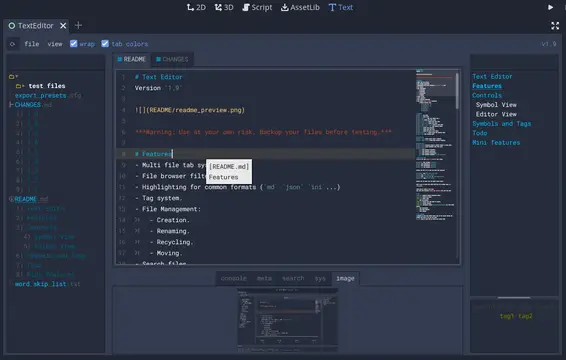

A text editor with many features:- Table of contents.- Tag filtering.- Comment toggling for .md .yaml .json .ini .cfg.- Directory colors.- And tons of Quality of Life features.
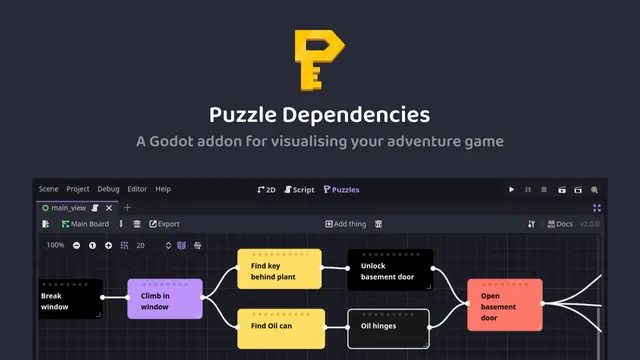

A tool for building puzzle dependency charts to help visualise and map out your adventure game puzzles.


A routeable HTTP server for Godot.