


A simple branching dialogue editor and stateless runtime.Create your dialogue right in the Godot Editor itself with a simple script-like language and the built-in syntax checker.Then, in your game, use the DialogueManager global to fetch lines of dialogue. There is an example dialogue balloon to help get you started on creating your own to fit in better with your game.
Scene Manager (Godot 3)
An asset by glassbrick
Quick Information

Scene Manager (Godot 3)
Plugin for easy screen transitions and node references. (More features to come in the future!)Just install and use it directly in your code:SceneManager.change_scene('res://demo/test.tscn')We also have more customization options!SceneManager.change_scene( 'res://demo/test2.tscn', { "pattern": "scribbles", "pattern_leave": "squares })You can now add references to single important nodes (like Player or Tilemap) for easy access without knowledge of your tree structure.SceneManager.get_entity("Player")Read the Wiki for more details https://github.com/glass-brick/Scene-Manager/wiki
Supported Engine Version
3.5
Version String
0.5.1
Support Level
community
Modified Date
3 years ago
Git URL
Issue URL
Plugin for easy screen transitions and node references. (More features to come in the future!) Just install and use it directly in your code: SceneManager.change_scene('res://demo/test.tscn') We also have more customization options! SceneManager.change_scene( 'res://demo/test2.tscn', { "pattern": "scribbles", "pattern_leave": "squares } ) You can now add references to single important nodes (like Player or Tilemap) for easy access without knowledge of your tree structure. SceneManager.get_entity("Player") Read the Wiki for more details https://github.com/glass-brick/Scene-Manager/wiki
Reviews
0 total reviews
Quick Information
Scene Manager (Godot 3)
Plugin for easy screen transitions and node references. (More features to come in the future!)Just install and use it directly in your code:SceneManager.change_scene('res://demo/test.tscn')We also have more customization options!SceneManager.change_scene( 'res://demo/test2.tscn', { "pattern": "scribbles", "pattern_leave": "squares })You can now add references to single important nodes (like Player or Tilemap) for easy access without knowledge of your tree structure.SceneManager.get_entity("Player")Read the Wiki for more details https://github.com/glass-brick/Scene-Manager/wiki
Supported Engine Version
3.5
Version String
0.5.1
Support Level
community
Modified Date
3 years ago
Git URL
Issue URL
Related Assets
More in Tools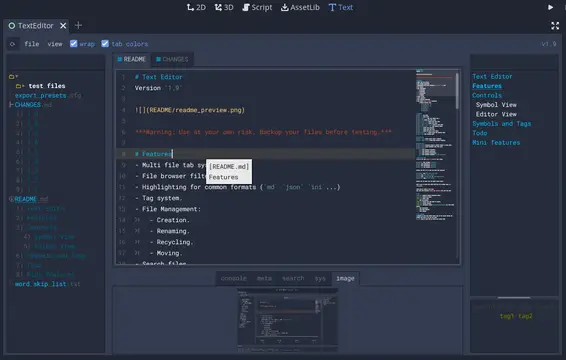

A text editor with many features:- Table of contents.- Tag filtering.- Comment toggling for .md .yaml .json .ini .cfg.- Directory colors.- And tons of Quality of Life features.
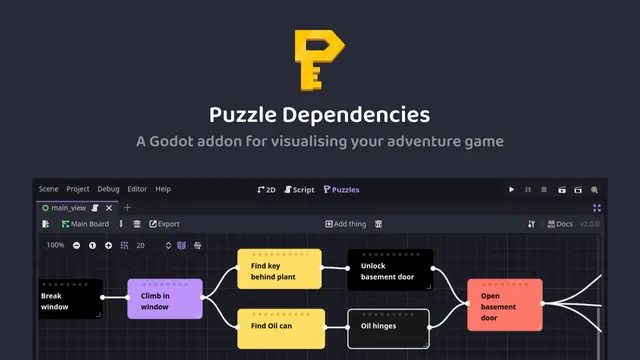

A tool for building puzzle dependency charts to help visualise and map out your adventure game puzzles.


A routeable HTTP server for Godot.